

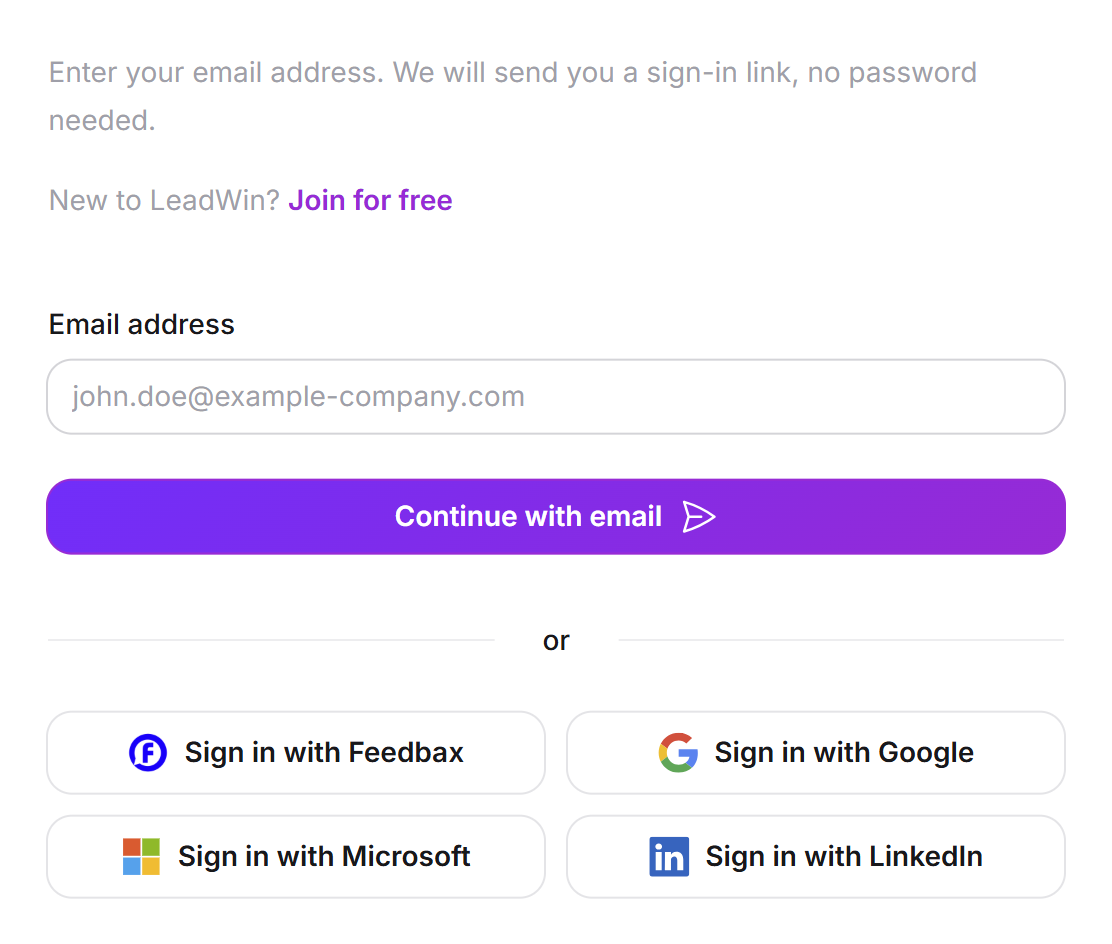
You sign in to LeadWin without a password. You enter your email address and click the link we send you. Alternatively, you use your Google, Microsoft or LinkedIn account or, as a Feedbax provider, your Feedbax login. If your address is new, you create a free LeadWin account in one step on the same page.
At a glance
- The sign-in page is at leadwin.ai/login. The German version is at leadwin.ai/de/login, and there are also /fr/login and /nl/login.
- There is no password. The sign-in link is valid for 20 minutes and works only once.
- After you click it, you stay signed in for 30 days.
- Signing up is free and includes the data processing agreement. Your first click on the link creates your LeadWin agent and starts your 7-day trial.
- Team members do not sign in here but through their invitation.
How it works
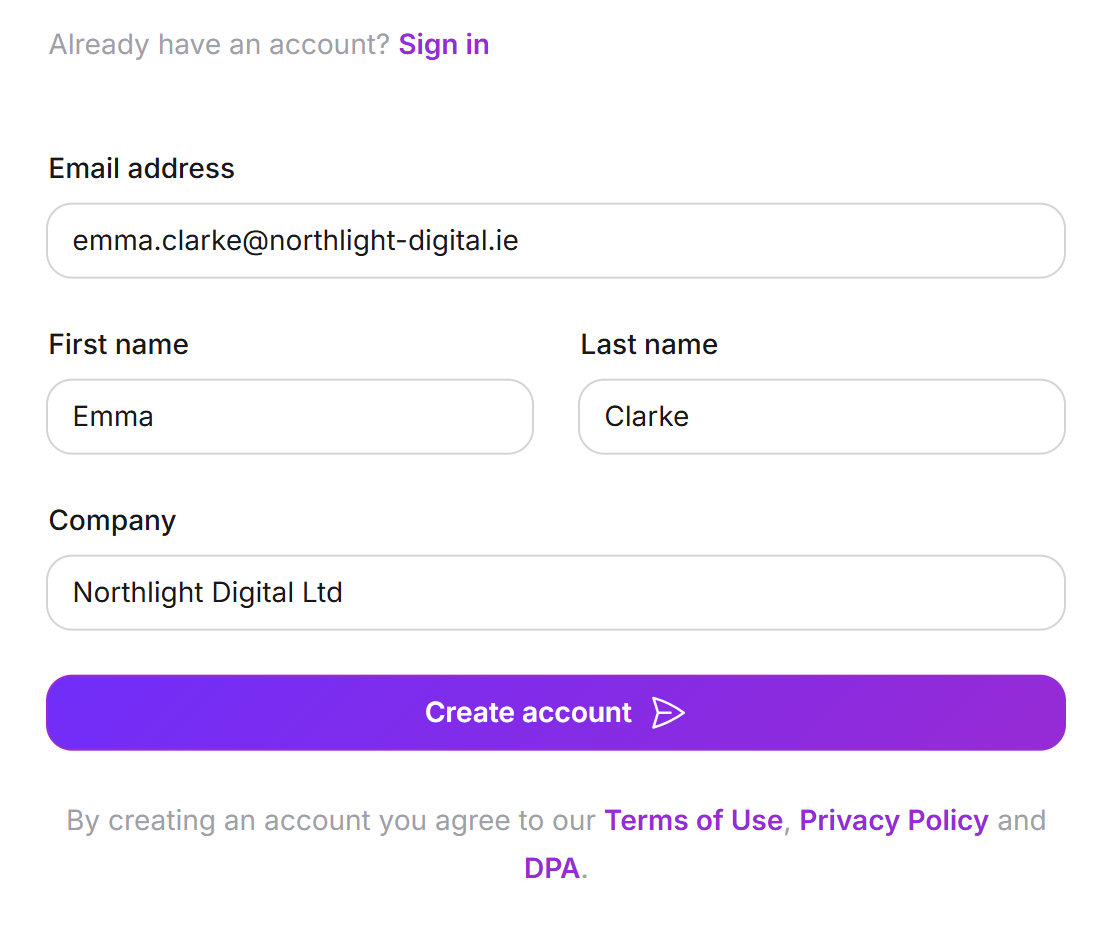
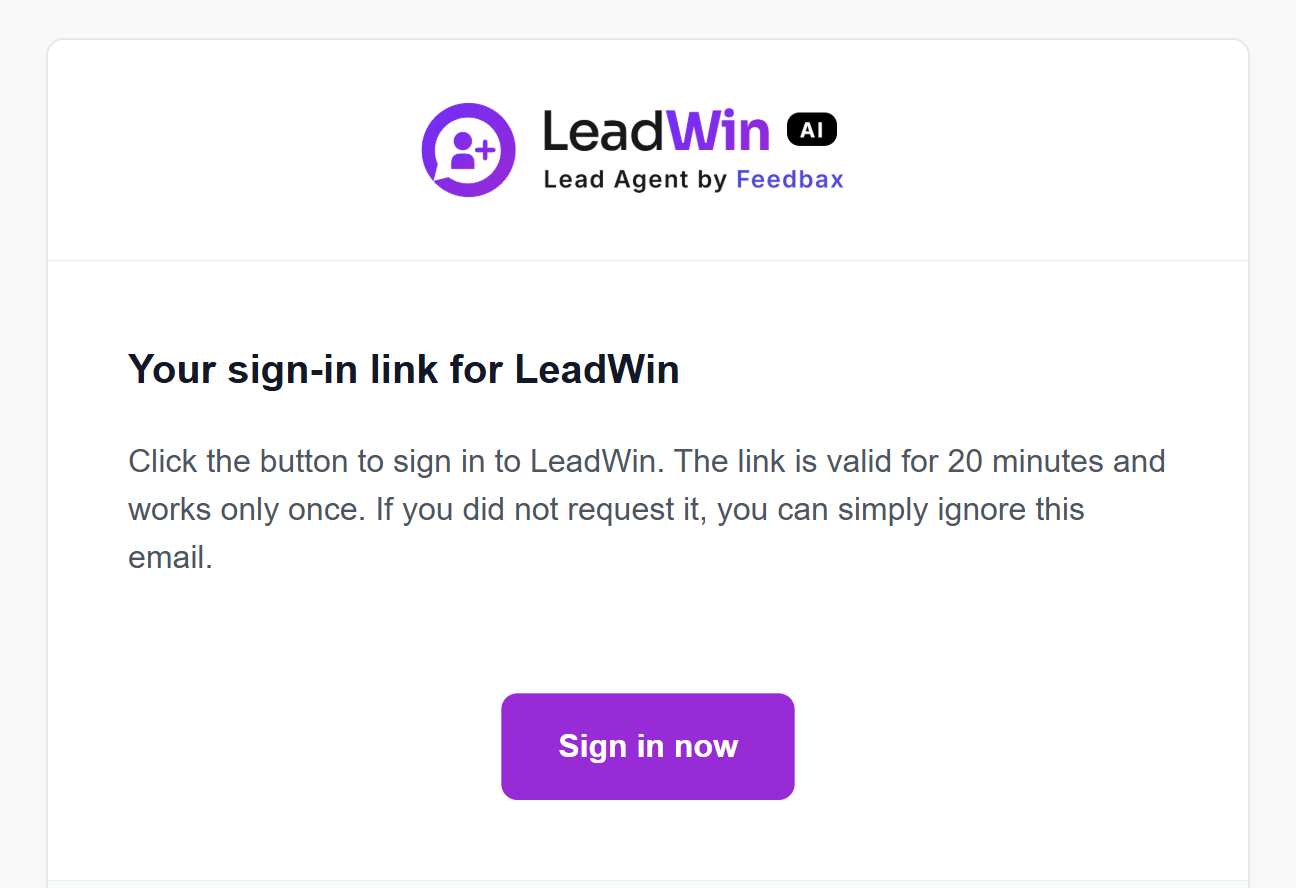
You enter your email address on the sign-in page. If we know the address, we send you an email with the subject Your sign-in link for LeadWin. Clicking Sign in now opens your LeadWin dashboard. If we do not know the address yet, the form expands and asks for your first name, last name and company. We use them to create your account.
These rules apply to signing in:
- 20 minutes: This is how long a sign-in link is valid. It works only once. After that, you request a new one.
- 60 seconds: We send at most one email per minute to each address. If you request again sooner, you see a notice that a link was sent just now.
- 30 days: This is how long you stay signed in after the click. The period does not get longer if you work during that time. On day 31, you request a new link.
- Any address: Addresses from Gmail or other free email providers work too. Only disposable addresses are not accepted when you sign up. An address can be up to 320 characters long.
The email always arrives in the language of your account, even if you requested the link on a page in another language. After the click, the dashboard opens in that language. From then on, your sign-in applies to all four language versions of leadwin.ai.
The form never reveals who is already a customer. If you sign up with an address that already has an account, you get the normal sign-in link for that account and the same confirmation as for a new sign-up.
Create an account
- Open leadwin.ai/login and, under New to LeadWin?, click Join for free. The Start for free button on the LeadWin home page leads to the same form.
- Enter your Email address, along with First name, Last name and Company. All fields are required. The company can be up to 200 characters long.
- Click Create account. The sentence under the button says what you conclude with it: By creating an account you agree to our Terms of Use and Privacy Policy and conclude the data processing agreement with us. The three names are links, each opens its document in a new tab. You do not need to tick a checkbox for this.
- Open the email Welcome to LeadWin: your first step and click Set up LeadWin within 20 minutes.
With this first click, LeadWin creates your LeadWin agent. At first, it carries the name of your company. At the same time, the trial starts with all Pro features and without payment details. The dashboard opens with the Getting started checklist. The form does not ask for your website. You enter the domain afterwards in the dashboard under Knowledge → Website. You already concluded the data processing agreement with your sign-up, for your whole account and all its agents. The checklist therefore has no Privacy step, and the Installation page shows the code as soon as your domain is approved. The date you concluded it is shown under Setup → Privacy.
We use your first name to address you in our emails. The company is the name your account appears under in the dashboard.
Sign in with the email link
- Open leadwin.ai/login.
- Enter your email address and click Continue with email.
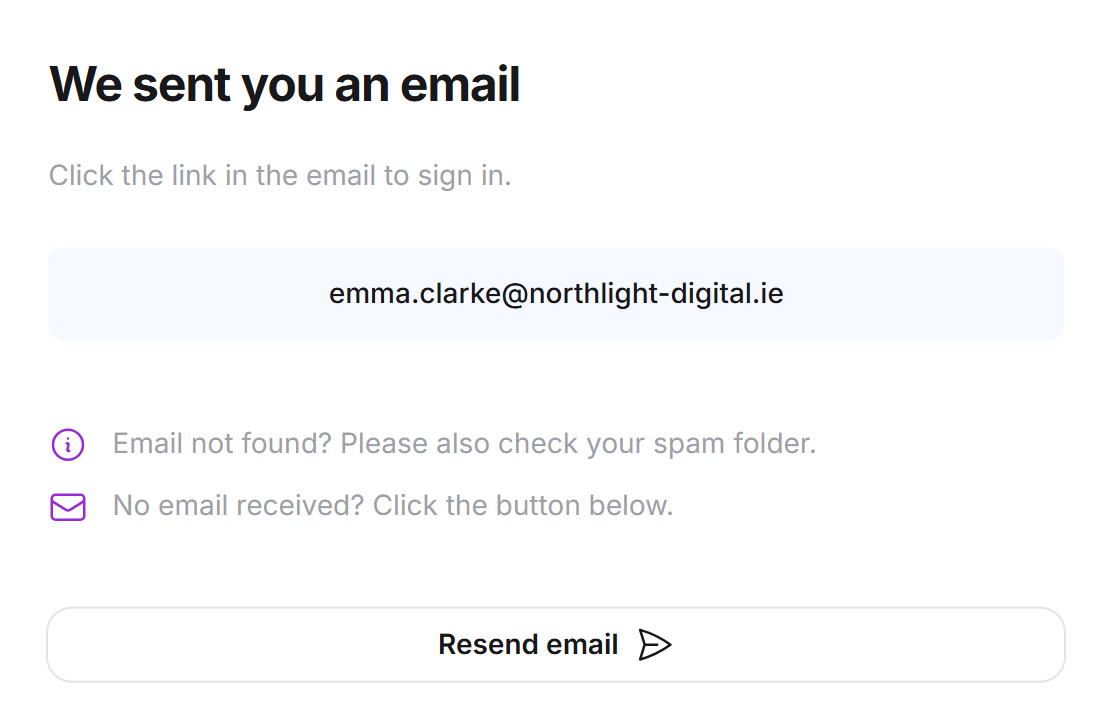
- The page shows We sent you an email. Open the email in your inbox.
- Click Sign in now. The dashboard opens.
The email itself has no greeting, only the note on how long it is valid and the button. If you did not request the link, ignore the email. Nothing happens without a click.
Sign in with Google, Microsoft or LinkedIn
- On the sign-in page, below or, click Sign in with Google, Sign in with Microsoft or Sign in with LinkedIn.
- Confirm the sign-in with the service.
- If the confirmed address already has a LeadWin account, you go straight to the dashboard.
- If the address is new, Create your LeadWin account appears. Enter your Company, because the networks only pass on your personal details. Click Create account. Below it is the same sentence as in the form: you agree to the Terms of Use and the Privacy Policy and conclude the data processing agreement.
What counts is the email address, not the network. If you sign in with the same address once through Google and once with the email link, you end up in the same account both times.
Sign in with Feedbax
As a provider on Feedbax, you click Sign in with Feedbax. If you are already signed in to Feedbax, your LeadWin dashboard opens without a second sign-in. Otherwise, you first sign in to Feedbax and then come straight back to LeadWin. All the details are in From Feedbax to LeadWin.
If you are a buyer on Feedbax and not a provider, this button gives you a separate LeadWin account for your email address. It is not linked to your Feedbax account. The first time, it is created without a form, with your name from Feedbax, and if your address already has a LeadWin account, LeadWin just signs you in there. You see no notice to agree to on this path, and your Feedbax terms cover the account. That is why, like a provider, you accept the data processing agreement with a checkbox under Setup → Privacy.
If no email arrives or the link does not work
- No email: Check your spam folder. After one minute, you can click Resend email. Also check the spelling of your address.
- Link expired or already used: The sign-in page then shows a red notice above the form. Enter your address again and request a new link.
- The form wants to create a new account: We do not know the address. Every LeadWin account belongs to exactly one address. If you changed your sign-in address, only the new one works.
Change the sign-in address
You change your sign-in address in the account menu under Account with Change address. We send a confirmation link to the new address. It is valid for 24 hours and works once. Until you open it, you keep signing in with your previous address. After the change, the old address receives a notice. The new address must not belong to any other LeadWin account. You find more on this in Your account.
Sign-in for team members
People who work in your team sign in through the invitation email, with the Sign in now button. The invitation link is valid for 14 days and can be used several times during that period. A team session also lasts 30 days. The header then shows Signed in as with name and role, and Sign out next to it. On narrow screens, both are in the menu at the top left.
The sign-in page leadwin.ai/login only knows LeadWin accounts, not team members. If a team member enters their address there, the form offers to create a new account. If the session has expired and the invitation link is older than 14 days, the team member contacts the owner or an admin. An expired invitation link leads to the Link invalid page.
Important: Team members do not create their own account with their team address on the sign-in page. Otherwise, they end up in a separate, empty account instead of with their team's LeadWin agent.
Sign out
- Open the account menu at the bottom left of the dashboard.
- Click Sign out.
You land on the LeadWin home page in your language. If you signed in through Feedbax, this also ends your Feedbax session.
Frequently asked questions
Do I need a password?
No. You sign in with a link sent by email, through Google, Microsoft or LinkedIn, or with your Feedbax login.
My sign-in link does not work. What should I do?
A link is valid for 20 minutes and for one click only. Request a new one on the sign-in page with Continue with email.
How long do I stay signed in?
30 days from the click on the link, even if you work every day. After that, you request a new link. Feedbax providers stay signed in for as long as their Feedbax login is valid.
Why does the form ask for my name and my company?
Your address is new, so we create an account. We use your first name to address you in our emails, and the company becomes the name of your account and of your first LeadWin agent.
What happens on the first click on the link?
LeadWin creates your LeadWin agent and starts the free 7-day trial. After that, the agent continues on the Free plan, and you do not need to cancel anything. The differences between the plans are in Plans compared.
I switch between Google and the email link. Do I have two accounts?
No, as long as both use the same email address. The account belongs to the address, not to the way you sign in.
How do my colleagues sign in?
Only through their invitation email. The link in it is valid for 14 days. They will not find their team on the normal sign-in page.
Does signing out of LeadWin also sign me out of Feedbax?
Yes, if you signed in through Feedbax. Both sessions end together.