LeadWin is the AI agent for lead generation on your website, built by Feedbax. Most AI assistants are built for support and only answer questions. LeadWin is optimized for lead generation: your LeadWin agent answers questions with your knowledge, backs up its answers with reviews, case studies and content from your website, and then steers the conversation towards an inquiry or an appointment. It never pushes. It offers contact or an appointment only once it has built enough trust or the visitor shows real interest. This is how LeadWin raises the conversion rate of your website: a visit turns into a qualified inquiry or a booked appointment.
At a glance
- LeadWin is the product. Your LeadWin agent is the chat on your website. You set it up in the LeadWin dashboard and add it to your website with a code snippet.
- It is available around the clock, including evenings and weekends. It always answers in the language the visitor writes in.
- It answers from your sources: website, documents, company profile, reviews, social media, team and your own instructions.
- It leads to the next step: an inquiry with contact details, an appointment or a conversation with your team.
- LeadWin comes in the plans Free, Basic, Pro and Scale. Every account can try Pro once for 7 days for free, without payment details. For Feedbax providers, LeadWin is included in Feedbax Business, Premium and Enterprise.
The idea: a conversation instead of a form
Many visitors look around your website and leave again without getting in touch. A contact form waits until they have put their request into words themselves. It does not answer their open questions.
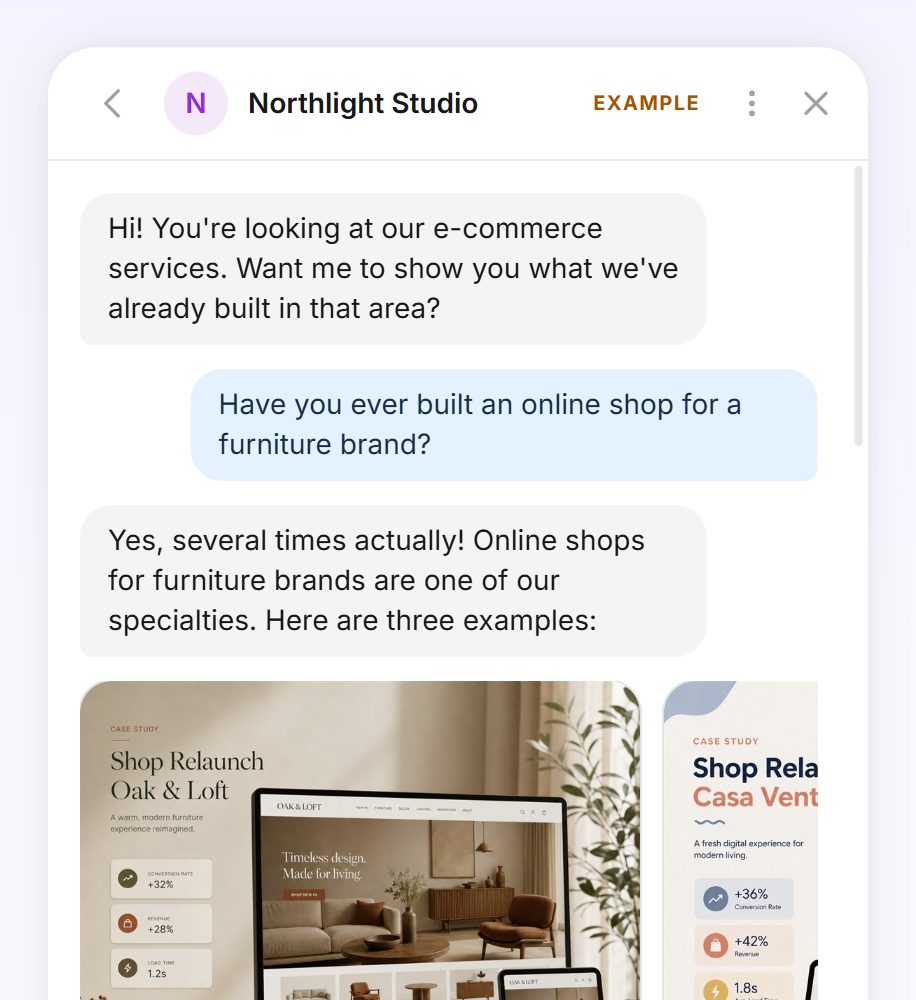
Your LeadWin agent starts earlier. It speaks to visitors on the page they are currently viewing. It answers their questions and shows what you have delivered for other clients. Once the interest is there, it clarifies the project and offers the right next step. Your team receives every inquiry with the full conversation history and knows what it is about from the first contact.
You describe how your agent advises in your own words under Instructions: tone, focus, goals and the form of address it uses with visitors. You do not build conversation flows or workflows. Every change applies from the visitor's next message.
More conversions from your traffic
The complement to SEO and ads
SEO, blog posts and case studies bring visitors to your website, and so do Google Ads and social ads. Most of them look around and leave without getting in touch. With paid traffic, every one of those clicks costs money. LeadWin replaces neither SEO nor campaigns. It complements both: it turns the visitors they bring into more inquiries and appointments. Your website converts better without you having to buy more traffic. In Visitor analytics you see per source and landing page where conversations and inquiries start, and with that, which channel really delivers.
The difference from outbound
Cold outreach by email or LinkedIn relies on hoped-for interest. You do not know whether there is a need right now, and your message lands among many other providers writing to the same contact. A visitor on your website has already shown interest: they researched, compared and picked your site. Your LeadWin agent picks up that interest at the right moment. Your most valuable lead is often already on your website.
What sets LeadWin apart from other AI chats
Most AI chats are built for support: they answer one question and wait for the next. Your LeadWin agent is optimized for lead generation and works in two stages. First it builds trust: it answers with your expertise, backs up what it says and shows fitting trust signals such as reviews, case studies or posts. Visitors open the evidence themselves and form their own opinion. Only once that trust is there, or a visitor shows concrete interest, for example with a project, a timeline or a question about the price, does it offer contact or an appointment. It respects a clear no and simply keeps helping. To build trust, it uses these sources.
Answers from your website
Under Knowledge → Website, you approve your domains. LeadWin builds an overview of your pages from your sitemap.xml file. You deepen important pages such as services, prices or FAQ: LeadWin summarizes them permanently, with up to 8,000 characters per page. If that does not cover a question, your agent searches your website live from Basic upward and reads up to 3 matching pages. It can also read the page on which a visitor is currently chatting. When someone asks what exactly is included, your agent knows which service they mean.
On top of that comes knowledge that is not on your website: PDFs under Documents, your help center from the knowledge base, current offers under News and your prices under Cost structure.
Sources visitors can check
When an answer is based on a page, your agent links to it. Only addresses that LeadWin knows as your own sources appear as links: pages of your website, your help center and your Feedbax profile. An address the AI might have made up never becomes a link. This way, visitors never land on a dead or unrelated page. Links open in a new tab, and the chat stays open.
If a visitor asks about a service that does not appear in your data, your agent makes no promises. It forwards the question to you as a clarification request, and you clarify directly with the visitor whether you offer it.
Reviews, case studies and posts in the conversation
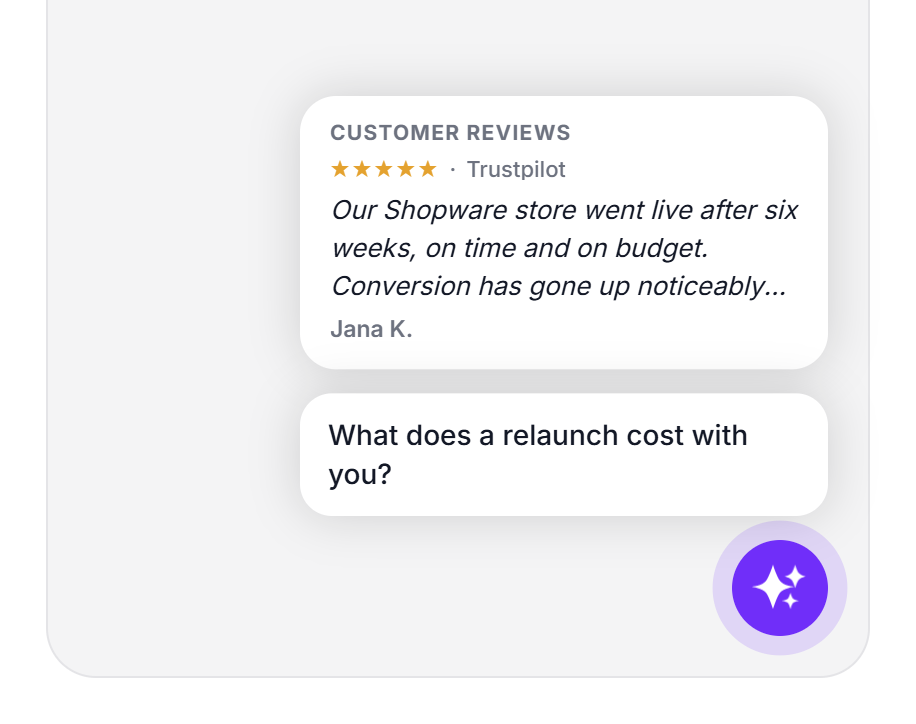
- Reviews: Under Review sources, you connect Google, Trustpilot, Trusted Shops and ProvenExpert. LeadWin takes over up to 50 reviews per platform. Your agent knows your 5 best reviews with at least 4 stars and shows reviews as cards in the chat when a visitor still has doubts. As a Feedbax provider, it takes the reviews from your Feedbax profile.
- Case studies: As a Feedbax provider, your agent knows the projects in your portfolio. When a question matches, it shows relevant case studies as cards, and a click opens the details. Without a Feedbax profile, you enter up to 20 reference clients and up to 20 awards in your company profile.
- Social media: Under Social media, you connect LinkedIn, YouTube, Instagram, TikTok and X. Your agent reads your posts from the last 30 days and shows matching ones as a card with a link to the original. Visitors play videos right in the chat. This shows visitors what you are working on right now.
The people behind your expertise
Under Team, you add the people behind your agent, with position, short bio, photo and areas of expertise. When a question matches a person's areas of expertise, your agent introduces that person in the chat as a person card. Visitors see who they are dealing with before they get in touch. They never see a person's email address or phone number.
Trust before the first click
Trust signals appear next to the closed launcher, before anyone opens the chat. Customer reviews, awards, latest posts and your overall rating take turns as cards. With a Feedbax profile, case studies and seals from Feedbax are added. Each card leads to the evidence in the chat with one click. When a visitor opens the chat, the welcome screen shows your reviews right next to the greeting.
From conversation to inquiry
Trust is the foundation, and the goal is the next step. For that, your LeadWin agent takes on these tasks:
- Reaching out to visitors: Speech bubbles above the launcher ask a question before a visitor opens the chat. With Pro, LeadWin writes its own questions for your deepened pages, matching the content of each page. The chat offers clickable conversation starters and follow-up questions under every answer, so nobody has to think about what to write.
- Understanding the project: Your agent asks for the details that matter for an offer, such as service, timeline or budget. Your instructions set the direction.
- Capturing inquiries: When a visitor is ready, your agent offers a card for getting in touch in the conversation. The visitor leaves their name, email address, optionally their phone number and a message. The inquiry lands under Inquiries together with the chat, and your team receives an email right away.
- Booking appointments: With appointment booking, the visitor books a meeting with you right in the chat. You use your own event types synced with Google Calendar or Microsoft 365, or your Calendly link. Every booked appointment appears under Appointments, along with the chat it came from.
- Handing over to your team: In the Inbox, your team follows every conversation live and takes it over with one click. The visitor stays in the same chat, and the history is kept. If a visitor asks for a human, you find the conversation under Waiting.
- Understanding visitors: Visitor analytics shows on every plan how many visitors chat and how many of them turn into inquiries, appointments and conversations with your team, along with sources and entry pages. With Pro, every visitor receives an interest score from 0 to 100. Under Live visitors, you see who is on your website right now, and notifications tell you by email when someone shows clear interest.
Every person who leaves contact details appears under Contacts with everything they did. LeadWin records visitor numbers, sources and the interest score only for visitors who have consented to visitor analytics. The chat works without this consent too. What the chat looks like for your visitors is shown in Visitor view.
Who LeadWin is for
LeadWin is made for providers and service businesses that want to win new clients through their website. It fits especially well where clients look into services, case studies and prices before they send an inquiry.
You do not need a Feedbax profile. Without one, LeadWin reads your website and suggests the details about your company. If you are a provider on Feedbax, your agent answers from your Feedbax profile from day one, with projects and reviews. You then sign in with your Feedbax login. Everything about this is in From Feedbax to LeadWin.
If you run several websites or brands, each one gets its own agent with its own knowledge and its own team. Pro includes 2 agents, Scale 3. Learn more in Multiple agents.
Get started with LeadWin
- Create a free account at leadwin.ai/login. With your first click on the sign-in link, your LeadWin agent is created and the trial starts. The details are in Sign-in.
- If you come from Feedbax, you create your agent with one click on your first visit. How this works is described in Create an agent.
- Work through the Getting started checklist: company, instructions, website knowledge, appearance, appointment booking and team. You test every change right away in the live preview. Test conversations do not count against your conversation quota.
- Add the code to your website, before the closing </body> tag of every page. How this works is described in Installation.
For the basics, you need about 5 minutes from creating the agent to having the code on your website. After that, you improve knowledge and appearance step by step while your agent is already advising visitors.
What it looks like in the chat
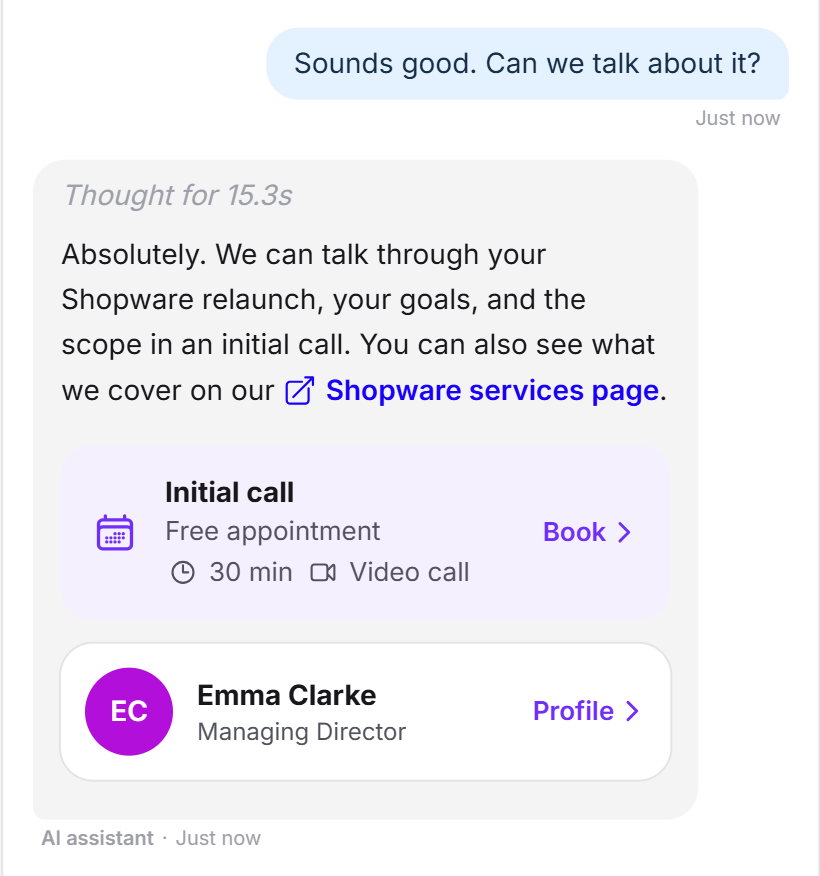
This is what the step to an appointment looks like: after answers backed by evidence, a visitor asks whether they can talk about their project. Your LeadWin agent names the right contact person and offers an initial call to book.
What your plan includes
| Feature | Free | Basic | Pro | Scale |
|---|---|---|---|---|
| Conversations per month | 10 | 50 | 100 | 250 |
| Answers from website, profile, reviews and instructions | yes | yes | yes | yes |
| Deepened pages per agent | 3 | 50 | 150 | 250 |
| Live search on your website | no | yes | yes | yes |
| Social media posts | no | yes, read weekly | yes, read daily | yes, read daily |
| Trust signals, speech bubbles, conversation starters and follow-up questions | no | yes | yes | yes |
| Automatic speech bubbles per page | no | no | yes | yes |
| Appointment booking in the chat | no | yes | yes | yes |
| Inbox, inquiries and visitor analytics | yes | yes | yes | yes |
| Interest score, live visitors and notifications | no | no | yes | yes |
The trial includes all Pro features with 30 conversations for 7 days. After that, your agent continues on the Free plan. You do not need to cancel anything, and nothing is deleted. Basic pays off as soon as visitors should book appointments and see trust signals. Pro spots promising visitors before they write. All limits are listed in Plans compared. With Feedbax Business, the Basic limits apply, with Premium the Pro limits and with Enterprise the Scale limits. Learn more in LeadWin in your Feedbax plan.
Frequently asked questions
Where does my LeadWin agent get its answers from?
From the sources you connect: website, documents, help center, company profile or Feedbax profile, reviews, social media, team and your instructions. It does not promise a service that does not appear there. It forwards the question to you as a clarification request.
Do I need a Feedbax profile?
No. Without a profile, you maintain your company details directly in LeadWin, and LeadWin suggests them from your website. With a Feedbax profile, your agent also answers with your projects and your Feedbax reviews.
Do I have to build conversation flows?
No. You describe goals, tone and rules in your own words. Your agent then guides the conversation to match the visitor's question.
Can my team take over a conversation?
Yes, with one click in the Inbox. While your team is answering, the AI stays silent. After 24 hours without activity from your team, the conversation automatically goes back to the AI.
Which languages does my agent answer in?
It answers in the language the visitor writes in. Its interface is available in German, English, French and Dutch. You choose which of them it uses under Language.
How much does LeadWin cost?
The Free plan costs nothing and has no time limit. The prices for Basic, Pro and Scale are on the pricing page at leadwin.ai/pricing, monthly or yearly and excluding VAT.
What happens after the trial?
Your agent continues on the Free plan. Settings and conversations are kept. Features that Free does not include, such as appointment booking and speech bubbles, stop working. If you book a plan later, your saved settings take effect again right away.