

The profile is what your LeadWin agent knows about your business from the very first conversation: who you are, what you offer, who you work for and where you are based. The more complete it is, the more often your LeadWin agent answers a question itself instead of passing it on to you. Without a Feedbax profile, you maintain it here yourself. As a Feedbax provider, you see here what your Feedbax profile gives your LeadWin agent.
At a glance
- You find the page in the LeadWin dashboard under Knowledge → Company. If you have a Feedbax profile, the entry is called Feedbax profile.
- Without a Feedbax profile, LeadWin reads your website and suggests the details to you. You check them and save them group by group.
- With a Feedbax profile, the page shows 27 details and which of them are still missing. You change them in your Feedbax provider dashboard, and your LeadWin agent picks them up within 15 minutes at most.
- The page is available in every plan, including Free.
- Owners and admins can see the page. You decide who has which role under Team.

How it works
Which version of the page you see depends on where your LeadWin agent gets its knowledge about you:
- Company: You have no Feedbax profile, or you have switched on a separate profile for this agent. You then maintain five groups of details here. Next to it is the Review sources tab, where you connect review platforms.
- Feedbax profile: You are a provider in the Feedbax directory. Your LeadWin agent then reads your Feedbax profile, and the page shows you field by field what it knows and what it is missing. You cannot edit anything here.
Your LeadWin agent uses the profile in every conversation. If a detail is missing, it has to deflect and pass the question on to you. In addition, it knows the 5 best reviews with at least 4 stars. As a Feedbax provider, it also knows 5 projects from your portfolio as background knowledge. It looks up further projects when a visitor's question calls for them.
Every saved change to your own profile applies immediately, from the next visitor message. Your LeadWin agent picks up changes to a Feedbax profile within a quarter of an hour at most. You check whether the answers fit in the live preview.
How much of your website LeadWin reads
Without a Feedbax profile, LeadWin suggests the details from your website. Fixed limits apply:
- LeadWin reads 6 pages at most, for example the home page, About us and Services.
- 12,000 characters per page and 40,000 characters in total go into the suggestions.
If a detail is buried deep in your website, LeadWin may therefore not find it. In that case, add it yourself. The first successful read does even more: LeadWin suggests conversation starters for the Welcome screen, adopts the language of your website and creates up to 3 pages (home page, About us, Services) as deepened pages under Website. This only happens as long as your plan still has room for deepened pages.
Check the suggestions from your website
- Open Knowledge → Company.
- The top of the page shows whether LeadWin is reading your website right now or has already made suggestions. The page updates automatically in the meantime.
- Every group with unchecked suggestions carries the label Suggested from your website. Read through the details.
- In the group, click Edit, correct anything that is wrong and click Save. The label then disappears for good.
With Update from website, LeadWin reads your website again at any time. It only overwrites groups you have never saved yourself. Your own details stay untouched. If LeadWin could not reach your website or could not take anything from it, the reason is shown at the top of the page. In that case, check the address in the Company group or enter the details yourself.
Edit a group
The profile consists of five groups. You save each one separately:
- Company: company name (required, up to 200 characters), website (required), founding year, team size and your locations with address and phone number. With Add location, you add more locations. Google completes the address as you type.
- Offering: industry (required, one of 32), target customers (private customers, business customers, public sector) and service area (regional, nationwide, international).
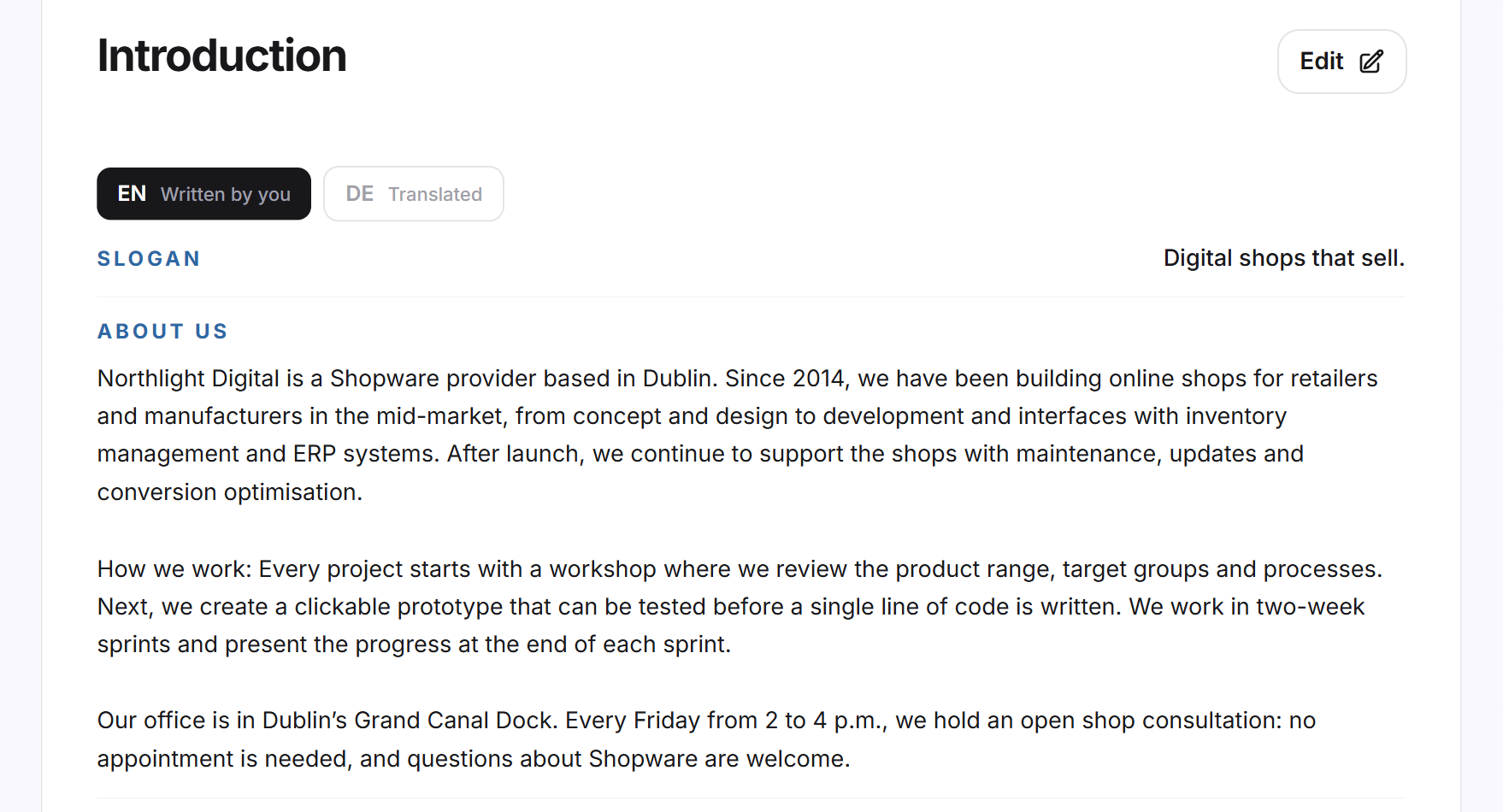
- Introduction: slogan (up to 300 characters), About us and Team (up to 4,000 characters each).
- References and awards: up to 20 key clients and up to 20 awards. Your awards can also appear as trust signals next to the launcher.
- Social media channels: the addresses of your profiles on LinkedIn, Instagram, Facebook, YouTube, X, TikTok and Pinterest. They also prefill the footer links of your help center.
- In the group, click Edit.
- Change the details. Empty fields show Nothing yet.
- Click Save. If the company name, website or industry is missing, LeadWin does not save the group.
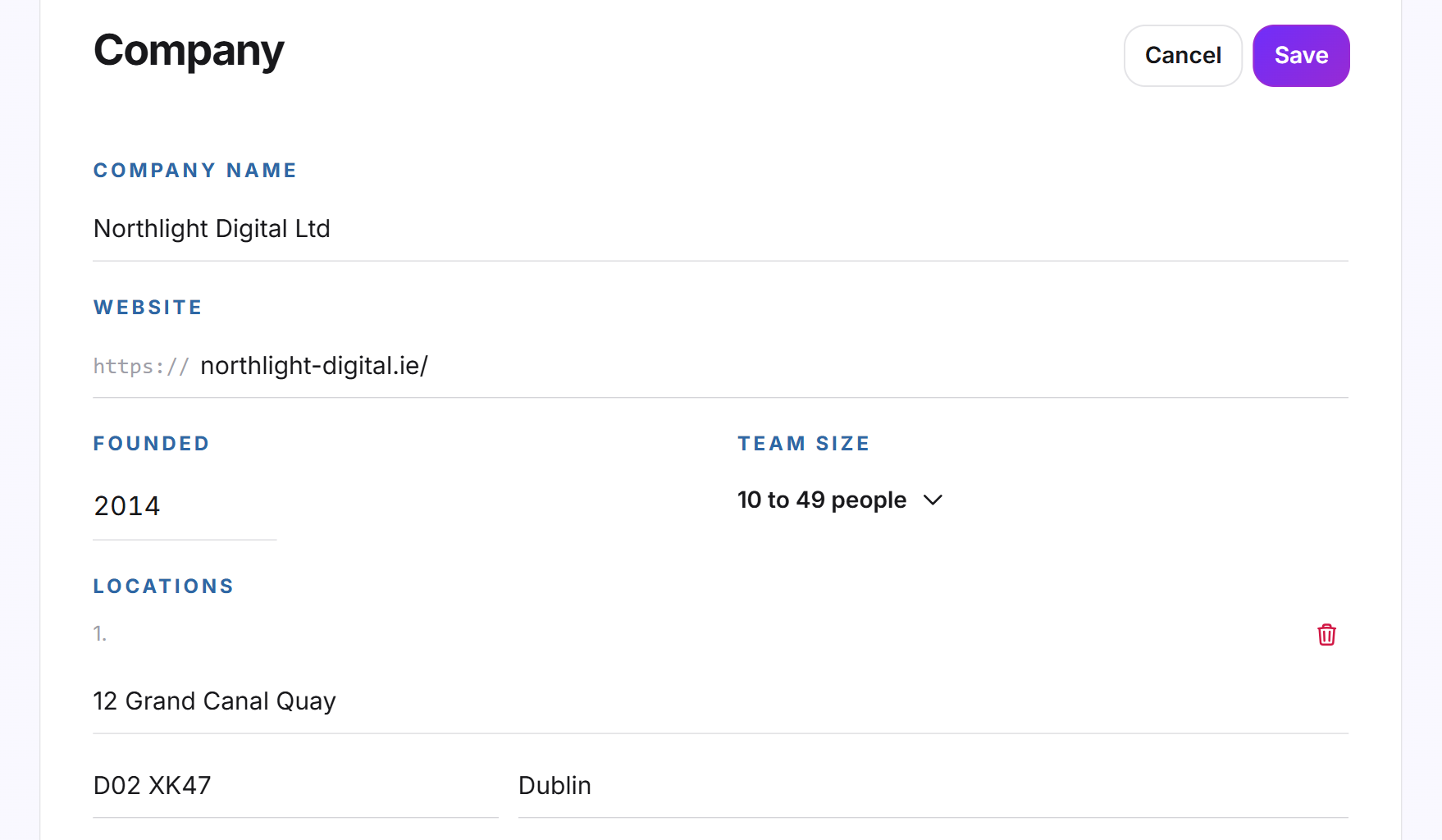
If you change the website in the Company group, LeadWin asks Read the new website?. With Save and read, it reads the new address and overwrites every group you have not saved yourself yet. With Only save, everything else stays as it is.
You do not set the logo here but under Appearance.
Maintain texts in several languages
If your LeadWin agent speaks several languages, the Introduction group has one tab per language. You decide which languages these are under Language. You write in your language, and LeadWin translates into the others after you save. Each tab shows its state: Written by you, Translated or Being translated. If you change a translation by hand, it counts as written by you, and LeadWin no longer overwrites it.
In the Getting started checklist, the Company step is done as soon as the company name, website, industry and the About us text are saved in your agent's default language.
With a Feedbax profile: see what your agent knows
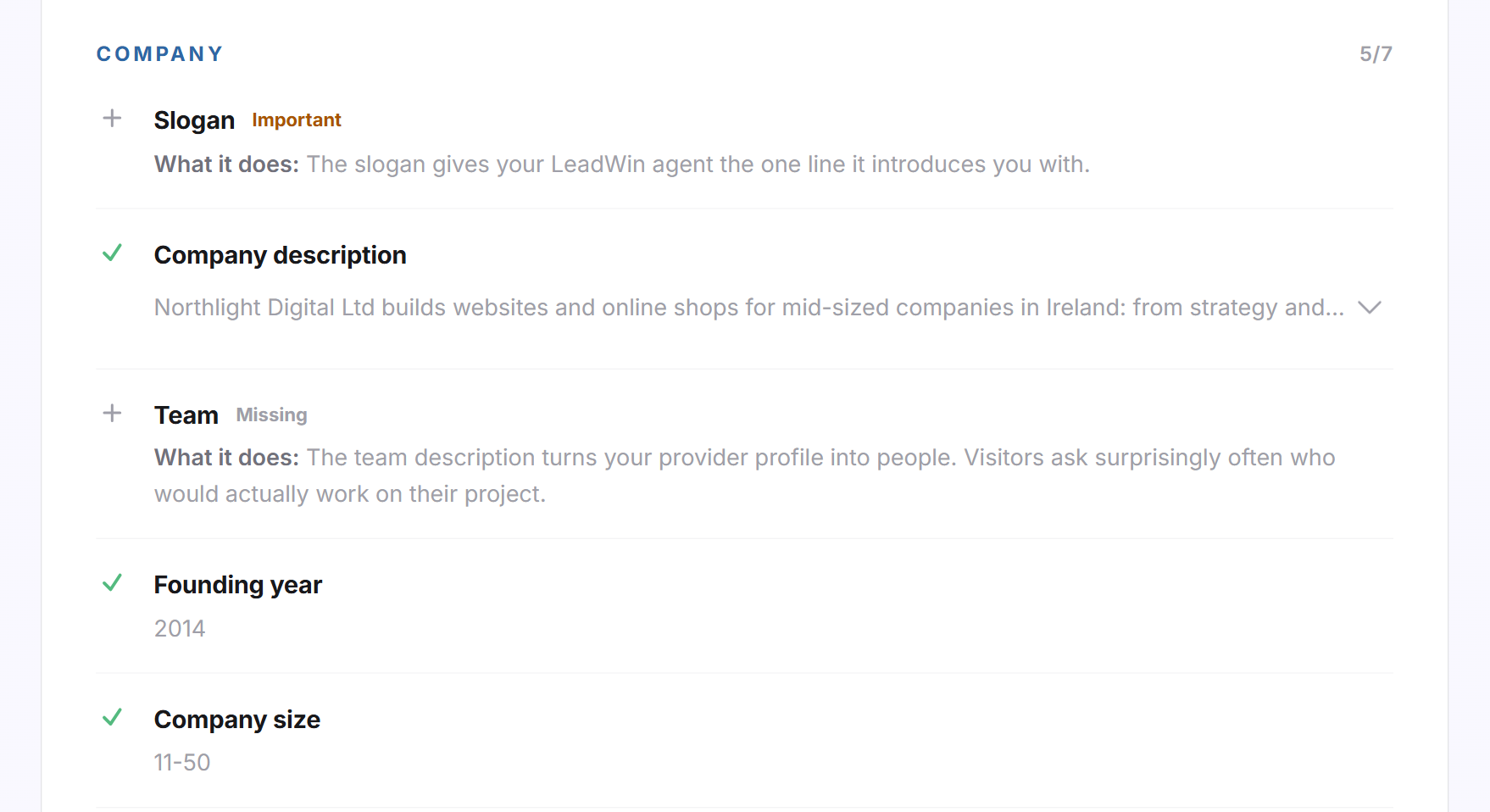
If you are a provider in the Feedbax directory, the Feedbax profile page shows at the top how many of the 27 details are filled in, as a number, a percentage and a bar. Below that are five groups: Company, Services and market, References and reviews, Frequently asked questions and Web presence.
- A green check mark means the detail is filled in. You expand long values with the arrow.
- Important marks a missing detail your LeadWin agent needs for common questions, such as slogan, services or website.
- Missing marks a missing detail that is asked about less often.
- Below each missing detail, after What it does:, you see which question your LeadWin agent could answer with it.
For the reviews and portfolio details, you see the cards your LeadWin agent shows in the chat. Clicking a card opens the live preview at exactly this entry. If you do not have any reviews or projects yet, the cards show sample data.
Complete the Feedbax profile
- Open Knowledge → Feedbax profile.
- The These profile details are still missing block lists up to 4 missing details, the important ones first. Click one of them or click Complete your profile.
- Your Feedbax provider dashboard opens in a new tab. Enter the detail there and save.
- Within 15 minutes at most, your LeadWin agent knows the new detail. You do not need to set anything up for this.
With View profile, you open your Feedbax profile right in the LeadWin dashboard without leaving it.
A separate profile for one agent
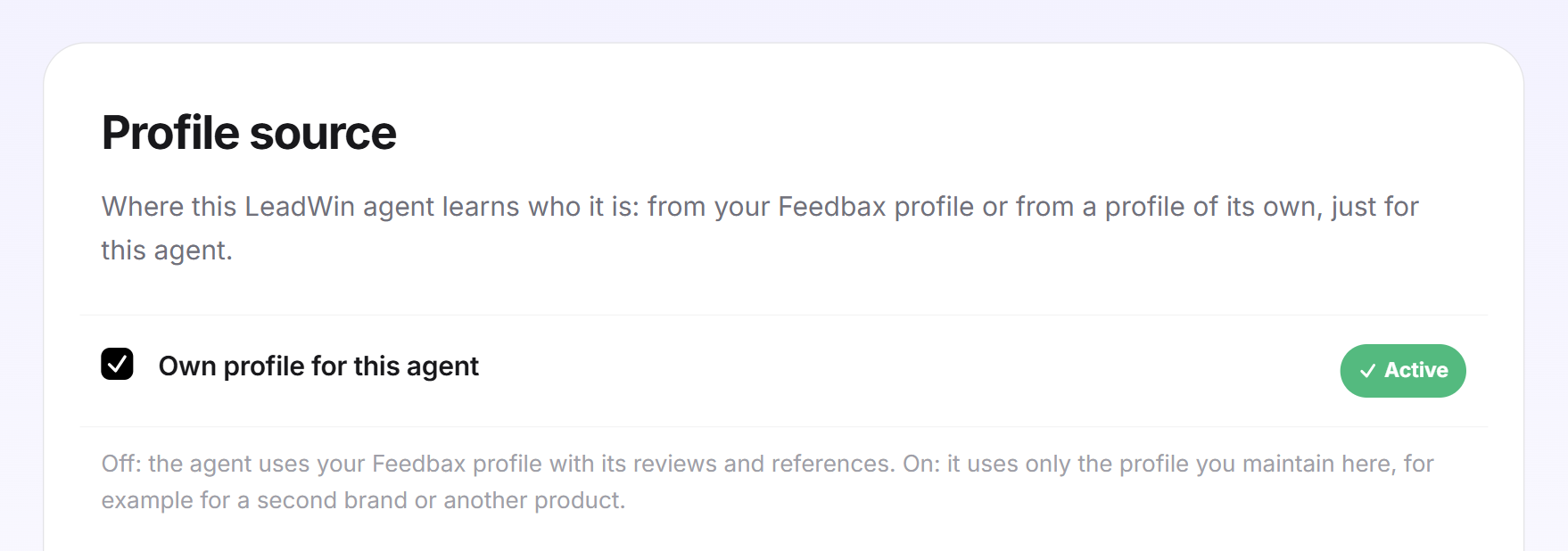
If you have several LeadWin agents, for example for a second brand or another product, not every agent should answer from your Feedbax profile. For this case, Feedbax providers have the Profile source card above the profile.
- Select the agent in the Switch agent menu at the top.
- Open Knowledge → Feedbax profile.
- In the Profile source card, check Own profile for this agent. The setting applies immediately, and the message Profile source saved. confirms it.
- The entry is now called Company. LeadWin creates a separate profile with your name and your website. Add the remaining details as described above.
This agent then uses only the profile you maintain here, and no longer the reviews and references of your Feedbax profile. If you uncheck the box again, it answers from your Feedbax profile again.
What it looks like in the chat
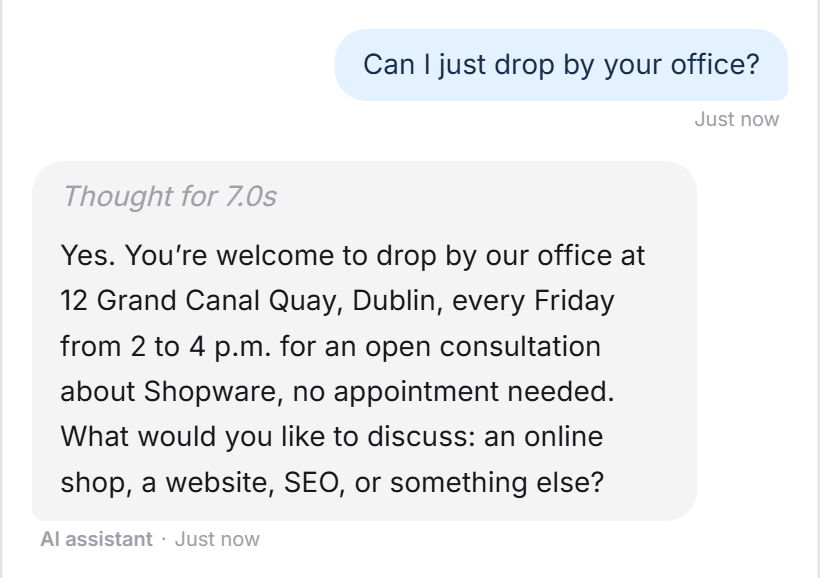
A visitor asks whether they can drop by the office. Your LeadWin agent answers with the address and consultation hours from your company profile.
What your plan includes
The profile is available in every LeadWin plan, including Free and the trial. Without a Feedbax profile, your LeadWin agent may mention reviews from all four platforms you connect under Review sources, in every plan. As a Feedbax provider, your Feedbax plan determines which platforms it shows reviews from:
| Feedbax plan | Reviews your LeadWin agent shows |
|---|---|
| Starter | Feedbax, Google, Trusted Shops |
| Business | plus ProvenExpert and Trustpilot |
| Premium and Enterprise | plus Clutch, Sortlist, GoodFirms, DesignRush, G2 and other directories |
This also applies to an agent with its own profile. If you connect Trustpilot or ProvenExpert there under Review sources, it only shows those reviews from Feedbax Business upwards.
A higher Feedbax plan pays off here if you have many reviews on directories such as Clutch: your LeadWin agent can then show them to visitors as proof. Which LeadWin plan your Feedbax plan includes is explained in LeadWin in your Feedbax plan: Business includes Basic, Premium includes Pro, Enterprise includes Scale. You compare the limits of the LeadWin plans in Plans compared.
Frequently asked questions
Why are some fields already filled in?
LeadWin has read your website and suggested values. Check each group and save it to confirm the suggestions.
Does Update from website overwrite my changes?
No. LeadWin only overwrites groups you have never saved yourself.
Why do I have to choose an industry?
The industry is the required field of the Offering group. Without it, LeadWin does not save the group, and the Company step in the checklist stays open.
In which languages does my LeadWin agent know my texts?
In every language it speaks. You write once, and LeadWin translates into your agent's other languages.
Why can I not edit my Feedbax profile here?
It belongs to your entry in the Feedbax directory. Click Complete your profile, and your Feedbax provider dashboard opens. Your LeadWin agent picks up the change within 15 minutes at most.
Why does my LeadWin agent mention only 5 reviews?
As background knowledge, it knows the 5 best reviews with 4 stars or more. As a Feedbax provider, only the platforms your Feedbax plan unlocks count.
Can an agent answer for a second brand?
Yes. Switch on Own profile for this agent for that agent. It then uses only the profile you maintain for it.
Does the profile apply to all my agents?
No. Each LeadWin agent has its own profile. An agent does not share its profile, reviews and instructions with other agents, even if you share other areas under Share knowledge.