

If you have booked a LeadWin plan, you manage it yourself in the customer portal of our payment service Stripe. There you change your plan, update the payment method, download invoices or cancel. You reach the customer portal with a click on Manage subscription in the LeadWin dashboard.
At a glance
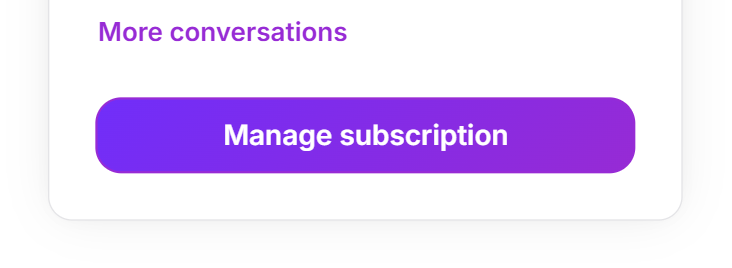
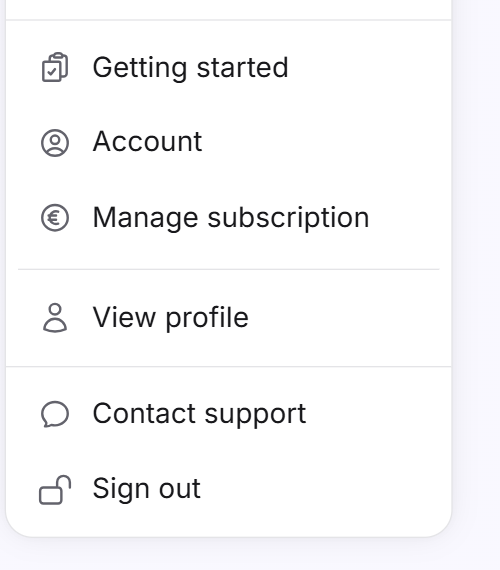
- Manage subscription is at the bottom of the Usage menu and in the account menu. Owners and admins can see both.
- An upgrade applies immediately, and you only pay the difference. A downgrade and a switch from yearly to monthly billing apply from your next term.
- After a cancellation, your plan continues until the end of the term. After that, your LeadWin agent continues on the Free plan. Nothing is deleted.
- If a payment fails, your LeadWin agent keeps running for the time being. You receive an email and a notice in the LeadWin dashboard.
- You manage a Feedbax plan at Feedbax, not here.
How it works
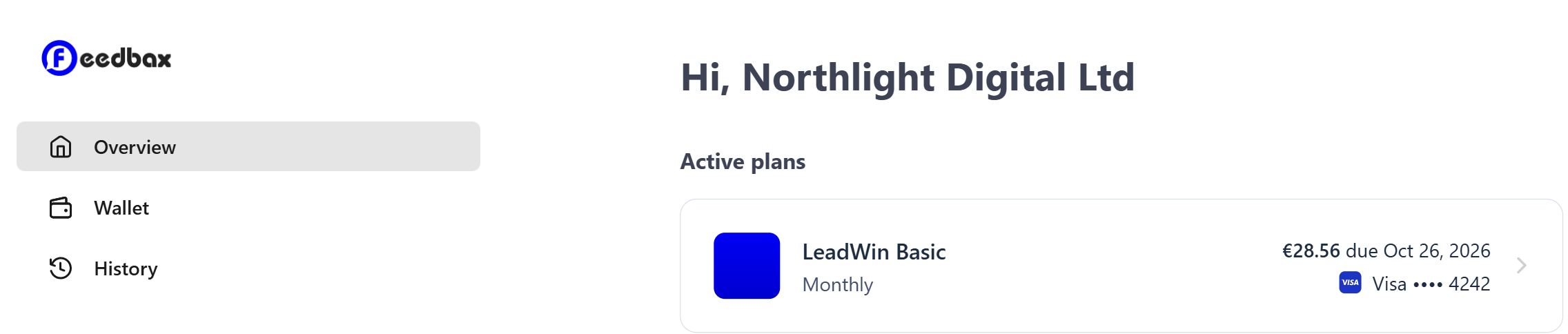
The customer portal belongs to Stripe. In the top left, it shows the Feedbax logo, because LeadWin is a Feedbax product. LeadWin opens it for your account in the same tab. When you are done, the portal takes you back to the LeadWin dashboard page you came from. Stripe reports every change in the portal to LeadWin. New limits, your conversation quota and the number of your agents then apply immediately. The Usage menu names the plan in force at the top, for example Your plan: LeadWin Pro.
Which button you see depends on whether you have booked a LeadWin plan:
- With a LeadWin plan: Manage subscription in the Usage menu and in the account menu. Both open the customer portal. This also applies after a cancellation. You then still find your invoices in the portal.
- Without a LeadWin plan, that is, on Free, during the trial and with a Feedbax plan: Compare plans in the Usage menu and Upgrade subscription in the account menu. Both open the LeadWin pricing page, or with a Feedbax plan the Feedbax pricing page. How to book from there is explained in Book a plan.
The LeadWin dashboard does not show whether your plan has been cancelled or when it ends. You see this in the customer portal.
Open Manage subscription
- In the LeadWin dashboard, click Usage at the top and then Manage subscription at the very bottom. Or open the account menu in the bottom left and click Manage subscription there.
- The button is briefly disabled while LeadWin prepares the portal. Then the Stripe customer portal opens.
- Under Overview, you see your current plan. Your payment methods are under Wallet, your invoices under History.
Change your plan
- Open Manage subscription.
- In the customer portal, click your plan and then Update plan.
- For Basic, Pro or Scale, choose Monthly or Yearly and click Select plan.
- Confirm the change in the portal.
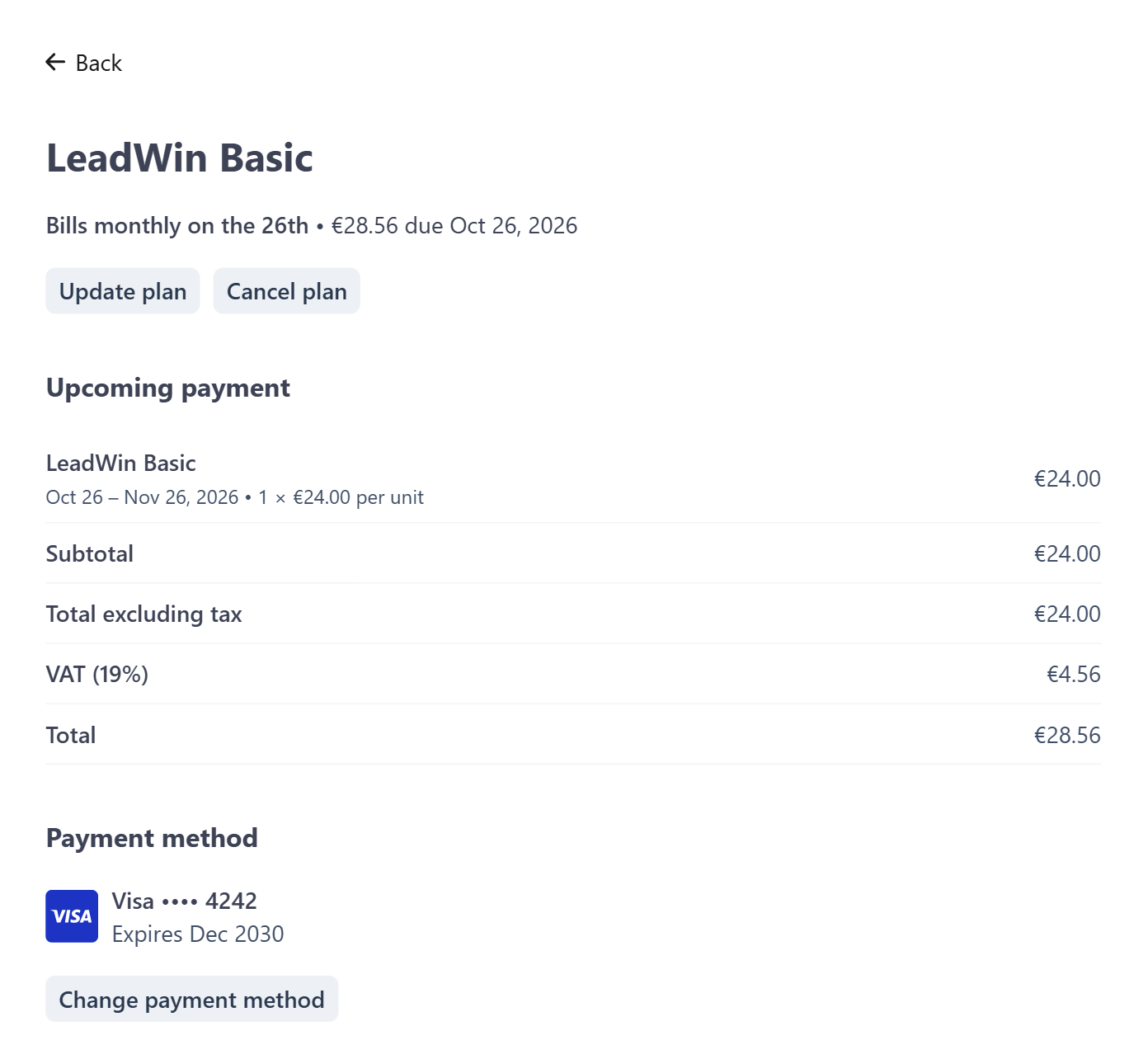
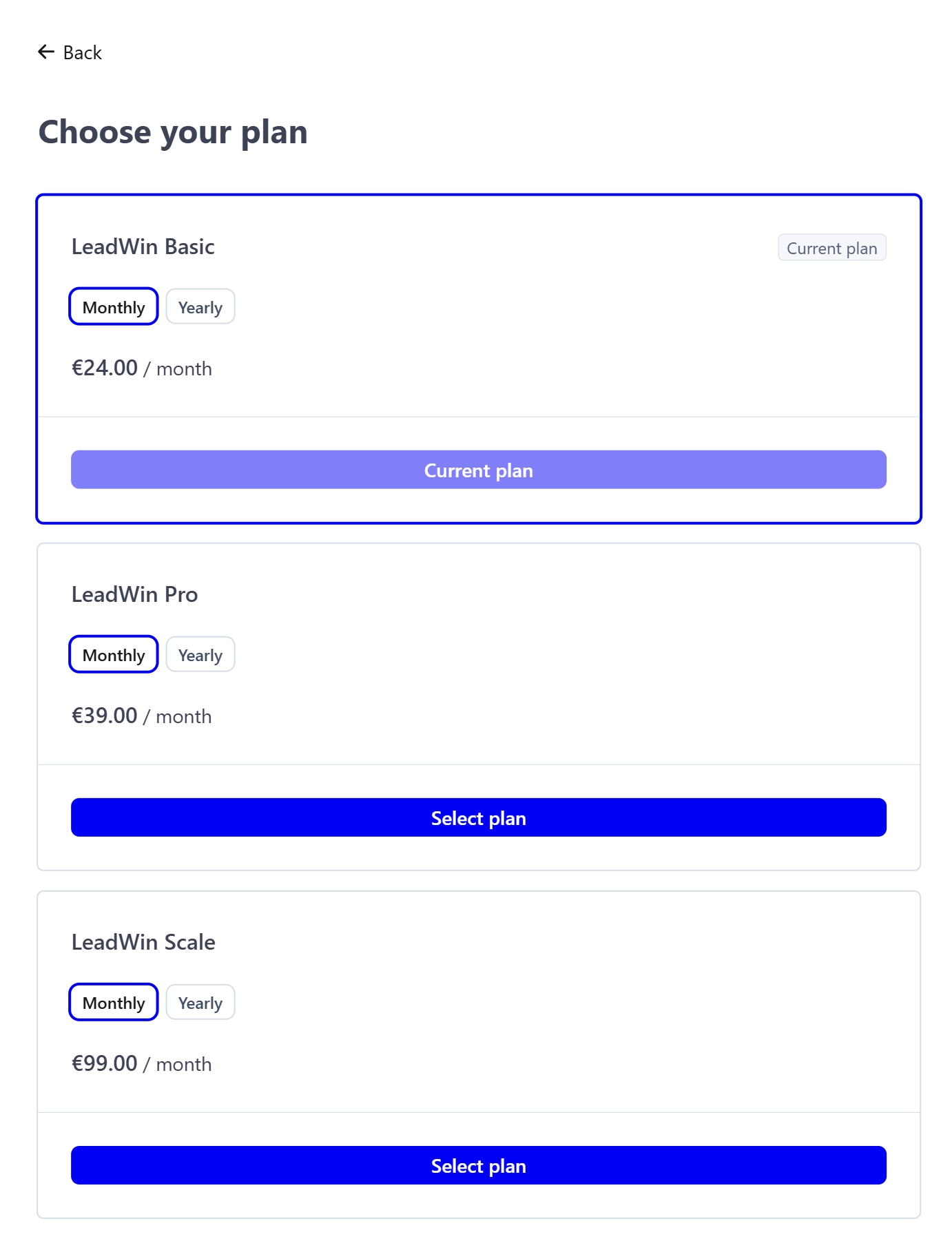
An upgrade applies immediately. You only pay the difference. Your conversation quota rises immediately, the conversations already counted remain, and your billing day does not change. A downgrade applies from your next term. Until then, you keep everything from the bigger plan. If you switch from monthly to yearly billing, this applies immediately. A switch from yearly to monthly billing only applies from your next term. What happens to content, agents and team seats after a downgrade is explained in Plans compared.
Important: If you have booked additional agents on top of Scale, the customer portal only offers cancellation, no change of plan and no change of billing interval. In that case, first cancel the extra agents in the Switch agent menu via Cancel an extra agent. Only there does an extra agent end: if you delete an agent, the extra agent stays booked and is still billed. How this works is explained in Several LeadWin agents.
You switch between LeadWin plans yourself. You cannot switch between a LeadWin plan and a Feedbax plan yourself. For that, write to us via Contact support in the account menu. Why the two exclude each other is explained in LeadWin in your Feedbax plan.
Cancel your plan
- Open Manage subscription.
- In the customer portal, click your plan and then Cancel plan.
- The portal shows until when your plan is still running. Confirm with Cancel plan.
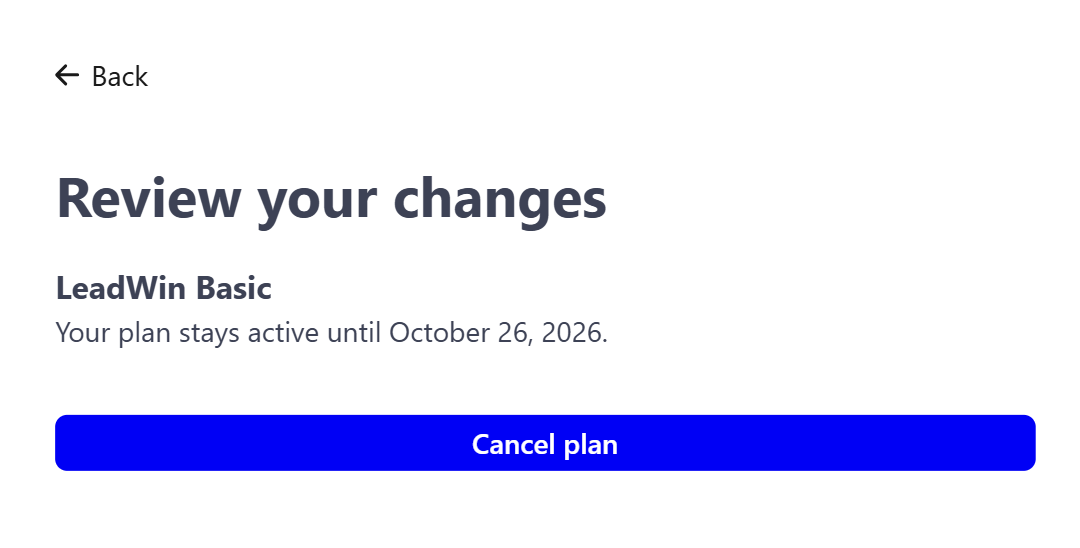
The notice period is 1 day before the end of the term, for monthly and yearly plans alike. The term begins on the day you booked and lasts one month, or one year with yearly billing. Until it ends, you use your plan in full. After that, your account continues on the Free plan:
- Features Free does not include stop working. Your settings for them stay saved.
- In-depth pages, documents and all other content remain. You can only add new content up to the Free limits.
- Only 1 LeadWin agent keeps answering. The others are closed, but not deleted.
- Team members lose access, the owner keeps it. The entries under Team remain.
- From then on, the conversation month begins on the day your trial ended or on the day you created your first LeadWin agent. Purchased conversations remain and continue to be used, see Buy more conversations.
LeadWin never deletes anything on its own, neither when you cancel nor at the end of the term. If you want to book again later, you go via the pricing page. All saved settings then take effect again immediately, and closed agents reopen on their own.
Invoices and payment method
You find all invoices of your LeadWin plan in the customer portal, including those for extra agents and top-up packs. There you download them under History. You store a new payment method under Wallet. LeadWin also uses the new payment method for top-up packs and automatic top-up from then on.
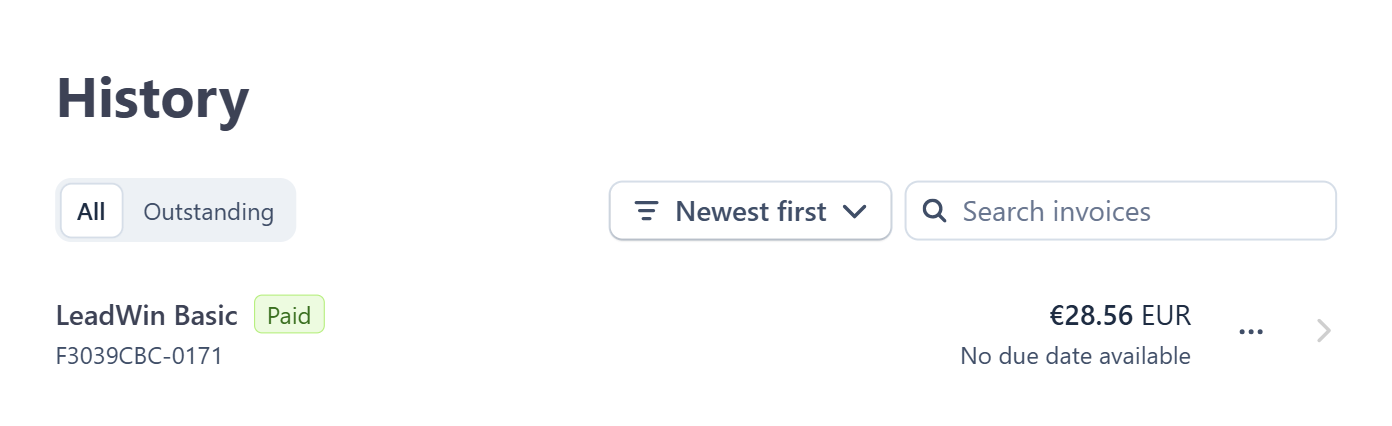
In the customer portal, you also change the name, email address and phone number for your invoices. Your LeadWin sign-in address stays as it is. You cannot change the billing address or VAT ID there, because the VAT on your invoices depends on them. Write to us via Contact support in the account menu instead.
When a payment fails
If Stripe could not collect the renewal of your plan, the following happens:
- You receive the email Your payment failed once.
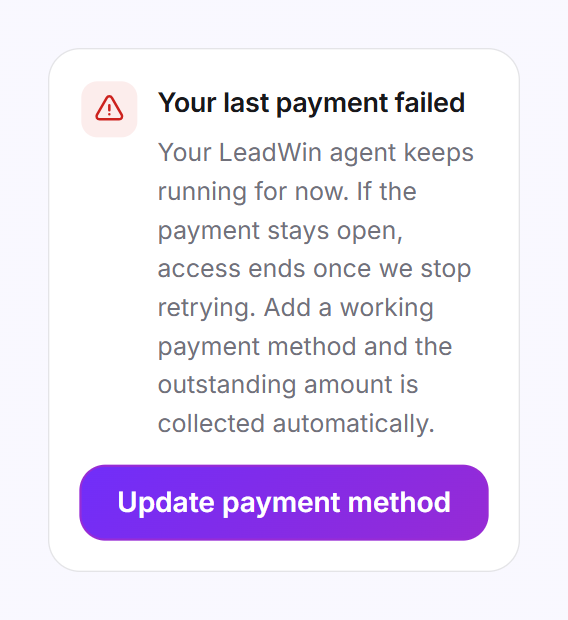
- In the bottom left of the LeadWin dashboard, the red card Your last payment failed appears.
- Your LeadWin agent keeps running with all features for the time being, so you do not lose any inquiry. Stripe tries the payment again over the next few days.
- If the payment remains open, access ends as soon as Stripe stops trying. Your account then continues on the Free plan.
In the card or in the email, click Update payment method and store a working payment method in the customer portal. The open amount is then collected automatically.
Cancel and delete your account
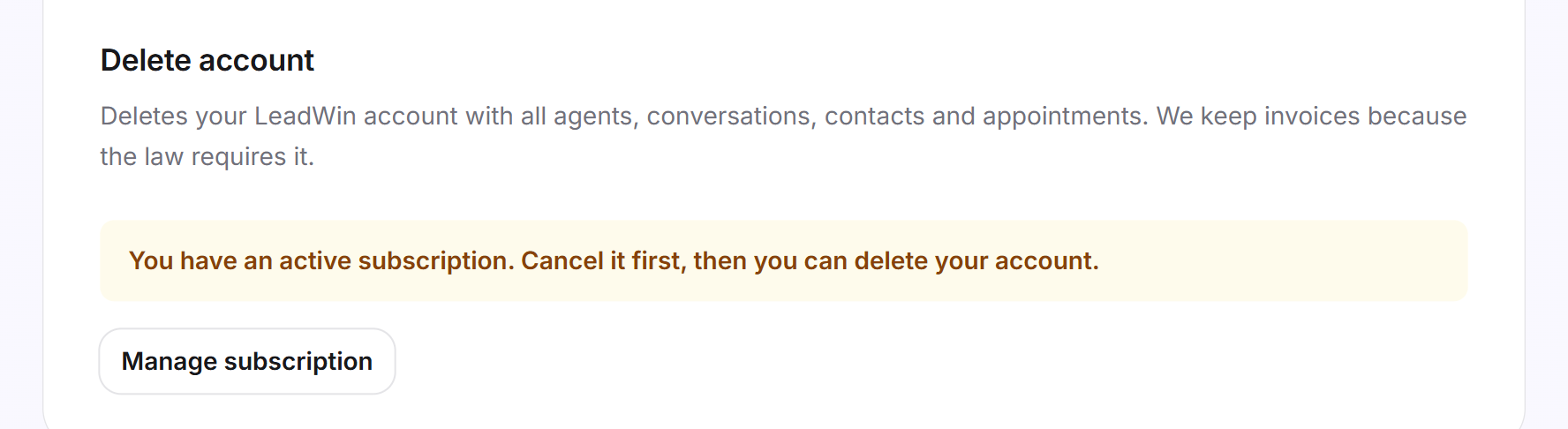
As long as your plan is running and has not been cancelled, you cannot delete your account. Under Account, it then says You have an active subscription. Cancel it first, then you can delete your account. Below that, Manage subscription takes you straight to the customer portal.
If you have cancelled and the term is still running, you can delete your account. The plan then ends immediately, and the remaining time as well as your balance are forfeited. Beforehand, the delete dialog shows the date up to which you have paid. If Stripe cannot end the plan at that moment, nothing is deleted, and you try again later. We keep your invoices because the law requires it.
What your plan includes
What you handle yourself and where:
| Task | Where |
|---|---|
| Switch between Basic, Pro and Scale | Customer portal via Manage subscription |
| Pay monthly or yearly | Customer portal via Manage subscription |
| Change payment method, download invoices, cancel | Customer portal via Manage subscription |
| Change billing address or VAT ID | via support |
| Book or cancel extra agents on Scale: up to 2 on top of the 3 agents of Scale, at most 5 per account | Switch agent menu in the LeadWin dashboard |
| Buy extra conversations, automatic top-up | Usage → More conversations |
| Switch between a LeadWin plan and a Feedbax plan | via support |
| Manage a Feedbax plan | at Feedbax |
The customer portal is available for the LeadWin plans Basic, Pro and Scale. Feedbax Business comes with the limits of Basic, Premium with those of Pro and Enterprise with those of Scale. You manage these plans at Feedbax. On Free and during the trial, there is nothing to manage, and you book via the pricing page. An upgrade pays off as soon as a limit regularly gets in your way. Because it applies immediately and you only pay the difference, you do not lose a single day.
Frequently asked questions
How do I cancel LeadWin?
Via Manage subscription in the Usage menu or in the account menu. You cancel in the customer portal. Your plan runs until the end of the term, after which your account continues on the Free plan.
How do I switch from Basic to Pro?
Open Manage subscription and change your plan in the customer portal. The upgrade applies immediately, and you only pay the difference.
Where do I find my invoices?
In the customer portal via Manage subscription, even after a cancellation.
How do I change my billing address or VAT ID?
Write to us via Contact support in the account menu. Both are locked in the customer portal, because the VAT depends on them. You change the name, email address and phone number for your invoices yourself in the customer portal.
Where do I see whether and when my plan ends?
In the customer portal. The LeadWin dashboard does not show a cancellation.
My payment failed. What happens now?
Your LeadWin agent keeps running while Stripe tries the payment again. Store a working payment method via Update payment method. If the payment remains open, access ends and your account continues on the Free plan.
Why can I not delete my account?
You must cancel a running plan first. After that, you can delete. The remaining paid time is then forfeited.
What happens to my agents and data when I cancel?
Nothing is deleted. On Free, only 1 agent keeps answering, and the others are closed. The limits become smaller, and features outside Free stop working.
I have a Feedbax plan. Where do I manage it?
At Feedbax, not in the LeadWin dashboard. LeadWin is included in your Feedbax plan.