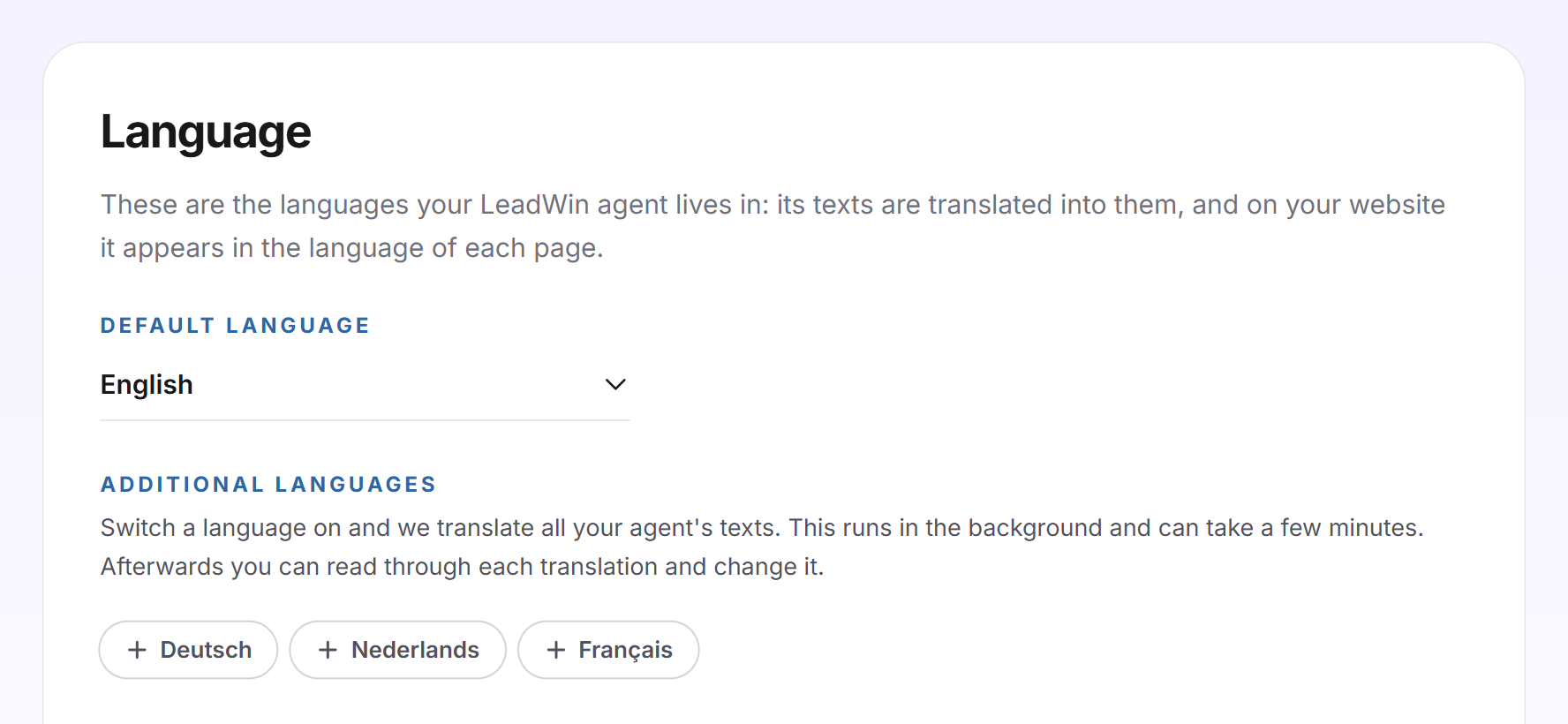
On the Language page, you decide which languages your LeadWin agent is at home in. LeadWin translates its texts into these languages, and on your website it appears in the language of each page. This way it greets visitors on your English pages in English, without you maintaining every text twice.
At a glance
- You find the page in the LeadWin dashboard under Appearance → Language.
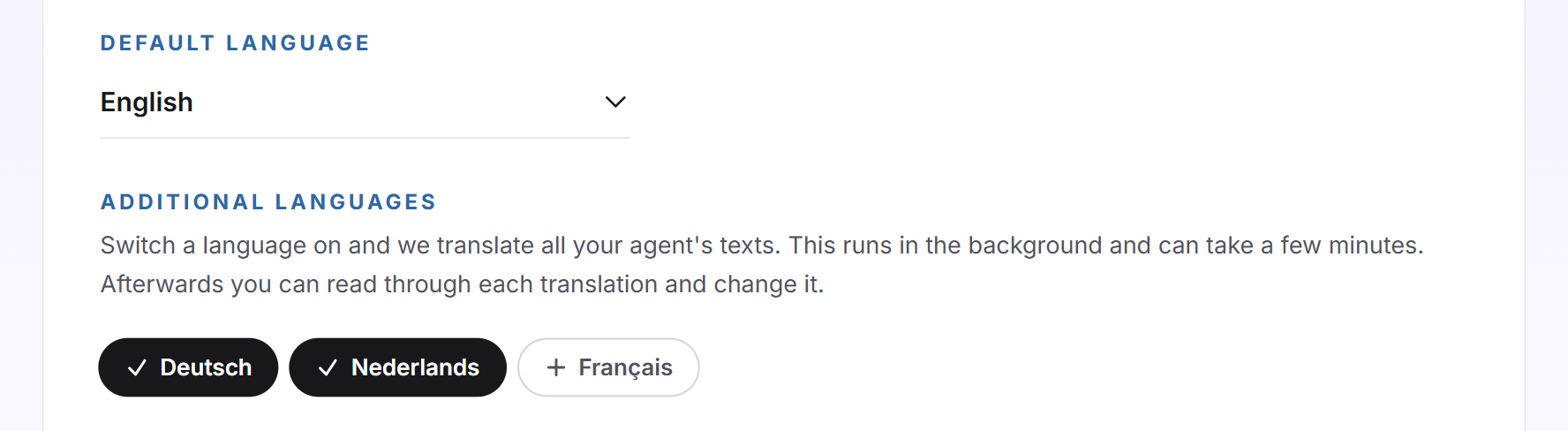
- You can choose from Deutsch, English, Français and Nederlands: one default language and up to three additional ones.
- All four languages are included in every plan, including Free, at no extra cost. You find an overview of all plans in Plans compared.
- The translation runs in the background and takes a few minutes.
- The setting only applies to the interface. Your LeadWin agent always writes answers in the language the visitor asks in.
- Owners and admins can see the page. You decide who has which role under Team.
How it works
The default language and the additional languages together are the languages of your LeadWin agent. On each page of your website, it checks which language the page states:
- First it reads the
data-langattribute on the code you added during installation. - If it is missing, it reads the
langattribute in the page's html tag, for example<html lang="en">. - It only takes the first two letters. So de-CH becomes de.
- If this language is one of your languages, the agent appears in it. Otherwise it appears in the default language.
The interface includes the greeting, suggestions, speech bubbles, campaigns and the buttons in the chat. The answers are not part of it: if a visitor writes in English on a German page, your LeadWin agent answers in English. This cannot be switched off.
Each time you save, LeadWin translates in the background everything that is still missing in one of your languages:
- Greeting and your own suggestions from the Welcome screen
- Your own speech bubble as well as the individual and automatic speech bubbles
- Your campaigns
- The event types of your appointment booking
- Job titles and short bios of your team
- The texts of your profile
Until a translation is finished, visitors see your original text. The translations follow the form of address from your instructions, informal or formal. In the editors of these texts, LeadWin shows exactly your languages, and there you read through each translation and change it.
There is no automatic mode that allows any language. If you do not switch on an additional language, your LeadWin agent appears in the default language everywhere.
Choose the default language
- Open Appearance → Language.
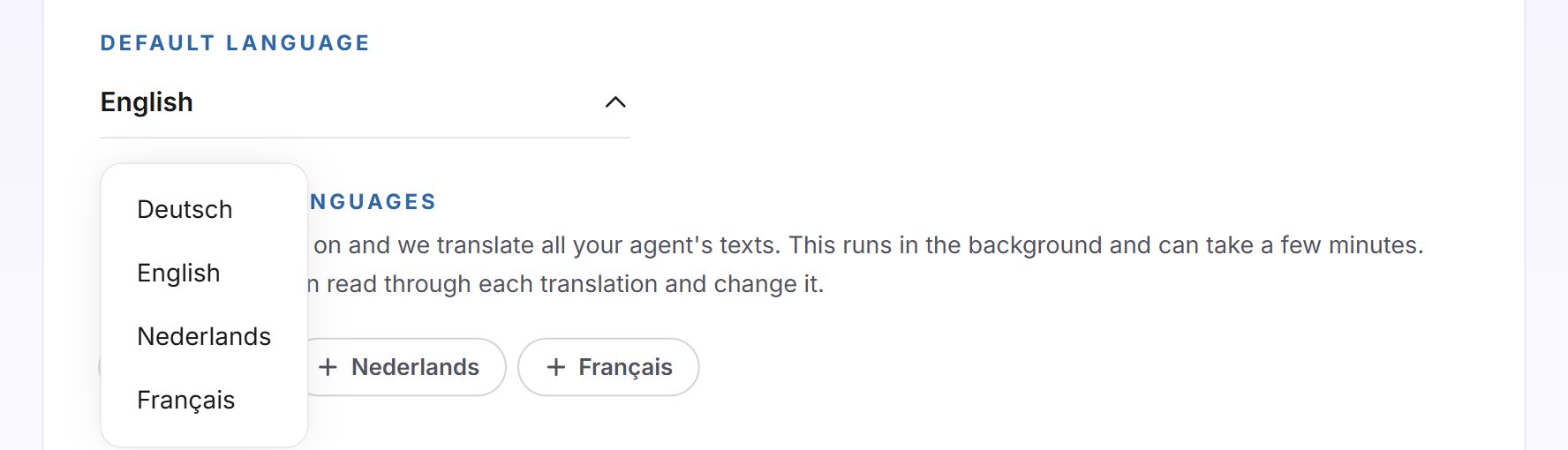
- Click the Default language dropdown and choose a language. The choice is saved immediately. The message Language saved. confirms it. If saving fails, you see Your change could not be saved. Please try again later.
New LeadWin agents start with Deutsch. If you change the default language, the previous one automatically becomes an additional language. This way no text is lost. The default language is the language for all pages whose language your LeadWin agent does not know.
Switch on additional languages
- Under Additional languages, click a language. If it is filled in and shows a tick, it is on. Each click is saved immediately and confirmed the same way.
- Wait a few minutes until the translation is finished.
- Check the translations in the editors, for example for the greeting and the suggestions in the Welcome screen.
State the language of your pages
For your LeadWin agent to choose the right language, every page has to state its language. Most websites already do this in the html tag. If the information is missing or wrong, you have two options:
- Set the lang attribute in the html tag on every page, for example
<html lang="en">for English pages. - Or add the
data-lang="en"attribute to the code from the installation. It takes precedence over the information in the html tag.
If your website switches language without reloading, for example through a language switcher in a single-page app, your LeadWin agent only reads the language again on the next page load. For this case, there is the call LeadWin('language', 'en') in the JavaScript API. It switches the interface for the individual visitor and only accepts languages that are switched on here.
Important: The live preview always shows the chat in the language of your dashboard. Whether your English pages show the English LeadWin agent is something you check on your real website.
What it looks like in the chat
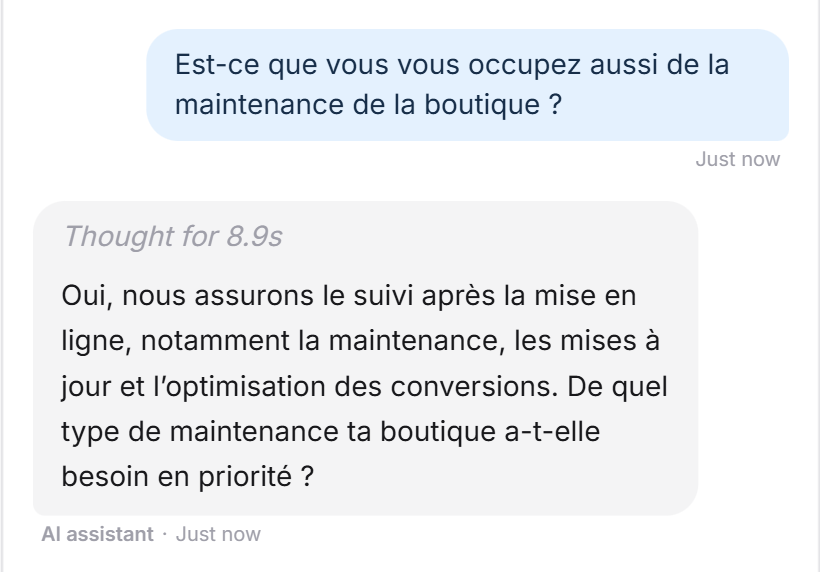
A visitor writes in French. Your LeadWin agent answers in French, even when the page is in another language.
What your plan includes
All four languages are included in every plan, from Free to Scale and during the trial. Translations cost nothing extra and count against no limit. The same applies to Feedbax Business, Premium and Enterprise, more on this in LeadWin in your Feedbax plan.
Frequently asked questions
My website is in German and English. What do I set?
Default language Deutsch, plus English under Additional languages. Pages with lang="en" then show the English interface, all others the German one.
Does the setting change the language of the answers?
No. Your LeadWin agent answers in the language the visitor writes in. The page only determines the interface.
How long does the translation take?
Usually a few minutes. Until then, visitors see your original text.
My pages have no lang attribute. Which language appears?
The default language. You can also state the language with data-lang on the code from the installation.
What happens if I change the default language?
The previous default language stays as an additional language. No text is lost.
Can I correct a translation?
Yes. Open the editor of the text, for example the greeting, and change the version in the respective language there.
Are there other languages, such as Spanish?
No. The interface is available in German, English, French and Dutch. Your LeadWin agent still answers questions in other languages in the visitor's language.
Does an additional language cost extra?
No. Every plan includes all four languages.