

Under Cost structure, you write down what your services cost: hourly rates, flat fees, packages and terms. Your LeadWin agent uses these details when visitors ask about costs or budget. This way, a prospect already gets a realistic estimate in the chat instead of having to wait for a quote. This page has nothing to do with your LeadWin plan: it is about the prices you quote to your customers.
At a glance
- You find the page in the LeadWin dashboard under Knowledge → Instructions, on the Cost structure tab.
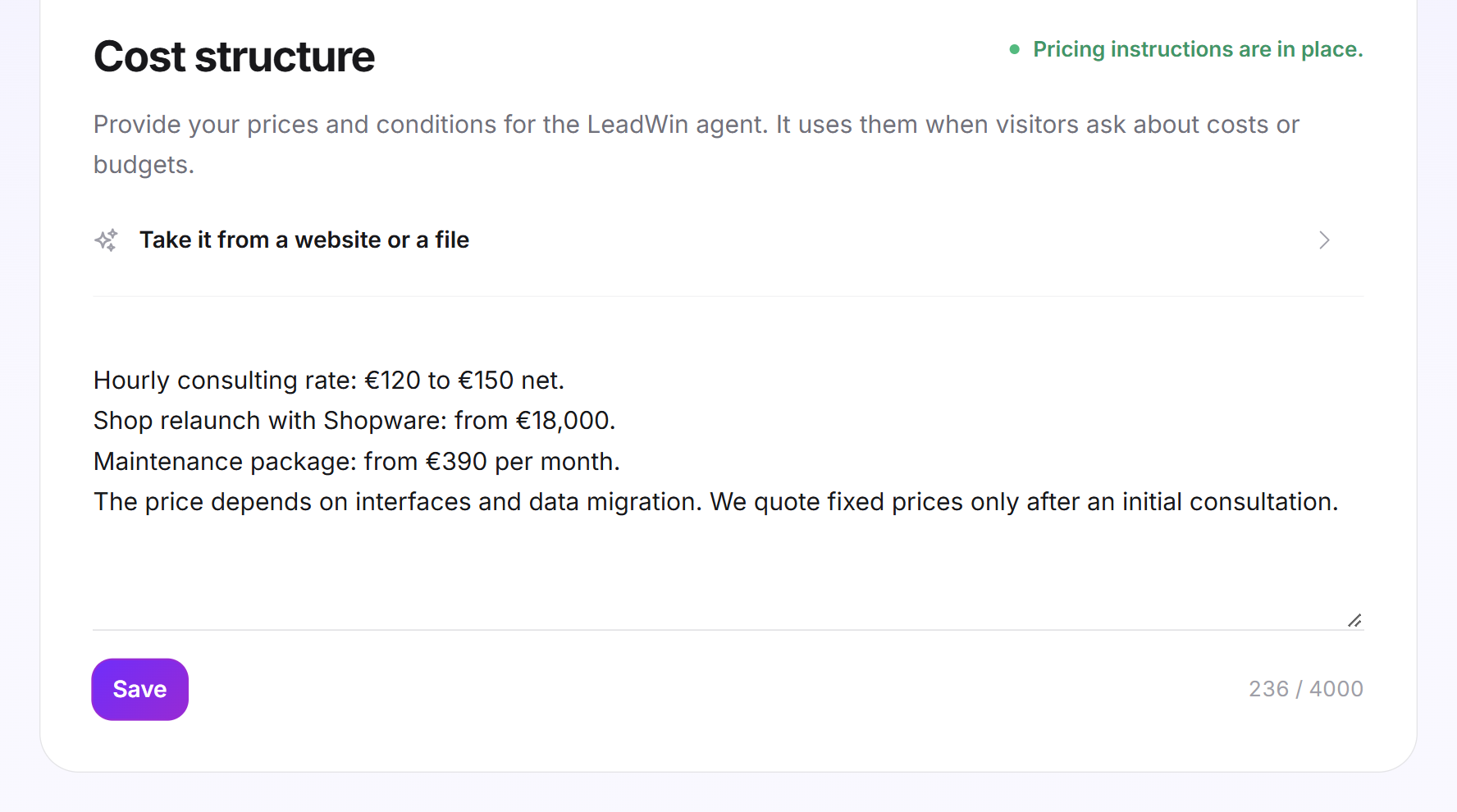
- Without a Feedbax profile, you write your prices in a text field of up to 4,000 characters. LeadWin can also suggest them from your website or a PDF.
- As a Feedbax provider, you use an editor with headings and lists and 14 examples you can adopt and adapt.
- Your LeadWin agent does not negotiate prices. When needed, it suggests an intro call.
- Cost structure is available in every plan, including Free. Owners and admins can see the page, and you assign roles under Team.
How it works
When a visitor asks what a project costs or what their budget can achieve, your LeadWin agent creates a cost estimate. To do this, it reads your cost structure. As a Feedbax provider, the hourly rate, minimum budget and project sizes from your Feedbax profile also go into it. Without a Feedbax profile, the estimate rests only on what you enter here. If you leave the field empty, your LeadWin agent has no prices it can quote.
Your LeadWin agent answers with what you have entered. It does not negotiate prices, even if a visitor pushes for it. Instead, it points to an intro call. The more precise your details, the more realistic the estimate. Vague details lead to vague answers.
The cost structure belongs to one agent. If you have several LeadWin agents, you maintain separate prices for each one, and each answers with its own. Changes apply from the next visitor message. Check them in the live preview, for example by asking what a new website costs.
At the top right of the card, the status shows whether prices are saved: Pricing instructions saved in green or Still open in yellow.
Without a Feedbax profile: enter prices as text
- Open Knowledge → Instructions and switch to the Cost structure tab.
- In the text field, write what your services cost: hourly rates, flat fees, package prices, travel costs or minimum order value. Also state what the price depends on and what you can only quote on request.
- The counter shows how many of the 4,000 characters you use.
- Click Save.
If your price list is already on your website or in a PDF, expand Take it from a website or a file above the field. Enter the address and click Use this address, or click Upload a PDF. Then click Read it. LeadWin writes a suggestion of up to 4,000 characters into the field and replaces the previous content with it. Check it and click Save. It does not apply before that.
The same limits apply as for News: PDF or page up to 10 MB, the first 60,000 characters are read, 5 reads per day and source, no text recognition for scanned PDFs. LeadWin remembers the source. If your price list changes, one click on Read it is enough.
Tip: Write ranges instead of single prices when the price depends on the scope, and name the factors that determine it. Your LeadWin agent can then also classify inquiries that do not fit exactly into a package.
As a Feedbax provider: maintain prices in the editor
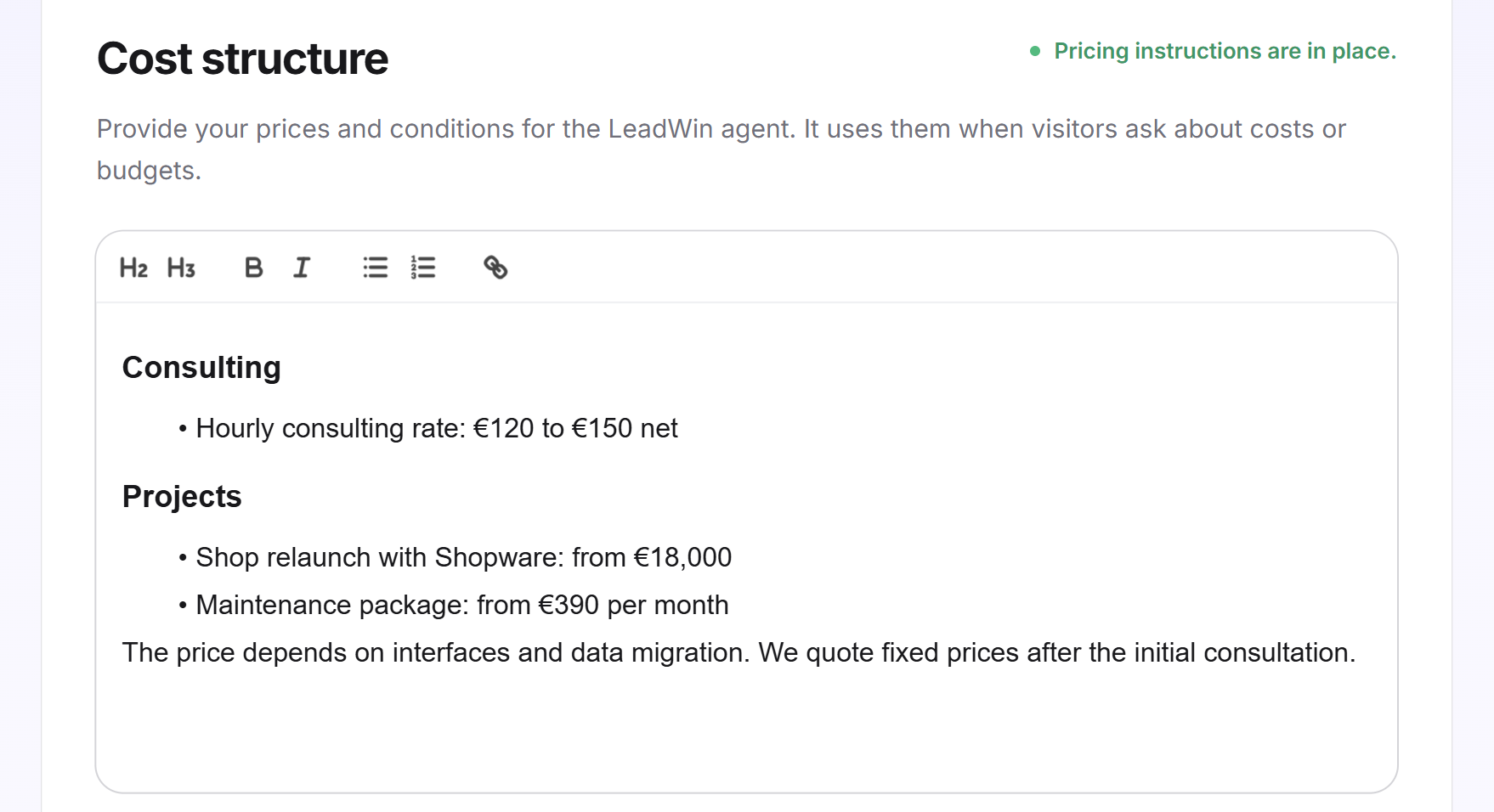
If your LeadWin agent answers from your Feedbax profile, the tab shows an editor with headings and lists. In addition to your prices, describe typical project phases, milestones, work steps, feedback loops and time dependencies. There is no character counter here.
- Open Knowledge → Instructions and switch to the Cost structure tab.
- Write your prices in the editor or adopt an example as described below.
- Click Save.
As a Feedbax provider, you maintain the same text here that Feedbax's AI cost analysis also uses for you. A change applies in both places. If you have several agents, Feedbax's AI cost analysis reads the cost structure of your main agent. Your visitors, on the other hand, always get the prices of the agent they are chatting with.
Adopt an example
Below the editor are 14 examples, one per service area, from Web development & software through SEO and design to email marketing. Each one shows what a detailed cost structure looks like.
- Click an example to expand it.
- Click Use this example. LeadWin appends the example to the end of your text and saves immediately.
- Adapt the figures and services in the editor to your offer and click Save.
If you have already adopted an example, LeadWin does not add it a second time and tells you so.
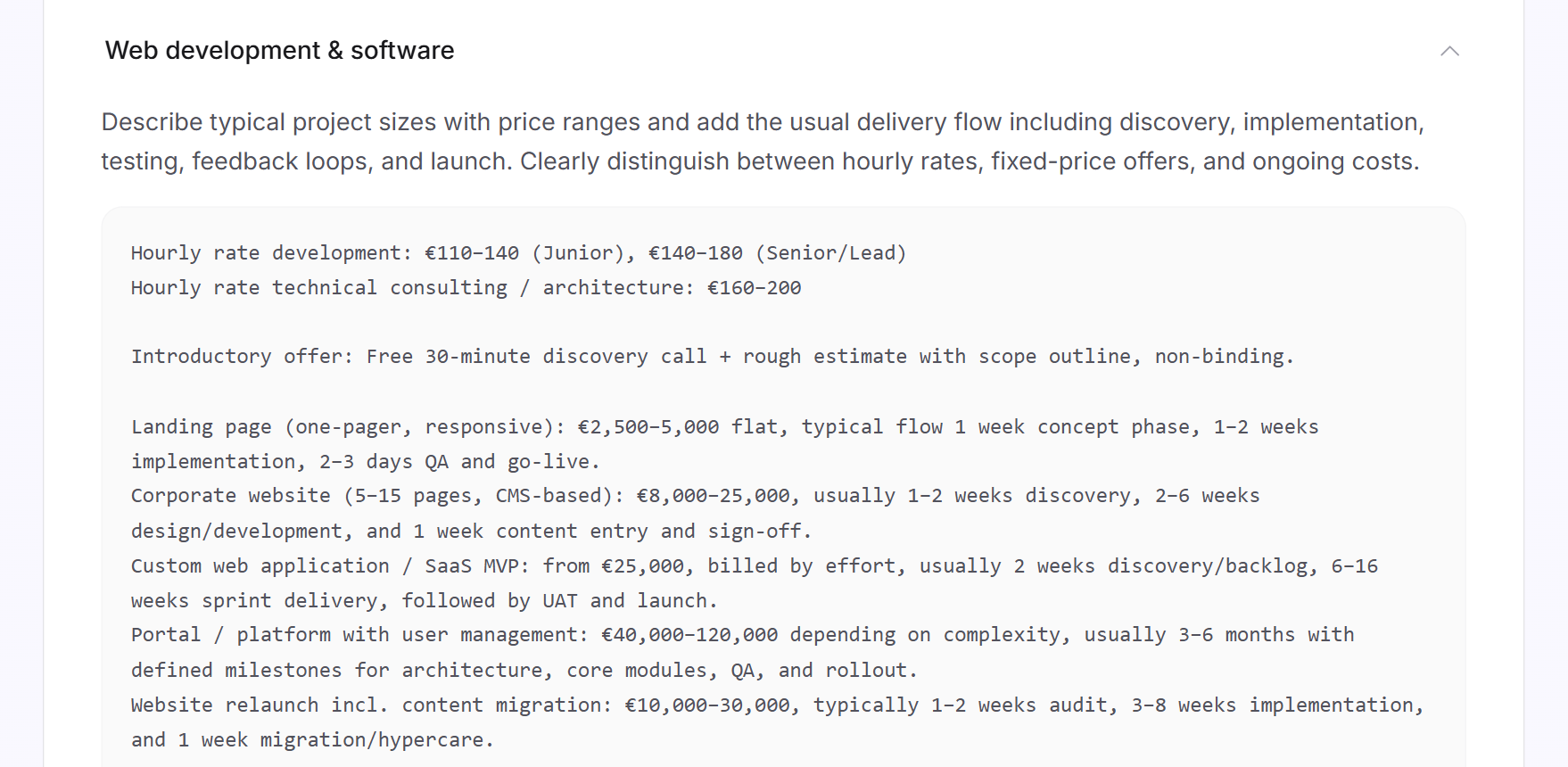
Important: An adopted example is saved immediately and therefore applies to your LeadWin agent, including its sample figures. Adapt it right away so your agent does not quote someone else's prices.
When both versions are saved
LeadWin saves the editor and the text field separately, and they never overwrite each other. If you switch on a separate profile for an agent as a Feedbax provider, the tab shows the text field instead of the editor. If both versions are filled in, your LeadWin agent answers from the text field.
What it looks like in the chat
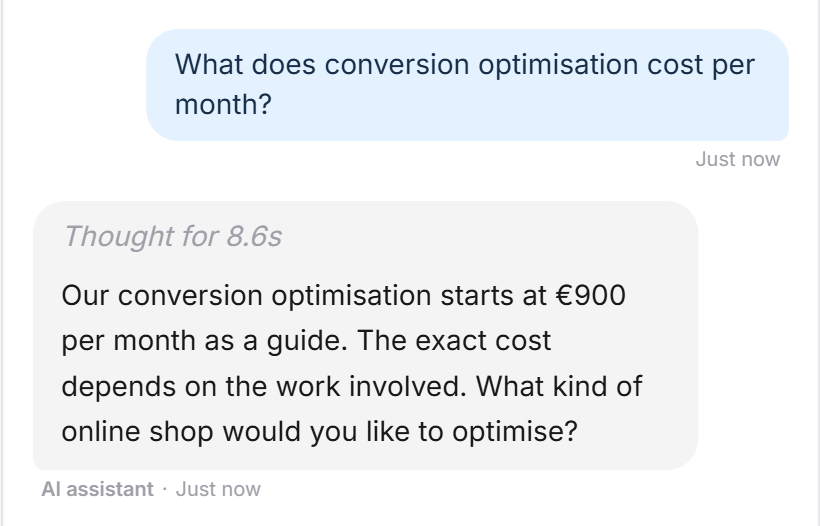
A visitor asks about a price. Your LeadWin agent names the price from your list and adds that it is a guide, not a binding quote.
What your plan includes
Cost structure works the same in every plan:
| Plan | Text field without Feedbax profile | Take from website or PDF |
|---|---|---|
| Free, Basic, Pro, Scale and trial | 4,000 characters | 5 reads per day, PDF up to 10 MB |
The same applies with Feedbax Business, Premium and Enterprise. You find more on this in LeadWin in your Feedbax plan. What your LeadWin plan itself costs is shown on the pricing page. What a higher plan adds is shown in Plans compared.
Frequently asked questions
When does my LeadWin agent use my prices?
When a visitor asks about costs or budget. Your LeadWin agent then creates an estimate from your cost structure, but does not negotiate and suggests an intro call when needed.
How long can the text be?
Up to 4,000 characters in the text field. The editor for Feedbax providers has no counter.
What does Use this example do?
It appends the example to your text and saves immediately. Then adapt the figures to your offer.
Can LeadWin read my price list from my website?
Yes, in the text field without a Feedbax profile. Use Take it from a website or a file and check the suggestion before saving.
Do I need separate prices for each agent?
Yes. Each LeadWin agent has its own cost structure and answers with its own prices.
Is this the same as my LeadWin plan?
No. This is where the prices you quote to your customers go. You manage your own plan as described in Manage, change and cancel your plan.
Do I have to state prices if I do not want to publish them?
No. You can also describe what the price depends on and that you only quote it on request. Your LeadWin agent then answers exactly that way.