
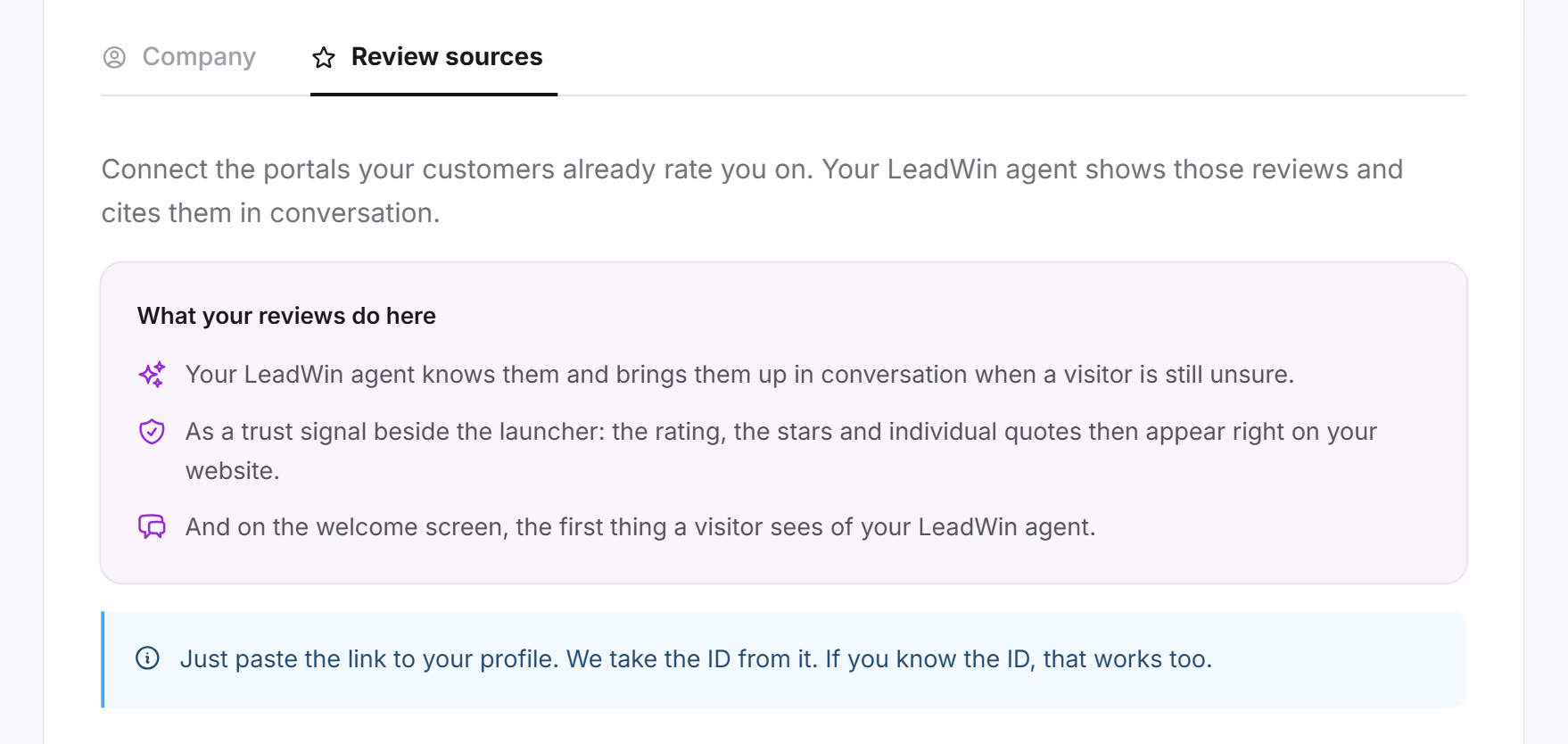
Under Review sources, you connect the platforms where your customers have already reviewed you: Google, Trustpilot, Trusted Shops and ProvenExpert. Your LeadWin agent knows these reviews and brings them up when a visitor is still unsure. If you like, your rating, stars and individual quotes also appear right on your website.
At a glance
- You find the page in the LeadWin dashboard under Knowledge → Company, on the Review sources tab.
- The tab only exists without a Feedbax profile. As a Feedbax provider, your LeadWin agent takes the reviews from your Feedbax profile.
- You can connect all four platforms in every plan, including Free. The link to your profile on the platform is enough.
- LeadWin imports up to 50 reviews per platform, the newest first. It only reads them again when you trigger it.
- Owners and admins can see the page. You decide who has which role under Team.
How it works
As soon as you connect a platform, LeadWin reads your reviews there. Each read imports up to 50 reviews per platform, the newest first. It also stores the rating and the total number of reviews the platform lists for you.
Your reviews work in four places:
- In the conversation: Your LeadWin agent knows the 5 best reviews with at least 4 stars as background knowledge. When it fits the question, it shows reviews as cards in the chat.
- Next to the launcher: As a trust signal, your rating, stars and individual quotes appear right on your website. Only reviews with 4 stars or more are quoted, and each quote has at most 180 characters.
- On the Welcome screen: the first thing a visitor sees when opening the chat. You set what appears there under Welcome screen.
- Under About us in the chat: your overall rating and your reviews with 4 stars or more that contain text, newest first. If a translation exists, they appear in the visitor's language.
LeadWin translates reviews in another language as soon as someone wants to read them in their language. The first time you open them, you therefore briefly see the original and a notice that the translation is running. The next time you open them, they appear in your language.
The fastest way to check whether your LeadWin agent mentions your reviews is the live preview: ask there, for example, what other customers say about you.
Connect a platform
- Open Knowledge → Company and switch to the Review sources tab.
- In a second browser tab, open your profile on the platform and copy the address.
- Paste it into the field in the platform's row. If you know your profile's ID, that works too.
- Click Connect or press Enter.
- The row briefly shows Reading, then Connected with the rating and the number of your reviews.
What each platform accepts:
- Google: your Place ID (it usually starts with ChIJ) or a Google Maps link that contains place_id. The link from the Google Maps address bar usually does not contain it.
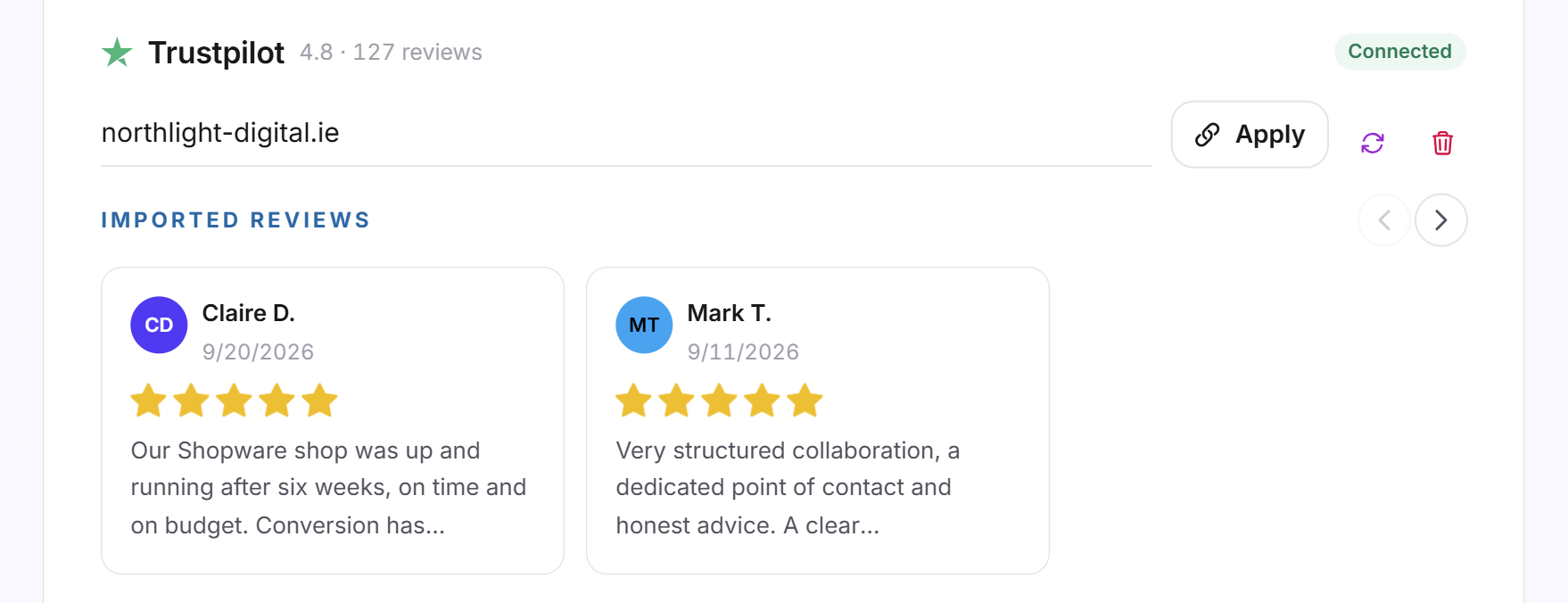
- Trustpilot: the link to your Trustpilot page, your domain or your website's address.
- Trusted Shops: the link to your Trusted Shops profile or your shop ID, which starts with X.
- ProvenExpert: the link to your ProvenExpert profile or the name that appears in it after the last slash.

Tip: If you cannot find your Google Place ID, click I cannot find my Google Place ID in the Google row. LeadWin support then opens in the chat and looks up the Place ID for your business.
View imported reviews
Below a connected platform, the Imported reviews strip shows up to 8 cards: name and date (only the date for anonymous reviews), the stars and the first lines of the text. If there are more, the last card shows how many. In the LeadWin dashboard, you see up to 24 reviews per platform.
Clicking a card opens the whole review. If you replied on the platform, your reply appears under Your reply. Below that you find the link to the review on the platform and the More reviews list.
Read reviews again
LeadWin does not read a platform again on its own. You add new reviews like this:
- Open the Review sources tab.
- In the platform's row, click the Read the reviews again icon.
- After a short while, the new reviews appear in the strip, and the rating and count are up to date.
If your profile on the platform has changed, paste the new link into the field and click Apply. If the link points to a different profile, LeadWin deletes the reviews of the old profile and reads the new one.
When a connection fails
If a platform shows Failed or a red message appears below the row, there are three cases:
- The platform cannot find you with that input: The message says which input the platform expects. Check the list above and try again.
- The platform could not be reached or does not know the ID: Check the link and try again after a short while.
- Your profile does not exist yet: Set up your LeadWin agent first, then connect the platforms.
Disconnect a platform
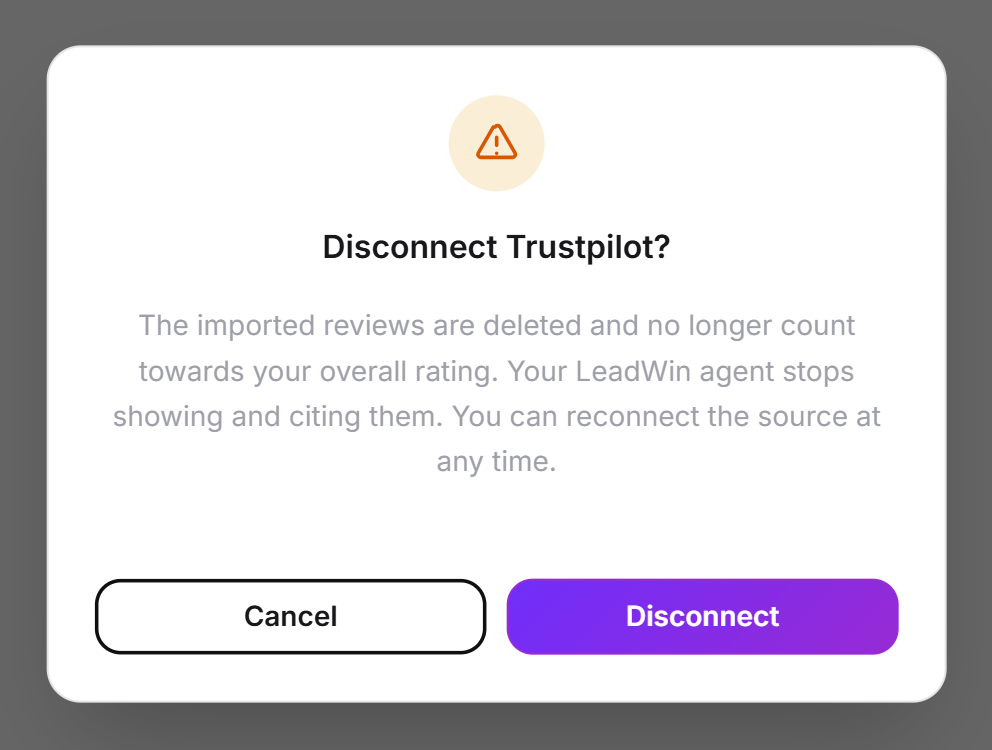
- In the platform's row, click the trash icon Disconnect.
- Confirm in the dialog with Disconnect.
The imported reviews of this platform are deleted and no longer count toward your overall rating. Your LeadWin agent no longer shows or mentions them. You can connect the platform again at any time.
The overall rating
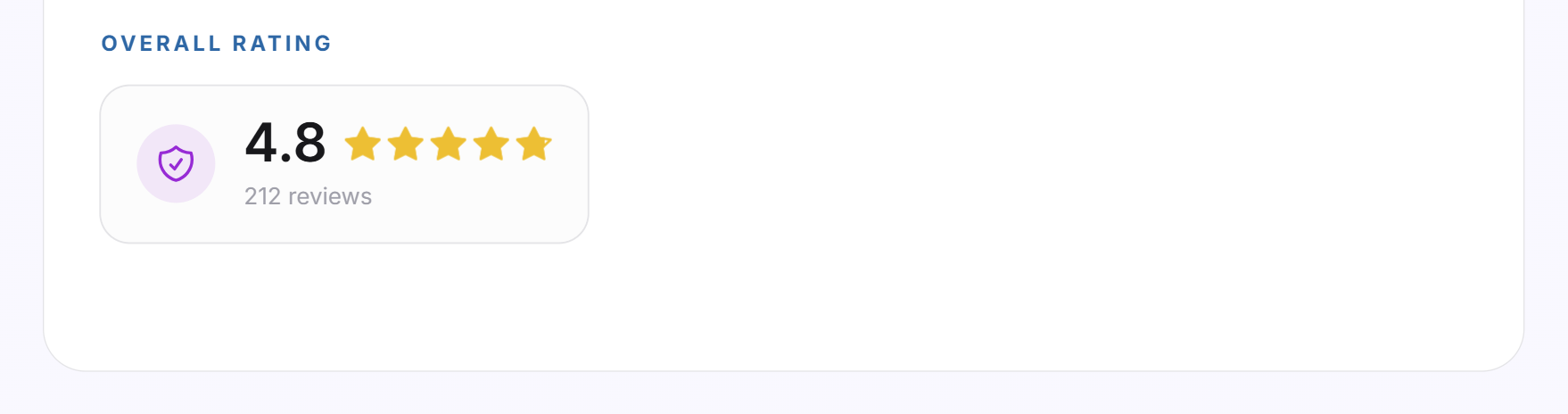
At the bottom of the page is your Overall rating across all connected platforms: the rating with one decimal place, the stars and the total number of reviews. Each platform counts in proportion to its number of reviews. A platform with 3 reviews therefore barely moves the rating if another one has 400. As long as no platform is connected, the block stays empty.
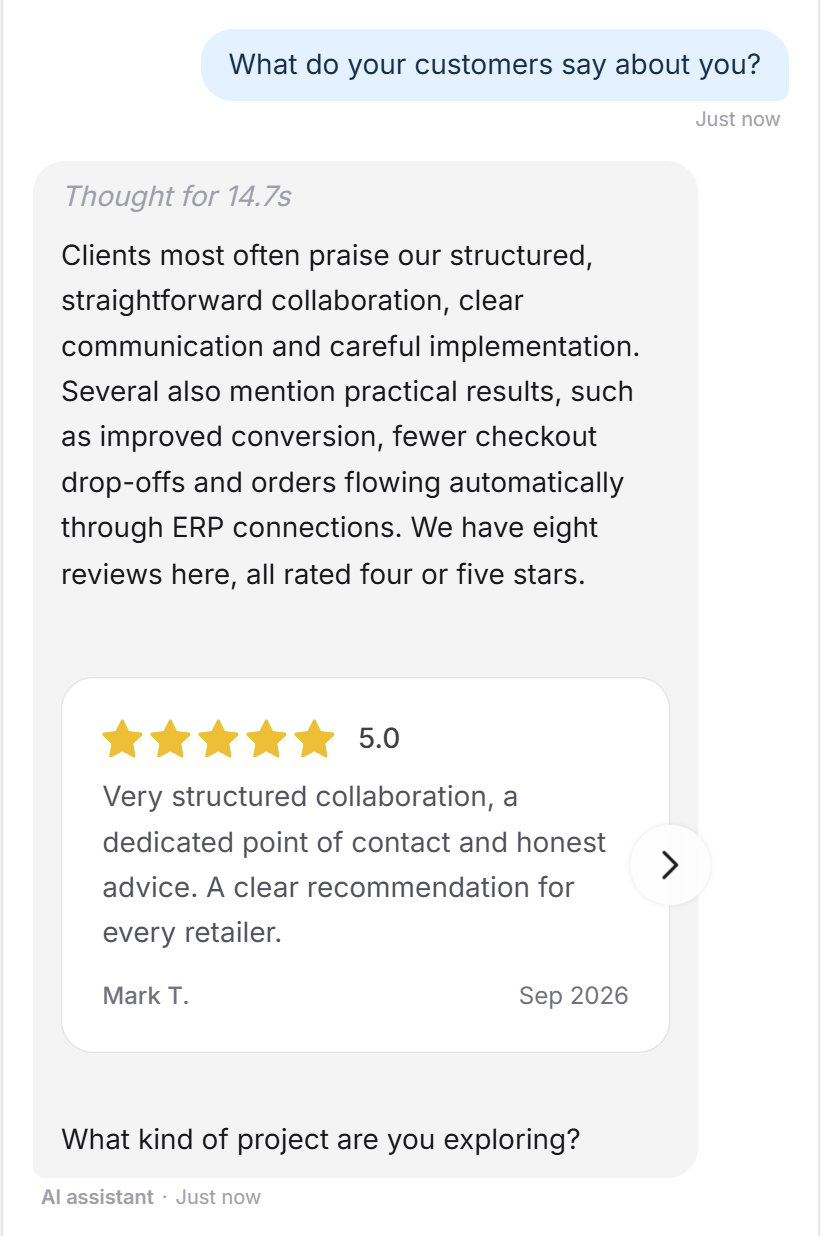
What it looks like in the chat
A visitor asks what your customers say. Your LeadWin agent sums up your reviews and shows them as cards.
What your plan includes
Review sources are available in every plan. Your plan determines where visitors see your reviews:
| Plan | Connect platforms | Reviews in the conversation | Trust signals at the launcher |
|---|---|---|---|
| Free | all 4 | yes | no |
| Basic | all 4 | yes | yes |
| Pro and trial | all 4 | yes | yes |
| Scale | all 4 | yes | yes |
Feedbax Business comes with the limits of Basic, Premium with those of Pro and Enterprise with those of Scale. You find more on this in LeadWin in your Feedbax plan. From Basic on, connecting pays off twice: your rating then appears next to the launcher on every page of your website, before a visitor even asks. You find an overview of all limits in Plans compared, and how to switch in Manage, change and cancel your plan.
If you have several LeadWin agents, you connect the platforms for each agent separately. An agent does not share its reviews with other agents, not even through Share knowledge.
Frequently asked questions
Do I need the ID, or is the link enough?
The link is enough. LeadWin takes the ID from it. Only for Google must the link contain place_id.
Where do I find my Google Place ID?
In a Google Maps link that contains place_id. Or you click I cannot find my Google Place ID, and LeadWin support looks it up for you.
How many reviews does LeadWin import?
Up to 50 per platform, the newest first. The rating and count still refer to all reviews the platform lists for you.
Are new reviews added automatically?
No. Click Read the reviews again when you have received new reviews.
Why do some reviews first appear in another language?
LeadWin is translating them. The next time you open the page, they appear in your language.
What happens when I disconnect a platform?
Its reviews are deleted and no longer count toward the overall rating. Your LeadWin agent no longer mentions them.
Why do I not see my rating on my website?
Trust signals at the launcher are available from Basic on, and you have to switch them on under Trust signals. In Free, your LeadWin agent mentions the reviews only in the conversation.
Why do I not see the Review sources tab?
You are a Feedbax provider, and your LeadWin agent uses your Feedbax profile. It takes its reviews automatically. The tab only appears when you switch on a separate profile for the agent. Even then, your Feedbax tier decides which platforms your agent shows: Google and Trusted Shops from Starter, Trustpilot and ProvenExpert from Business.