

If you are a provider on Feedbax, you use LeadWin with your Feedbax login. Your LeadWin agent answers from your Feedbax profile from day one, and with Feedbax Business, Premium or Enterprise, LeadWin is already included in your plan. This article shows how you get to LeadWin and what happens to your Feedbax profile along the way. Buyers on Feedbax also sign in with their Feedbax login and get a separate LeadWin account, see the section further down.
At a glance
- You open LeadWin through the LeadWin entry in the Feedbax account menu, through the LeadWin link in your Feedbax dashboard or on leadwin.ai with Sign in with Feedbax.
- You do not need a new password or a form. Your LeadWin account is created automatically on your first visit. The only thing you accept, once and in the dashboard, is the data processing agreement before embedding.
- Feedbax Business includes LeadWin Basic, Premium includes Pro and Enterprise includes Scale. With Starter, you try it free for 7 days and then use Free or a separate LeadWin plan.
- LeadWin only reads your Feedbax profile. It changes nothing in it. Your agent knows about changes to the profile after 15 minutes at most.
- A Feedbax plan and a LeadWin plan cannot be combined.
How it works
On your first visit to the LeadWin dashboard, LeadWin creates an account for you. To do so, it takes the following from Feedbax:
- The sign-in address: your Feedbax admin address, or your main address if there is none. The address for inquiries never becomes the sign-in address.
- The name: the company name from your Feedbax profile.
- The language: the preferred language of your Feedbax profile.
You do not need to confirm anything for the account, because your Feedbax terms apply. There is one exception: you accept the data processing agreement once under Setup → Privacy before you get the code for your website. Whoever signs up on leadwin.ai concludes the agreement by clicking Create account. Your provider account, by contrast, is created without a click, so you accept it there explicitly with the checkbox and Accept. You find more on this in Privacy. LeadWin does not create a LeadWin agent for providers automatically. You do that with one click on the first screen.
LeadWin checks which plan applies every time you open it, starting with your Feedbax tier. What counts is your tier on Feedbax, not the date of your last payment. A direct debit collected a few days after the end of the period therefore does not interrupt LeadWin. If Feedbax actually downgrades you to Starter, LeadWin falls back to Free. Your settings, conversations and content are kept.
Every email LeadWin sends you, for example about new inquiries, contains a button to the dashboard. It opens the agent and the page the email is about, for example the inquiries of exactly the agent that took the inquiry. Behind it is a Feedbax login, so you land in LeadWin without signing in again. Notifications go to your Feedbax address for inquiries, or to the admin address if there is none, and otherwise to the main address. You find more on this in Email notifications.
Open LeadWin from Feedbax
- Sign in to Feedbax as usual.
- Open the account menu and click LeadWin. Alternatively, on the home page of the Feedbax chat, click the card with the New badge and the sentence Turns your website visitors into leads., or the LeadWin link in your Feedbax dashboard.
- The LeadWin dashboard opens on leadwin.ai in your language. You do not need to sign in a second time.
Sign in with Feedbax on leadwin.ai
- Open leadwin.ai/login.
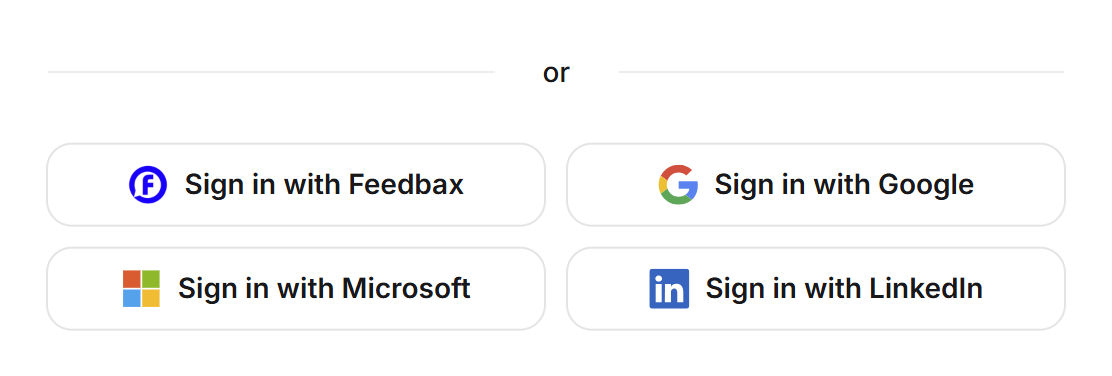
- Below or, click Sign in with Feedbax.
- If you are already signed in to Feedbax, your LeadWin dashboard opens right away.
- Otherwise, the Feedbax sign-in appears with the Sign in with Feedbax bar. Sign in there with your Feedbax login. You then land directly in the LeadWin dashboard.
You can also enter your LeadWin sign-in address, usually your Feedbax admin address, in the Email address field. You then receive a sign-in link and end up in the same account. With the Feedbax login, you stay signed in for as long as your Feedbax login is valid. You find more on signing in in Sign-in.
Create your LeadWin agent
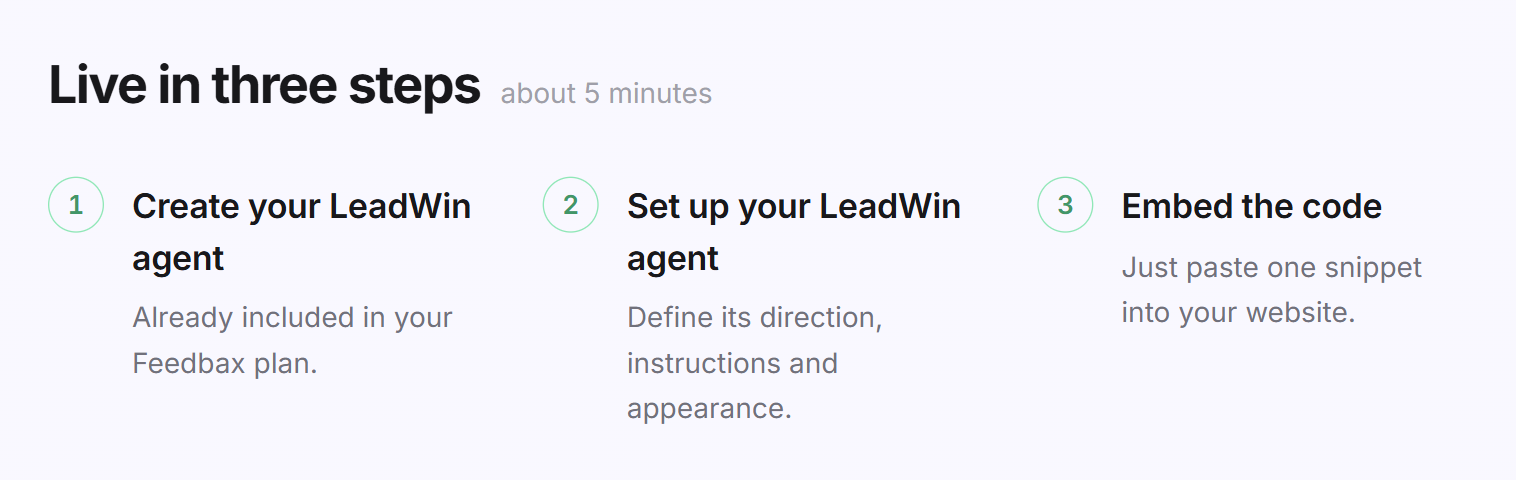
- Open the LeadWin dashboard. Without an agent, it shows the creation screen.
- With Feedbax Business, Premium or Enterprise, click Create your LeadWin agent. The first step says Already included in your Feedbax plan.
- With Starter, click Try it free for 7 days, as long as your account has not used the trial yet. If it is already used up, click Create your LeadWin agent, and the first step says Runs for free on the Free plan. You have already used your trial.
- Your agent is created and answers from your Feedbax profile right away. The Getting started checklist guides you through the rest. Before the installation, you accept the data processing agreement there in the Privacy step. The step sits between Team and Installation.
The details are in Create your LeadWin agent. Because your profile already exists, your checklist does not have the Company step. It has the Privacy step instead, which a sign-up on leadwin.ai does not need. That makes 10 steps, 9 on the Free plan.
What happens to your Feedbax profile
LeadWin reads your Feedbax profile and never writes anything into it. From it, your agent uses:
- company details and services,
- up to 5 reviews with at least 4 stars, from the review platforms your Feedbax tier includes,
- reference projects, seals and your team.
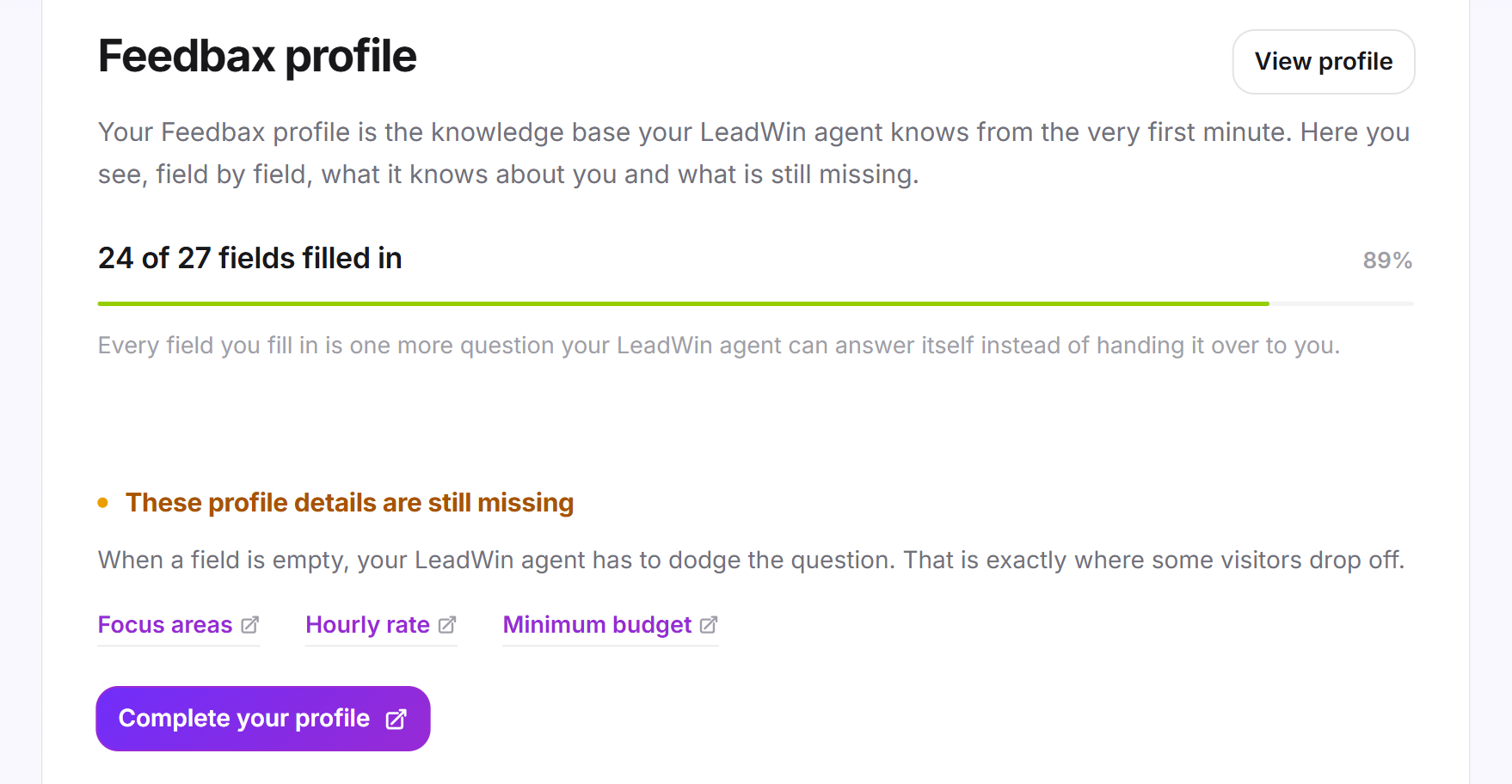
You keep maintaining the profile in the Feedbax dashboard. Your agent knows about a change after 15 minutes at most. You see what it knows from the profile under Knowledge → Feedbax profile. The page only displays your profile, and you cannot edit anything there. You find more on this in Company and Feedbax profile.
For individual agents, you can switch to a separate profile, for example for a second brand or another product. That agent then uses neither your Feedbax profile nor your Feedbax reviews and references.
Visitors see your Feedbax background too. The trust signals at the launcher show your Feedbax reviews, seals and references. They are derived from your profile and cannot be edited in LeadWin. In the chat, About us shows your Feedbax rating and, with trust signals switched on, the View profile on Feedbax link. How visitors experience the chat is described in How visitors experience your LeadWin agent. View profile in the LeadWin account menu opens your Feedbax profile over the dashboard.
Sign-in address, account and signing out
- Sign-in address: LeadWin takes it from Feedbax once and never syncs it again afterwards. You change it under Account with Change address. Your addresses on Feedbax remain unaffected, and vice versa.
- Account details: Name and company come from Feedbax. That is why the Account page shows you no field for them.
- Delete account: Only your LeadWin data is deleted. Your Feedbax profile, your Feedbax tier and your login remain. If you open LeadWin again later, you start with an empty account. You find more on this in Your account.
- Sign out: Sign out in LeadWin ends your LeadWin session and your Feedbax session together. You land on the LeadWin home page.
From Feedbax to LeadWin as a buyer
Users registered on Feedbax as buyers also sign in on leadwin.ai with Sign in with Feedbax. A buyer has no Feedbax profile. That is why LeadWin only takes over the confirmed email address and creates a separate LeadWin account with it. It is not linked to your Feedbax account.
- The first time, the account is created right away, without a form. Your sign-in address is the email address of your Feedbax account, and LeadWin takes over your first and last name from Feedbax. The language is that of the LeadWin page you came from.
- Feedbax knows no company for buyers. The Company field therefore first shows your name, or your address if Feedbax knows no name. You change it under Account, and in the Company step of the checklist you enter the details of your company.
- On your first visit, LeadWin creates your LeadWin agent and starts the trial, just like a sign-up on leadwin.ai.
- If your address already has a LeadWin account, LeadWin just signs you in there. No second account is created.
- Your Feedbax terms cover the account. You see no notice to agree to on this path. That is why you conclude the data processing agreement like a provider: with a checkbox and Accept under Setup → Privacy. Only then does the installation show the code.
Your checklist has the Company step, because your agent answers from your own details, and the Privacy step. It therefore has 11 steps, 10 on the Free plan. The Feedbax tiers Business, Premium and Enterprise are for providers only. As a buyer you use the LeadWin plans, listed in Plans compared.
What your plan includes
Your Feedbax tier determines the scope in which you use LeadWin:
| Feedbax plan | LeadWin scope | Conversations per month per agent | Agents |
|---|---|---|---|
| Starter | Free, a one-time 7-day trial, or a separate LeadWin plan | 10 with Free | 1 with Free |
| Business | Basic | 50 | 1 |
| Premium | Pro | 100 | 2 |
| Enterprise | Scale | 250 | 3 |
All other limits are those of the corresponding LeadWin plan. They are listed in Plans compared and in detail in LeadWin in your Feedbax plan.
Mixed bookings do not exist, in either direction. This way, you never pay for LeadWin twice:
- With Business, Premium or Enterprise, you cannot add a LeadWin plan. You get the larger LeadWin scope with the higher Feedbax tier.
- If a separate LeadWin plan is already running, the Feedbax tiers on the pricing page are locked. To switch to a Feedbax tier, contact support.
- With Business, Premium or Enterprise, there is no trial, because LeadWin is already included.
- With Enterprise, you cannot add extra agents. It stays at 3 agents.
Once you have created as many agents as your tier allows, the Switch agent menu names the next Feedbax tier instead of the create button: with Business Feedbax Premium lets you run 2 agents., with Premium Feedbax Enterprise lets you run 3 agents. With Enterprise no such note appears, because there is no tier above it. You find more on this in Several LeadWin agents.
If you need more conversations, you buy them. As a Feedbax customer, you can also pay for them with your Feedbax credit. You find more on this in Buy more conversations. With Business, Premium or Enterprise, every upgrade button in the LeadWin dashboard takes you to the Feedbax pricing page, because your larger scope comes with the Feedbax tier. With Starter, it takes you to the LeadWin pricing page.
Feedbax score
LeadWin itself does not change your Feedbax score or your ranking in the directory. Neither your LeadWin scope nor conversations, inquiries or appointments count towards it. Two things still work together:
- Your Feedbax tier increases your visibility in the directory and at the same time determines your LeadWin scope.
- A complete Feedbax profile improves your profile in the directory and at the same time your agent's answers, because it answers from exactly this profile.
Frequently asked questions
Do I need a new account or password?
No. Your Feedbax login is enough. The LeadWin account is created automatically on your first visit.
Is LeadWin included in my Feedbax plan?
Yes, from Business upwards. Business includes Basic, Premium includes Pro and Enterprise includes Scale. With Starter, you try it free for 7 days and then use Free or book a LeadWin plan.
Can I add LeadWin Pro to Feedbax Business?
No. You get the larger LeadWin scope with Feedbax Premium.
Does LeadWin change my Feedbax profile?
No. LeadWin only reads it. Edit it in the Feedbax dashboard, and your agent knows about the change after 15 minutes at most.
Which address do I use to sign in to LeadWin?
Your Feedbax admin address, which LeadWin took over once. You can change it under Account, and your Feedbax addresses remain unaffected.
What happens to LeadWin if I cancel Feedbax Business?
As soon as Feedbax downgrades you to Starter, LeadWin falls back to Free. Your settings and conversations are kept.
Is my Feedbax profile gone if I delete my LeadWin account?
No. Only your LeadWin data is deleted.
I signed up for LeadWin myself earlier. What now?
If that account uses your Feedbax admin address, contact support before you open LeadWin through Feedbax. Each address can belong to only one LeadWin account.