

On the Account page, you manage what concerns you and your LeadWin account rather than a single agent: your details, the address you sign in with and the deletion of the whole account. This keeps your sign-in and emails up to date and keeps you in control of your data.
At a glance
- You open the page through the account menu with your initials at the bottom left, and there Account. It is not in the navigation. How the dashboard is structured is shown in LeadWin dashboard.
- The page is available in every plan. Only you, as the owner of the account, can see it. People in your team cannot see it, whatever their role.
- A new sign-in address only takes effect once you confirm the link we send to it. The link is valid for 24 hours.
- You can only delete your account once no plan is running or you have canceled it.
- Deleting removes all agents, conversations, contacts and appointments. We keep invoices because the law requires it.
How it works
The page has three cards: Your details, Email address and Delete account. It applies to your whole account, even if you have several LeadWin agents. That is why you can reach it even when your account has no agent left or your agent is closed after a plan change.
In the account menu, you also find Manage subscription or, without a plan, Upgrade subscription, as well as Contact support and Sign out.
If you are also a provider in the Feedbax directory, the following applies. Your name and company come from your Feedbax profile, which is why the Your details card is missing. You change them in Feedbax. LeadWin took over your LeadWin sign-in address from Feedbax once, on your first visit. After that, it no longer syncs it. You can only change it here. You find more on this in From Feedbax to LeadWin.
LeadWin never deletes anything on its own. Only you delete agents and the account.
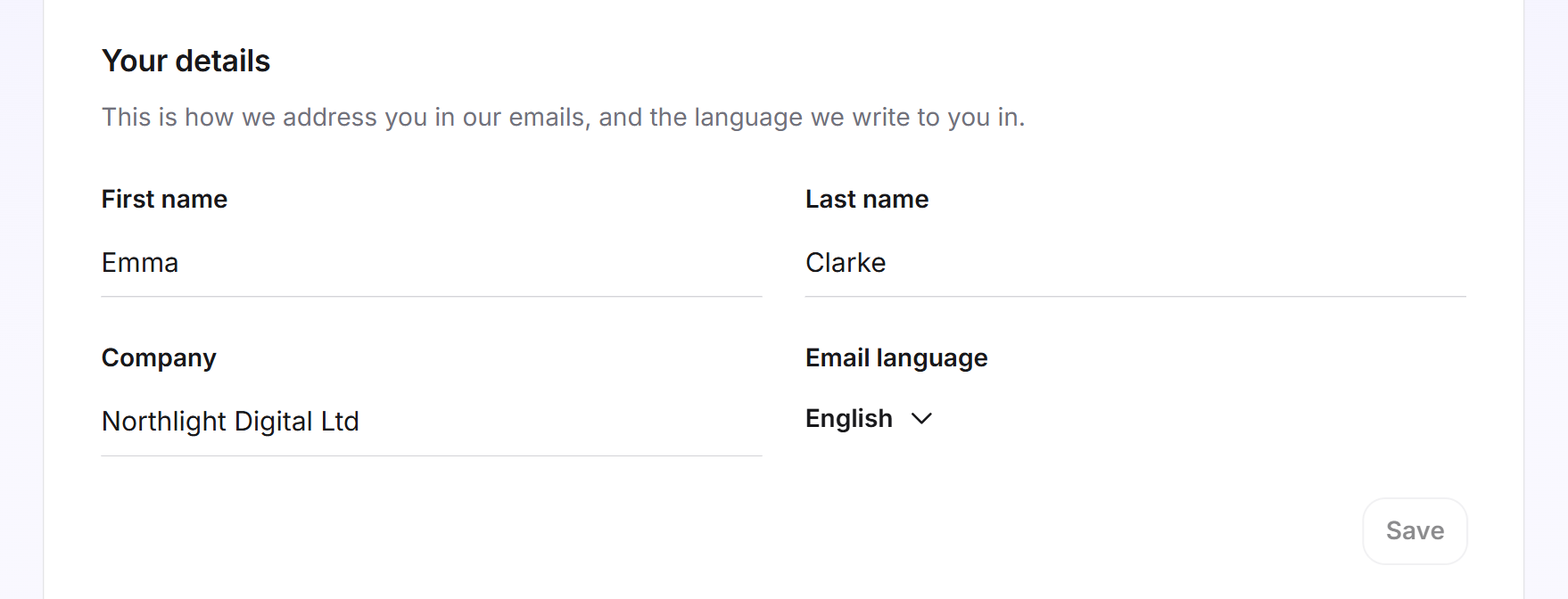
Change your details
- Open the account menu at the bottom left and click Account.
- Under Your details, fill in First name and Last name, up to 100 characters each. This is how we address you in our emails.
- Check the Company, up to 200 characters. This name also appears at the top of the account menu.
- Choose the Email language: Deutsch, English, Nederlands or Français. We write to you in this language.
- Click Save. The button only becomes active once you have changed something. The message Your details have been saved. confirms it.
If saving fails, you see Your change could not be saved. Please try again later. Your previous details then stay as they were.
You set the language of the emails to people in your team for each person in the team.
Change your sign-in address
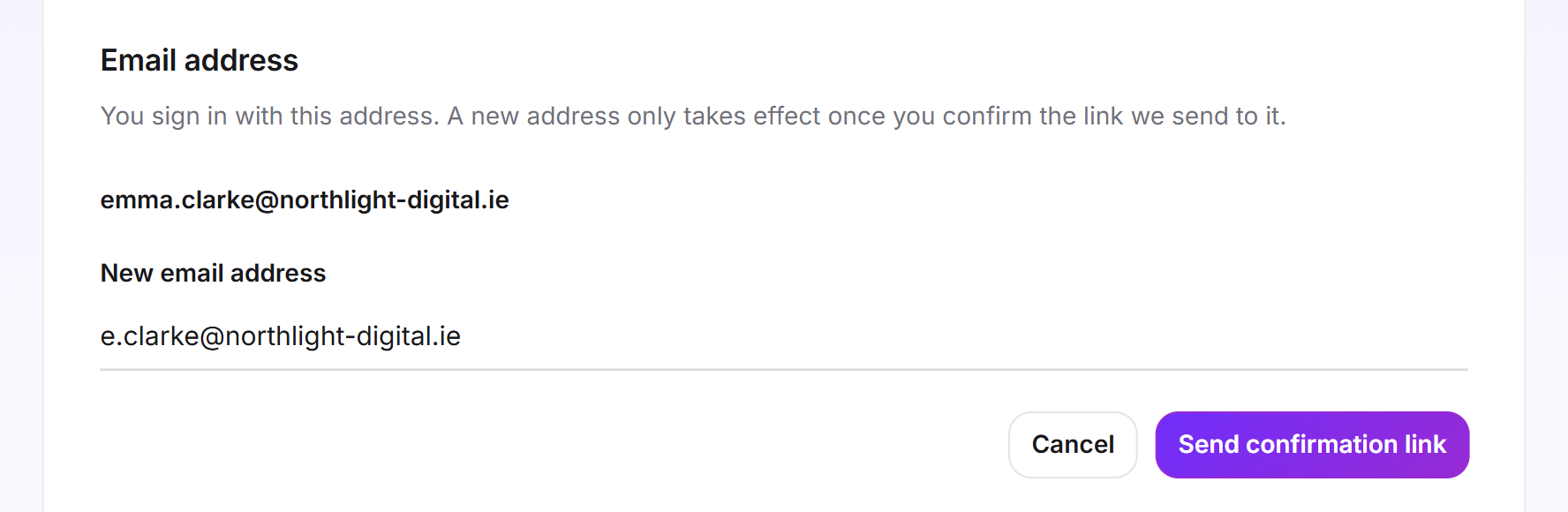
You sign in with this address. A LeadWin account has no password: to sign in, you receive a link by email. How this works is explained in Sign-in.
- Under Email address, click Change address.
- Enter the New email address and click Send confirmation link.
- The page confirms which address the link went to. Until you open it, your current address stays valid.
- Open the email in your new mailbox and click the link within 24 hours. It only works once.
From then on, you sign in with the new address. Your old address receives a message about the change. If you have a LeadWin account without a Feedbax profile, our notifications also go to the new address, unless someone in your team receives them. You find more on this in Email notifications.
If it does not work, the reason appears below the field:
- Please enter a valid email address. The address is incomplete or misspelled.
- That is already your address. You entered your current address.
- Another account already signs in with this address. Each address belongs to exactly one LeadWin account. LeadWin checks this again when you click the link.
- The link could not be sent. Please try again later. The email did not go out. Try again later.
When you can delete your account
Whether you can delete depends on your plan:
- No plan, or the plan has already ended: You can delete right away.
- Plan canceled but not yet expired: You can delete. The plan then ends immediately. The remaining time and your credit are forfeited. The same applies to a booked plan that was never paid.
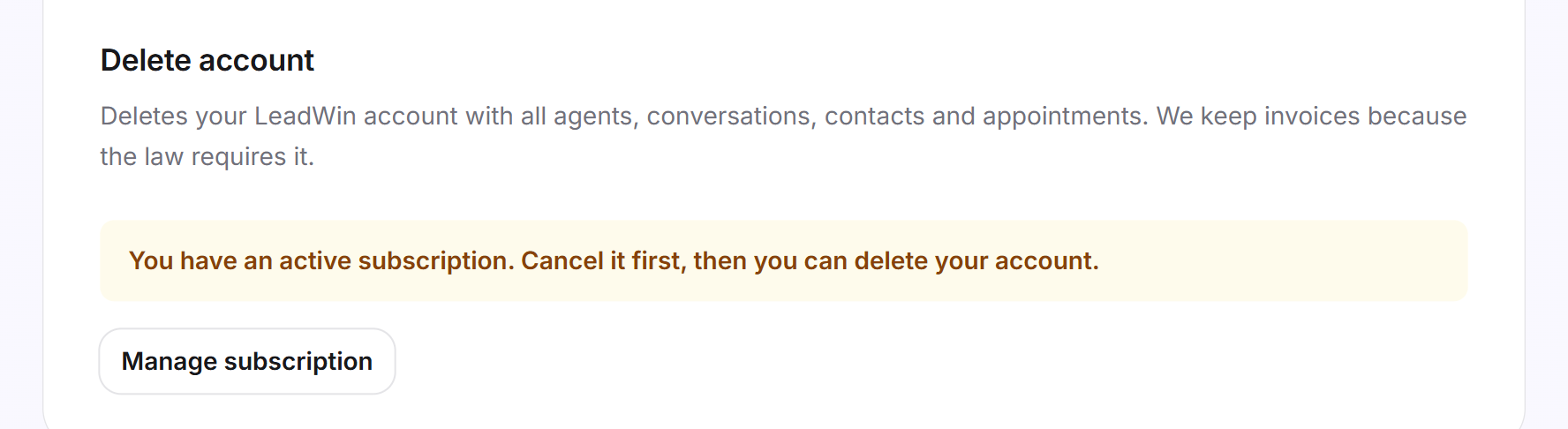
- Plan running and not canceled: Instead of the button, the card shows You have an active subscription. Cancel it first, then you can delete your account. With Manage subscription, you cancel in the customer portal. How this works is explained in Manage, change and cancel your plan.
Whether your plan is canceled, and until when it runs, is shown in the customer portal under Manage subscription. The dashboard does not show it anywhere else.
Delete your account
If you only want to remove a single agent, delete it on the Agent page. Your account then remains.
- On the Account page, click Delete account at the bottom.
- In the Delete your account for good? dialog, read under This is what goes: what will be lost: all LeadWin agents with all settings, all conversations with visitors, all leads with their contact details, all booked appointments, and your account and sign-in. The list shows every number.
- If your plan is canceled but still running, the dialog shows the end date and points out that the remaining time and credit are forfeited.
- To confirm, type the email address of your account. Upper and lower case and spaces at the beginning or end do not matter.
- Click Delete account for good.
First, we end your plan. If that fails, we delete nothing, and you see the message Your subscription could not be ended just now. Nothing was deleted. Please try again later. Then we delete all agents and your account. Together with the agents, conversations you bought with top-up packs and have not used yet are forfeited as well. Finally, we send a farewell email to your previous address.
With a LeadWin-only account, you are signed out afterwards. As a Feedbax provider, you stay signed in to Feedbax and land on the LeadWin start page. The card tells you beforehand: Your Feedbax profile stays. Only LeadWin is deleted. If you open the LeadWin dashboard again later, you start with a new, empty LeadWin. You then also accept the data processing agreement again on the Privacy page before you get the code for your website.
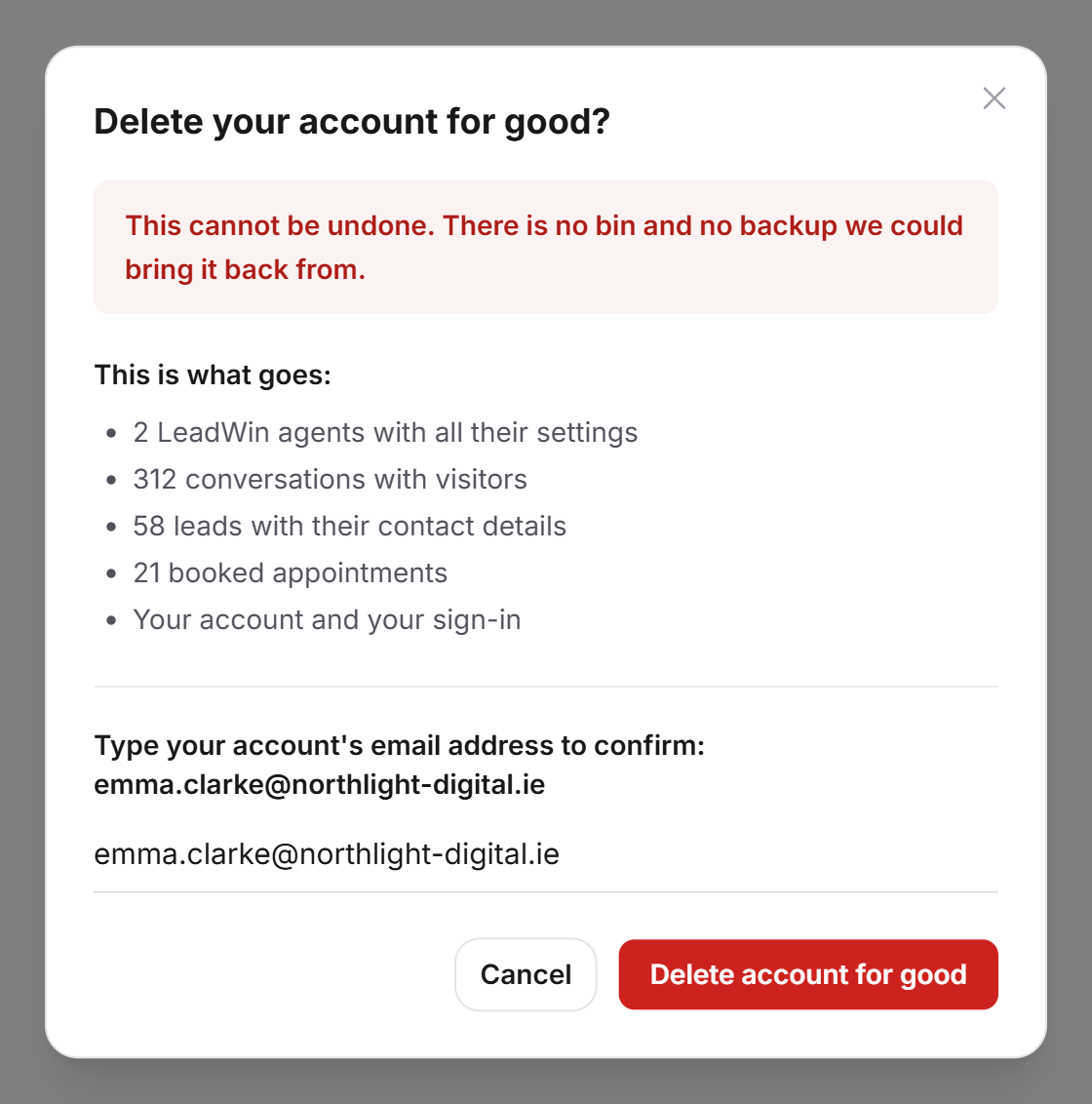
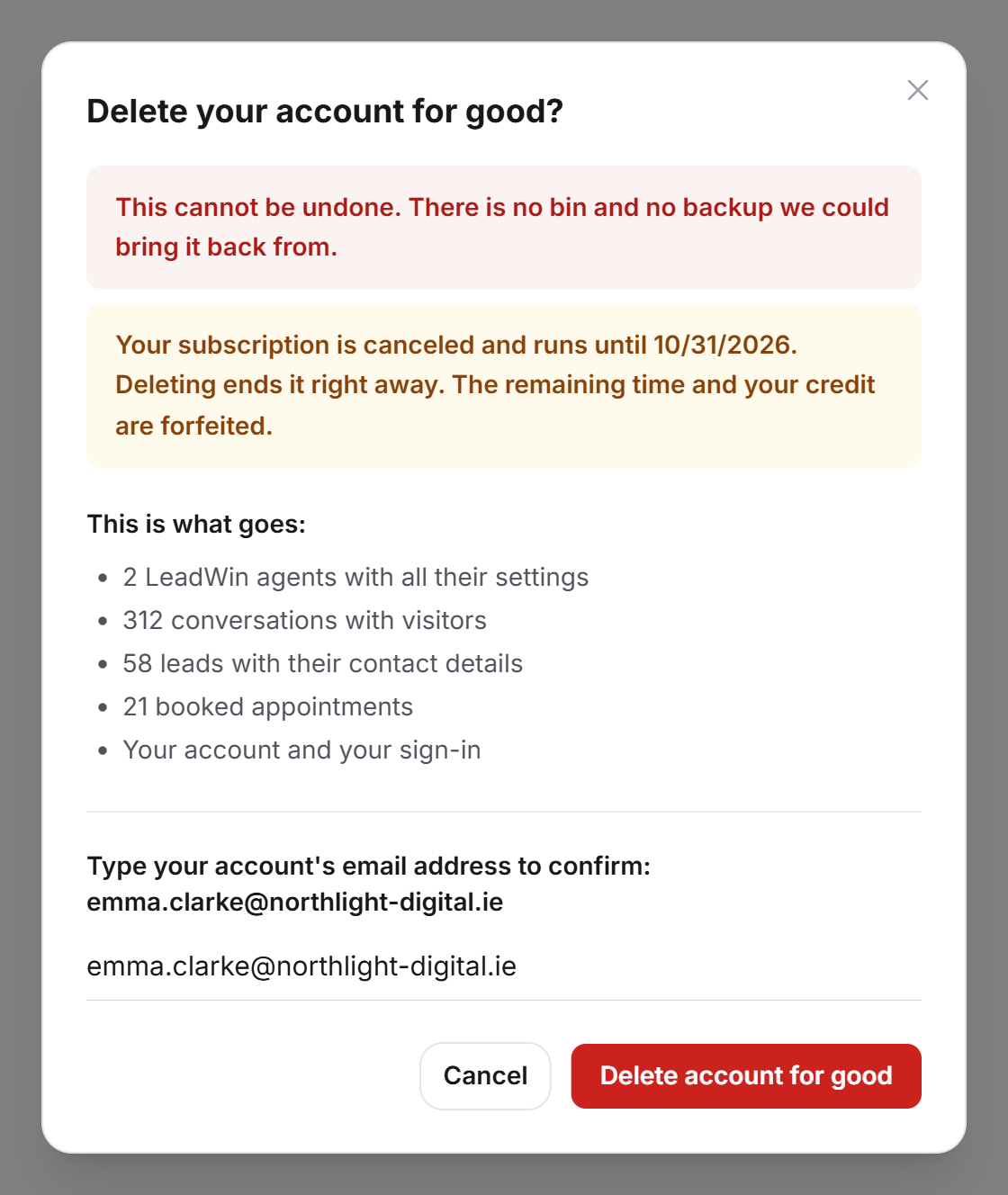
Important: A deleted account cannot be restored. There is no trash and no backup we could restore it from.
Frequently asked questions
How do I change my sign-in address?
Open Account, click Change address and enter the new address. Confirm the link we send there within 24 hours. Until then, your old address stays valid.
I get the message that another account already signs in with this address.
Another LeadWin account uses this address. Choose a different address or contact our support.
Why can I not change my name and company here?
As a Feedbax provider, they come from your Feedbax profile. Change them there.
Why is the Delete account button missing?
You have a running plan that is not canceled. Cancel it first with Manage subscription.
What happens to the paid time I have left?
If you delete while a canceled plan is still running, it ends immediately. The remaining time and your credit are forfeited. If you want to use that time, delete only after the plan has ended.
Does this also delete my Feedbax profile?
No. Only LeadWin is deleted. Your Feedbax profile remains.
Can people in my team delete the account?
No. Only the owner of the account can see the Account page.
Is anything kept after deletion?
Yes, the invoices, because the law requires it. We delete everything else.