Under Notifications, you turn on the email in which LeadWin alerts you to promising visitors. It arrives as soon as someone shows clear interest on your website, even if they have not written anything yet. This way, you approach prospects while they are still reading your site.
At a glance
- You find the page in the LeadWin dashboard under Analytics → Notifications.
- The alerts are available with Pro, Scale and during the trial. They are turned on by default.
- The email arrives when a visitor with consent reaches an interest score of 70 out of 100, at most once per visitor in 24 hours.
- It only goes to your account's notification address, not to people in the team.
- Owners, admins and people with the Viewer role can see the page. Only owners and admins can tick or untick the box; for Viewers it is greyed out.
How it works
For every visitor with consent, LeadWin calculates an interest score from 0 to 100. It rises with pages read, time spent, repeat visits, visits to contact or pricing pages and activity in the chat. How exactly the score is made up is explained in Activity. LeadWin sends the email immediately when all these conditions are met:
- The visitor consented to visitor analytics. Only then is there an interest score. You set up consent under Privacy.
- Their score reaches 70.
- They actually did something on the page, for example clicked or typed, or they opened your LeadWin agent. Time spent and page views alone are not enough. This protects you from emails about bots.
- No email about this visitor has been sent in the last 24 hours.
- The checkbox on this page is ticked.
- Your plan includes the alerts. LeadWin checks this again when sending.
The email goes to your account's notification address. For a LeadWin account, that is your sign-in address. As a Feedbax provider, it is the leads address of your Feedbax profile, otherwise your account address. People in the Team never get this email, not even with the email checkbox under Team.
What the email says
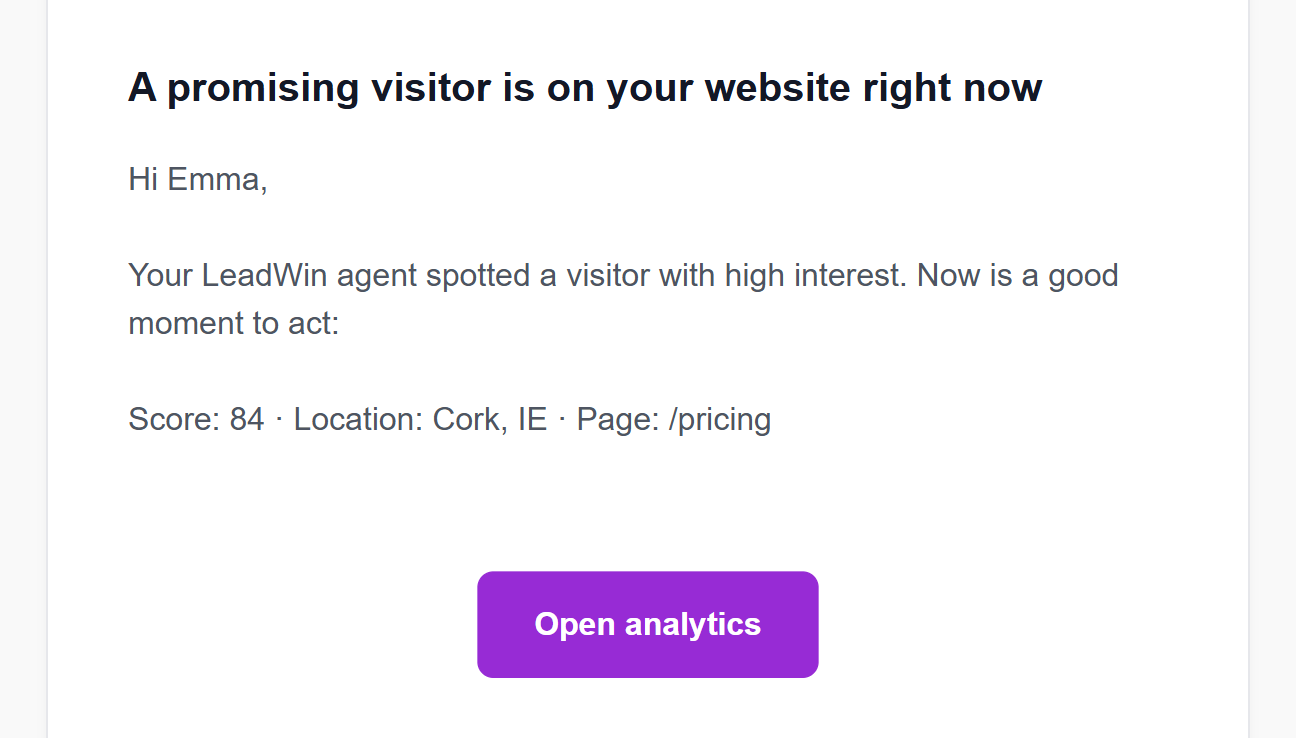
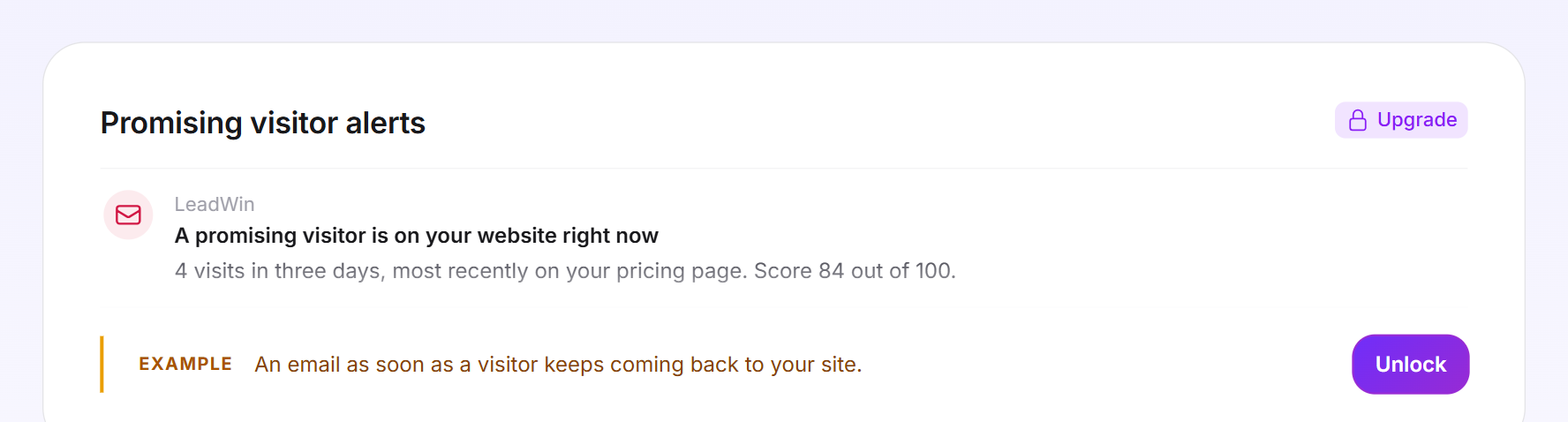
The subject is A promising visitor is on your website right now. The email says that your LeadWin agent has detected a visitor with high interest and names, in one line, the score, the location and the page they are on right now. The Open analytics button opens the page Analytics → Visitor analytics in your LeadWin dashboard, for the LeadWin agent whose website the visitor is on. This also applies if you last worked on a different agent.
Tip: After the email, open Live visitors right away. If the visitor is still on your website, they appear there at the very top with a flame, and you start a conversation yourself with Start chat.
Turn the alerts on and off
- Open Analytics → Notifications.
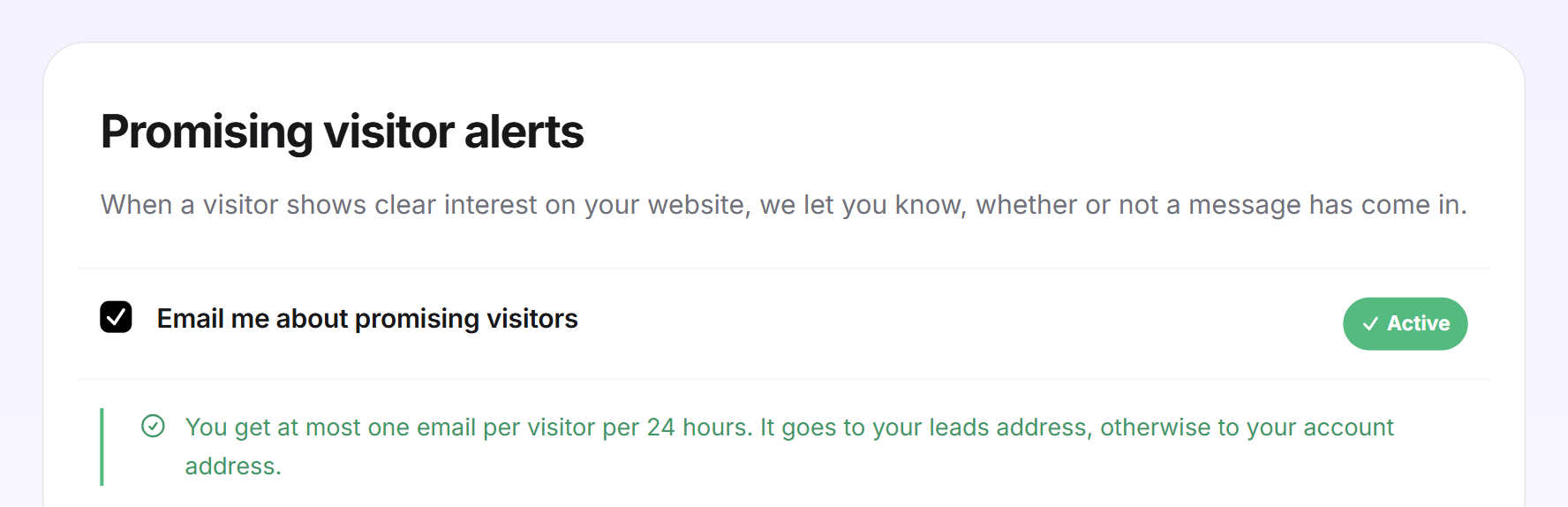
- Tick or untick Email me about promising visitors. The change applies immediately. A message confirms it with Promising-visitor alerts are on. or Promising-visitor alerts are off.
- With the Viewer role you only see the box. It is greyed out, and you cannot change it.
When the checkbox is ticked, a green notice appears below it: at most one email per visitor in 24 hours, to your leads address or your account address. When it is off, a grey notice appears there. You can then still find promising visitors in the visitor list under Activity, with the Promising visitors only checkbox.
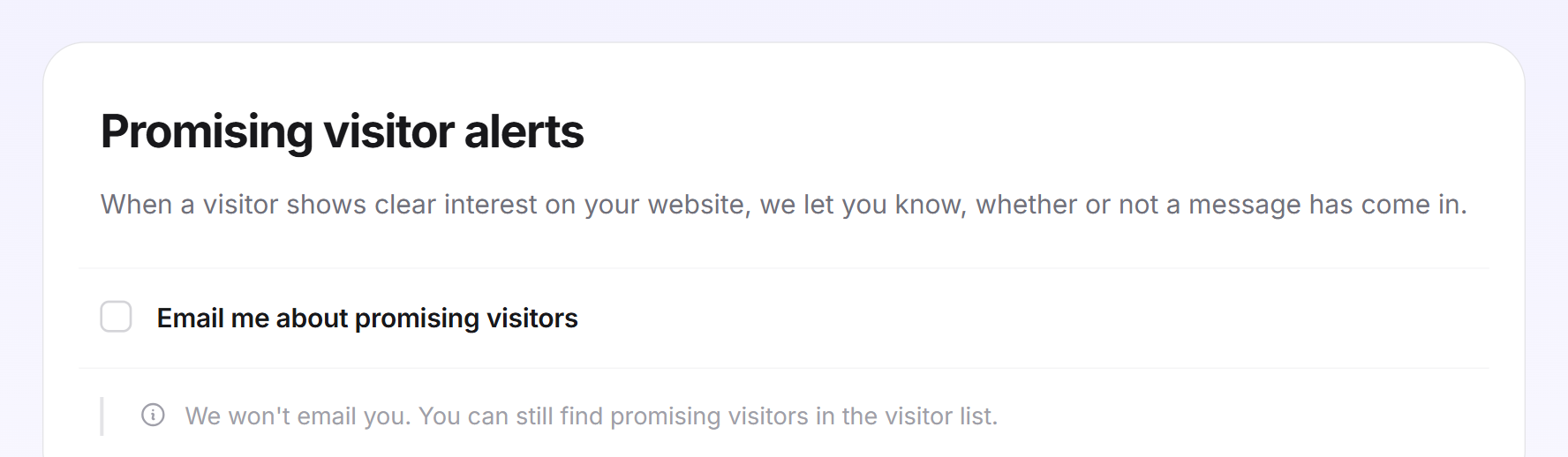
The switch applies to this LeadWin agent. If you have several LeadWin agents, you set it for each one separately.
The other emails
This switch only affects the alerts about promising visitors. It is independent of the Email notification for new visitor messages checkbox in the Inbox, which controls the emails about new messages and requests for a human. Whether a person in the team gets emails is set under Team. Emails about inquiries and appointments have no switch. An overview of all emails is in Email notifications.
When your plan does not include the alerts
In Free and Basic, the page shows an example of the email with the Example label. Unlock and Upgrade open the LeadWin pricing page, or the Feedbax pricing page with Feedbax Business. No emails arrive, even if the checkbox was ticked before. The setting stays saved and applies again as soon as your plan includes the alerts.
What your plan includes
| Plan | Alerts about promising visitors |
|---|---|
| Free | no, example only |
| Basic | no, example only |
| Pro and trial | yes, at most 1 email per visitor in 24 hours |
| Scale | yes, at most 1 email per visitor in 24 hours |
Feedbax Business comes with the limits of Basic, Premium with those of Pro and Enterprise with those of Scale. You find more on this in LeadWin in your Feedbax plan, and all limits in Plans compared.
Pro pays off if your visitors read for a long time before they write: the email reports the moment someone is seriously interested, and Visitor analytics then shows you where such visitors come from. During the trial, you try this out for 7 days. How to switch is explained in Manage, change and cancel your plan.
Frequently asked questions
When do I get an email about a promising visitor?
When a visitor with consent reaches an interest score of 70 out of 100 and has actually done something on the page or opened your LeadWin agent. At most once per visitor in 24 hours.
Who gets the email?
Only your account's notification address, not the people in your team.
I turned off the email notification in the Inbox. Do these emails still arrive?
Yes. The two switches are independent of each other.
Where do I turn off the other emails?
Emails about new messages and requests for a human with the checkbox in the Inbox. Emails to a particular person under Team for that person. Emails about inquiries and appointments have no switch.
Why do no emails arrive although the checkbox is ticked?
Your plan does not include the alerts, which applies to Free and Basic. Or your visitors have not consented to visitor analytics. Or no visitor has reached a score of 70 yet.
What do I do with the email?
Open Live visitors. If the visitor is still on your website, you start a chat there.
I have several LeadWin agents. Which one does the email open?
The agent whose website the visitor is on. The Open analytics button goes straight to its Visitor analytics, whichever agent you had open last.
Is the score in the email the same as a rating of my company?
No. The score is a visitor's interest score on your website. It says nothing about your company.