

LeadWin comes in four plans: Free, Basic, Pro and Scale. Your plan determines how many conversations your LeadWin agent holds per month, how many agents you run and which features are available to you. This article shows all limits and features per plan so you can choose the right one.
At a glance
- You compare all plans on the pricing page at leadwin.ai/pricing. Every Upgrade button in the LeadWin dashboard takes you there, or to the Feedbax pricing page if you have a Feedbax plan.
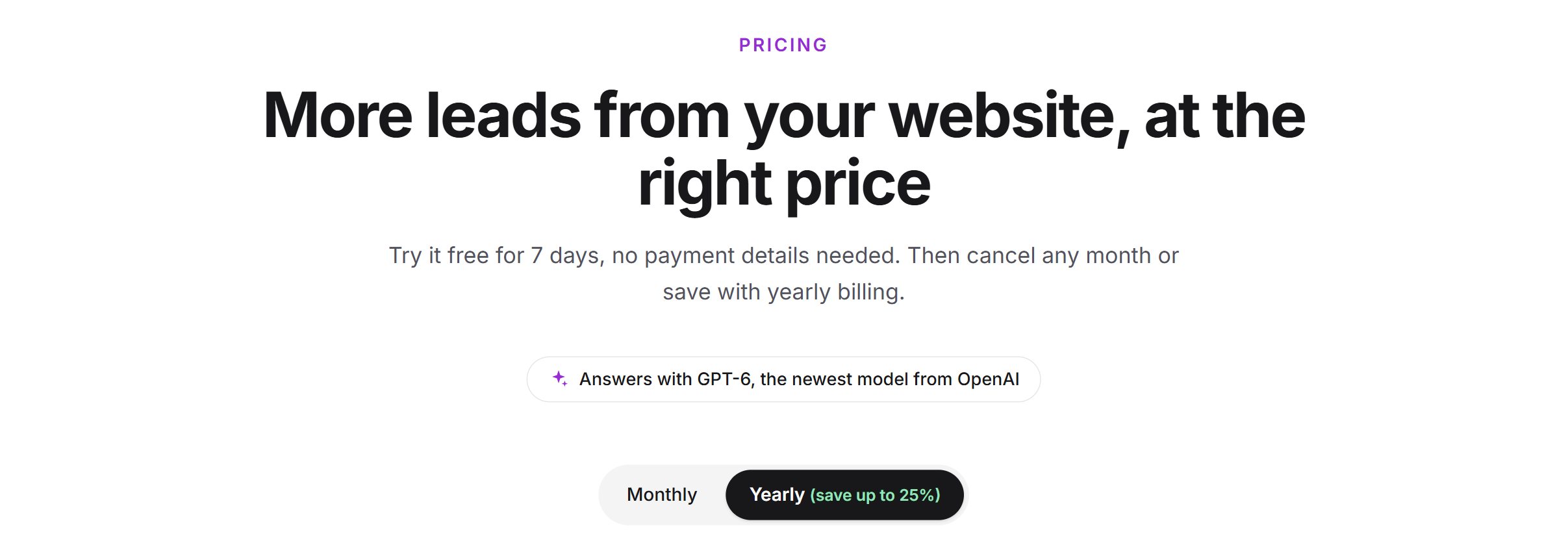
- Basic, Pro and Scale are available monthly or yearly. Yearly is cheaper. The prices are only shown on the pricing page and are net prices.
- Almost all limits apply per LeadWin agent: conversations, websites, in-depth pages, documents and team seats. Only the number of agents applies to the whole account.
- Free costs nothing and runs without a time limit. Every account can try Pro once for 7 days free of charge.
- If you switch to a smaller plan, nothing is deleted. You just cannot add anything beyond the new limit.
How it works
Your plan is not stored on the LeadWin agent. LeadWin determines it again on every request, in this order: first a Feedbax plan, if you are also a provider on Feedbax, then a booked LeadWin plan, then a running trial, otherwise Free. An upgrade therefore applies immediately. If a plan expires, the next one in the order also applies immediately. Which plan is included in which Feedbax plan is explained in LeadWin in your Feedbax plan.
Each LeadWin agent gets the full limits of its plan. Two agents on the Pro plan therefore have 100 conversations per month each, not 100 together. How a conversation is counted is explained in Usage. How many agents your account may have and how you manage them is described in Several LeadWin agents.
LeadWin reads the prices directly from the payment service Stripe. The figures and check marks on the pricing page come from the same rules that apply in the LeadWin dashboard. The pricing page therefore promises nothing your plan does not include. For businesses with a German billing address, VAT is added. With a valid VAT ID from another EU country, the reverse charge procedure applies. Outside the EU, no German VAT is charged.
The current prices are Early adopter prices. They rise step by step as LeadWin grows. If you book now, you keep your price as long as your plan runs. New prices only apply to new plans.
Compare the plans on the pricing page
- Open leadwin.ai/pricing. From the LeadWin dashboard, you get there via Compare plans in the Usage menu or via any Upgrade button. Compare plans appears there as long as you have not booked a LeadWin plan. With a booked plan, the button is called Manage subscription and opens subscription management. With a Feedbax plan, Compare plans and Upgrade lead to the Feedbax pricing page.
- At the top, choose Monthly or Yearly. With yearly billing, each card shows the price per month and the yearly amount below it. The switch shows what percentage you save with yearly billing.
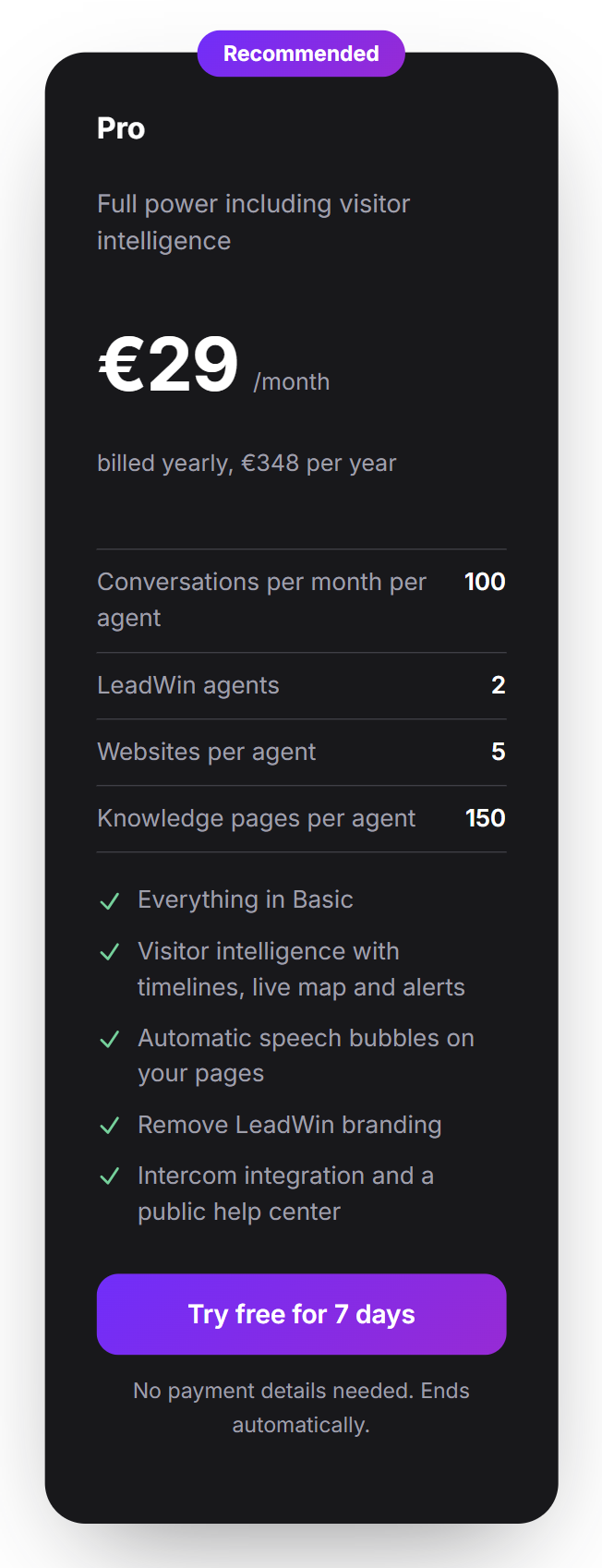
- Each card shows the four most important figures per plan: conversations per month per agent, LeadWin agents, websites per agent and knowledge pages per agent. In the LeadWin dashboard, knowledge pages are called in-depth pages. For Scale, LeadWin agents shows 3 (up to 5), because you can add up to 2 agents.
- Further down, under Compare all features, you find all limits and features, arranged in seven groups. Clicking a group collapses it.
- Once you have decided, click Book Basic, Book Pro or Book Scale on the card. The booking opens in your LeadWin dashboard, with the billing interval the switch currently shows. What happens next is explained in Book a plan.
If you are not signed in, the cards say Try free for 7 days, and the Free card says Start for free. Both lead to the sign-up. The plan you chose is not carried over. With your first sign-in, the trial with the Pro features starts. If you already have a LeadWin plan, your card shows Your subscription and the Manage subscription button. The other plans then show, for example, Switch to Pro. You switch in the subscription management, see Manage, change and cancel your plan.
Which plan you currently have
In the LeadWin dashboard, click Usage at the top. Your plan appears at the top of the menu, for example Your plan: LeadWin Pro. If you have a Feedbax plan, the line names that one, for example Your plan: Feedbax Premium. Below it, you see how much of its limits your LeadWin agent already uses. During the trial, this line is missing. Instead it shows Pro with the addition Trial and, below that, how many days are left. Owners and admins can see the menu.
Recognize locked features
LeadWin never hides features your plan does not include. You always see them, so you know what a higher plan offers. There are three forms:
- Upgrade label: A purple label with a lock appears next to the switch or field. The switch shows the state that actually applies. If you turned a feature on earlier, this setting stays saved but is shown as off until you have a suitable plan again.
- Locked card: Instead of a whole area, you see a card with the same title and a note that the area is not included in your plan.
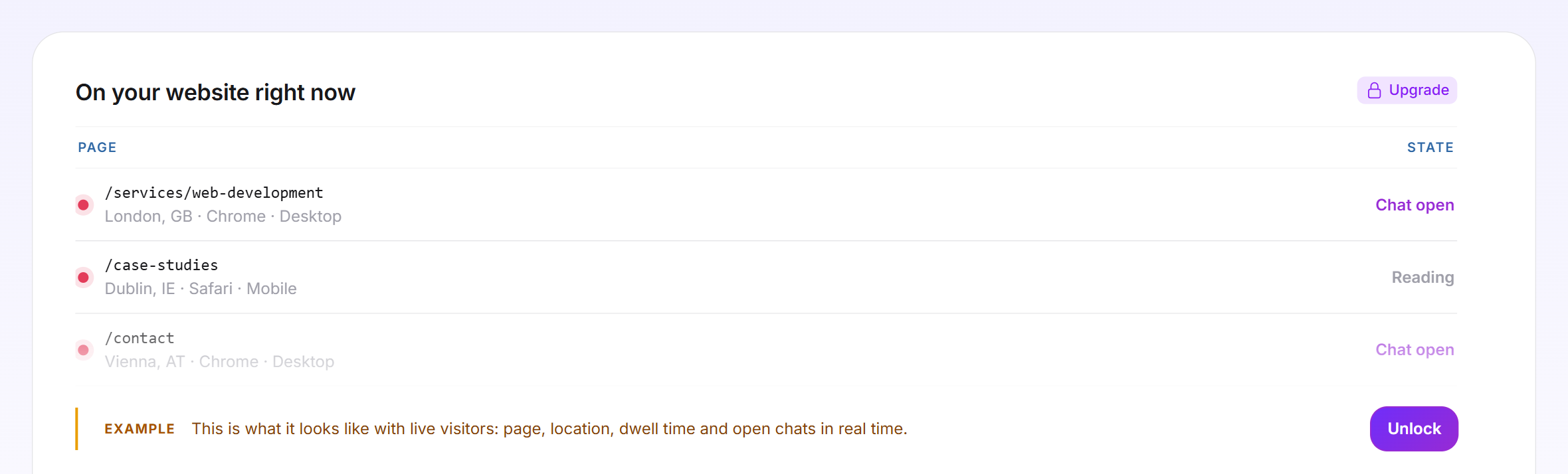
- Sample rows: For visitor intelligence, LeadWin shows made-up sample data marked Example and the Unlock button. This lets you see beforehand what, for example, Live visitors shows.
Clicking Upgrade or Unlock opens the LeadWin pricing page. If you have a Feedbax plan, the Feedbax pricing page opens instead, because that is where you book the next higher plan. When you hover over the label, it says This feature is not part of your plan. Click to see the plans. The label also appears when a limit is reached, for example for the number of documents. Its note then reads You have reached the limit of your subscription. Click here to see what a bigger subscription unlocks.

Add extras without changing your plan
Under Add-ons, the pricing page lists three extras. You cannot buy individual limits, such as more websites on the Basic plan. For that, you switch to a higher plan.
- Additional LeadWin agent: only with a booked LeadWin Scale plan, at most 2 on top. An account runs at most 5 LeadWin agents, that is the 3 from Scale and 2 more. Each additional agent has all the limits of Scale, including 250 conversations per month. You book it in the Switch agent menu of the LeadWin dashboard, with the same billing interval as your plan. Once all 5 agents are booked, the menu shows An account can run at most 5 agents. instead of the button.
- More conversations: top-up packs with 10 or 50 conversations for a specific LeadWin agent, from Basic upwards. If you like, your agent tops up automatically. Everything about this is in Buy more conversations.
- Set up for you: We set up your LeadWin agent for you: knowledge, tone of address, appointments and speech bubbles. You do not book this service in the LeadWin dashboard. Write to us via Contact support in the account menu.
What happens when you downgrade
If you switch to a smaller plan, cancel, or your trial ends, LeadWin deletes nothing. These rules apply:
- Quantities such as in-depth pages, documents, websites and social media sources are all kept. You just cannot add new ones until you are below the limit again.
- Team seats are the exception: people above the new limit lose access as long as no seat is free. The owner always keeps access. The entries remain, and an upgrade restores access. More on this under Team.
- Agents above the new limit are closed. They no longer answer anyone, but keep all their settings and conversations.
- Features the new plan does not include stop working immediately. The Powered by LeadWin notice appears again, custom colors and a custom launcher icon fall back to the default, campaigns are no longer shown, and the custom address of your help center stops responding. Your settings stay saved and take effect again after an upgrade.
What your plan includes
The limits apply per LeadWin agent, except for the number of agents. The Trial column applies to the 7 days in which you try Pro for free.
| Limit | Free | Trial | Basic | Pro | Scale |
|---|---|---|---|---|---|
| Conversations per month | 10 | 30 | 50 | 100 | 250 |
| LeadWin agents per account | 1 | 1 | 1 | 2 | 3, up to 5 with extra agents |
| Websites | 1 | 5 | 1 | 5 | 10 |
| Team seats including owner | 1 | 10 | 3 | 10 | 25 |
| In-depth pages | 3 | 150 | 50 | 150 | 250 |
| Page refreshes per day | 3 | 25 | 10 | 25 | 50 |
| Documents | 1 | 20 | 10 | 20 | 50 |
| Social media sources per network | none | 1, read daily | 1, read weekly | 1, read daily | 1, read daily |
| Automatic speech bubbles in total | none | 150 | none | 150 | 500 |
| Test messages in the live preview per month (per day) | 30 (20) | 250 (100) | 150 (100) | 250 (100) | 400 (100) |
LeadWin writes at most 50 new automatic speech bubbles per day. You can have a social media source read again by hand once a day. Test messages in the live preview never count against your conversations.
| Feature | Free | Trial | Basic | Pro | Scale |
|---|---|---|---|---|---|
| Visitor analytics with key figures, funnel and sources | yes | yes | yes | yes | yes |
| Appointment booking in the chat | no | yes | yes | yes | yes |
| Speech bubble above the launcher | no | yes | yes | yes | yes |
| Trust signals at the launcher and in the Welcome screen | no | yes | yes | yes | yes |
| Conversation starters and follow-up questions | no | yes | yes | yes | yes |
| Custom colors | no | yes | yes | yes | yes |
| Live search and search in your sitemap | no | yes | yes | yes | yes |
| Social media posts | no | yes | yes | yes | yes |
| Buy extra conversations and top up automatically | no | no | yes | yes | yes |
| Automatic speech bubbles per page | no | yes | no | yes | yes |
| Campaigns on your website | no | yes | no | yes | yes |
| Without LeadWin branding | no | yes | no | yes | yes |
| Custom launcher icon | no | yes | no | yes | yes |
| Intercom integration and public help center | no | yes | no | yes | yes |
| Help center on your own domain | no | yes | no | yes | yes |
| Visitor intelligence with timelines, score, alerts, live view and CSV export | no | yes | no | yes | yes |
| Book additional LeadWin agents | no | no | no | no | yes |
Feedbax Business comes with the limits of Basic, Premium with those of Pro and Enterprise with those of Scale. You can only book additional agents with a booked LeadWin Scale plan, at most 2. This is not possible with Feedbax Enterprise, which stays at 3 agents.
When each plan pays off: Basic turns your LeadWin agent into a sales tool: it books appointments in the chat through appointment booking, reaches out to visitors with a speech bubble, searches your website live and shows your reviews as trust signals at the launcher. Pro additionally shows you who visits your website and how interested someone is, writes speech bubbles for every page by itself, removes the LeadWin branding and adds a public help center. Pro also doubles the conversations compared to Basic and allows 2 agents. Scale pays off for several websites or brands: 3 agents with 250 conversations and 25 team seats each, plus up to 2 more agents if needed, so up to 5 in total.
Frequently asked questions
Do the limits apply per agent or per account?
Per agent. Each LeadWin agent has the full amount of conversations, websites, in-depth pages, documents, team seats, speech bubbles and test messages. Only the number of agents applies to the account.
What happens to my content if I switch to a smaller plan?
Nothing is deleted. You just cannot add anything beyond the new limit. Features the smaller plan does not include stop working, surplus agents are closed, and surplus team members lose access.
Can I buy individual limits, for example more websites?
No. You can only buy extra conversations and, with Scale, up to 2 additional agents. An account never has more than 5 agents. For all other limits, you switch to a higher plan.
Does Basic include visitor intelligence?
No, it starts with Pro. Visitor analytics with key figures, funnel and sources, on the other hand, is included in every plan, including Free. Only its CSV export requires Pro.
Does Basic remove the Powered by LeadWin notice?
No. You remove the LeadWin branding from Pro upwards.
Why do I see a feature that does not work?
Features outside your plan stay visible and carry the purple Upgrade label. The switch then shows off, even if you turned it on earlier.
Are the prices on the pricing page net?
Yes. The German pricing page therefore adds zzgl. MwSt., which means plus VAT. With a German billing address, 19% VAT is added.
I clicked Try free for 7 days on the pricing page. Where is my trial?
The button leads to the sign-up. The trial starts with your first sign-in, that is, with your first click on the link in the welcome email. If you already had an account, you start it in the LeadWin dashboard with Try free for 7 days. This button only appears on the Free plan and only as long as you have not used your trial.
Will my price stay the same when prices go up?
Yes. Your plan keeps the price you booked it at as long as it runs. New prices only apply to new plans.