Under Social media, you connect your channels on LinkedIn, YouTube, Instagram, TikTok and X. Your LeadWin agent regularly reads what you have recently published there and shows matching posts and videos in its answers. This way, visitors see what you are working on right now without leaving your website.
At a glance
- You find the page in the LeadWin dashboard under Knowledge → Social media.
- You connect 1 source per network: a profile or company page, a channel or an account.
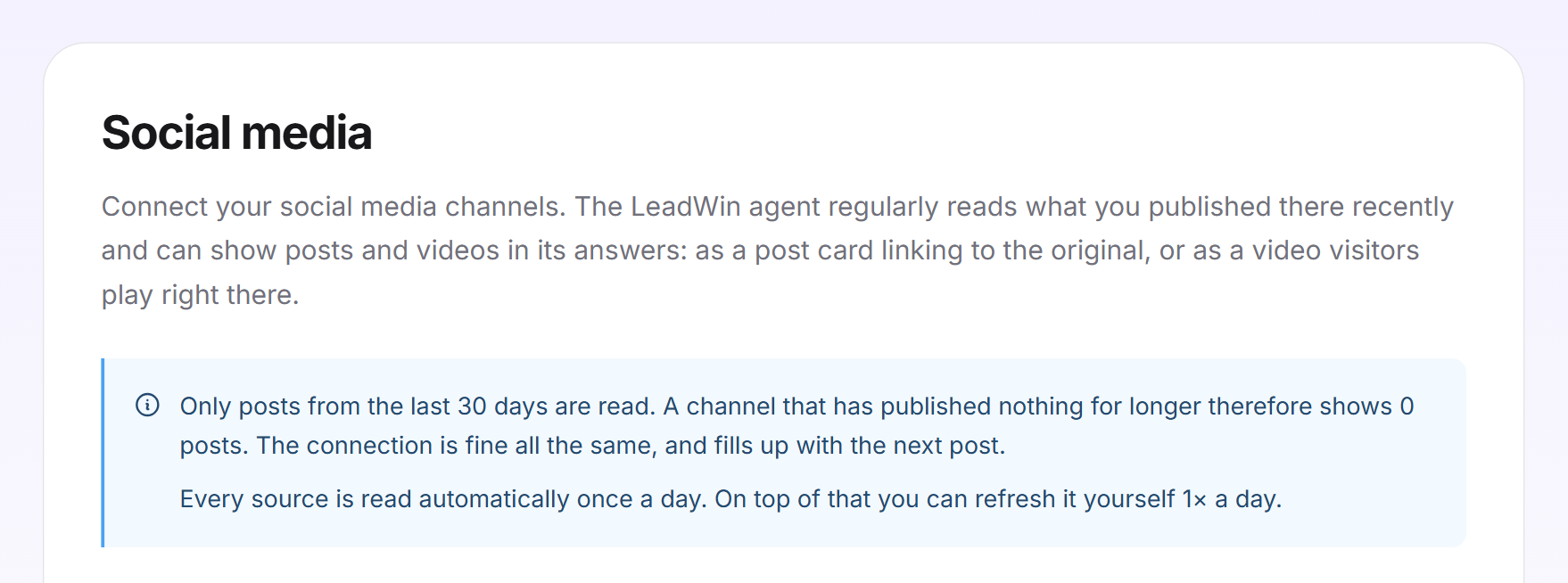
- Only posts from the last 30 days are read. With Basic once a week, with Pro, Scale and in the trial once a day. In addition, you refresh each source yourself once a day.
- Social media is available from Basic on and in the trial, not in Free.
- Owners and admins can see the page. You decide who has which role under Team.
How it works
As soon as you connect a source, LeadWin reads it for the first time. After that, it reads it automatically in the rhythm of your plan. Each read takes in up to 10 public posts from the last 30 days. LeadWin stores up to 50 posts per source.
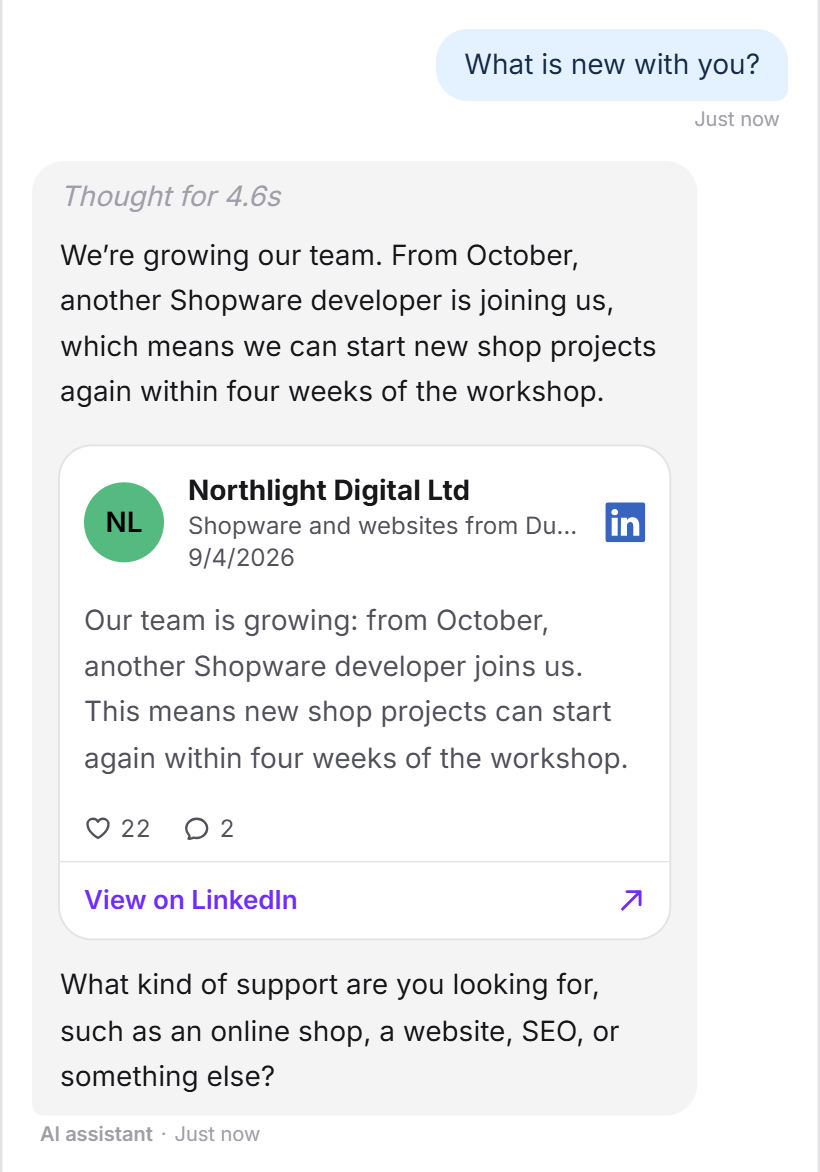
If a visitor asks what is new with you, or a post matches their question, your LeadWin agent looks through your posts. Per lookup, it reads up to 5 posts with a total of at most 8,000 characters. In its answer, a post appears as a card with a link to the original, and the visitor plays a video right in the chat. You check whether this works in the live preview.
If a channel has not published anything for more than 30 days, it shows 0 posts. The connection is still fine. It fills up again with the next post. Below the source it then says Nothing has been published here recently. together with when LeadWin checks again: with Basic at the next weekly read, with Pro, Scale and in the trial the next day.
The social media channels in your company profile are separate from this. They only contain the addresses of your profiles. LeadWin only reads posts from the sources you connect here.
How often LeadWin reads
- Automatically: with Basic once a week, with Pro, Scale and in the trial once a day.
- By hand: once a day per source with the Refresh icon. After that, the icon is locked until the next day.
- Older posts: Load more posts fetches 10 older posts, up to 50 per source. For YouTube and TikTok, the button is called Load more videos. This uses the day's refresh.
What this means for you: if you have just published something important, click Refresh instead of waiting for the next automatic run. With Basic, that could otherwise take up to a week.
Connect a source
- Open Knowledge → Social media.
- In the network's block, enter the address. The https:// is already in front of it.
- Click Connect.
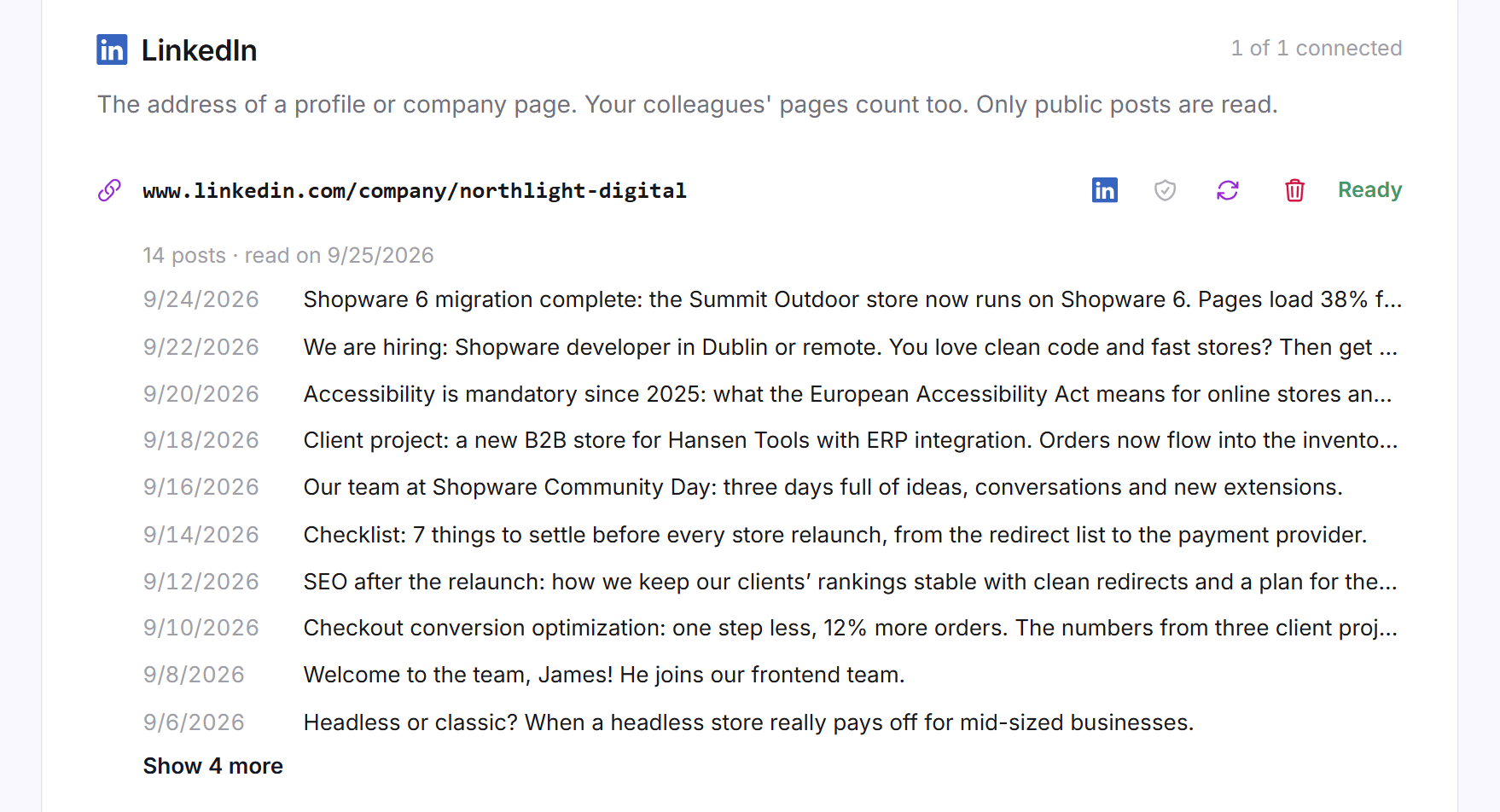
- The row shows Processing, then Ready with the number of posts and the date it was read.
Which address each network needs:
- LinkedIn: a profile or company page, including a colleague's. Only public posts are read.
- YouTube: the address of your channel, for example with the @handle. A single video is not enough.
- Instagram: the address of a profile. A single post or reel is not enough.
- TikTok: the address of a profile, for example with the @handle.
- X: the address of an account, for example with the @handle.
If the address is not a page of the network, a message below the field tells you what is missing.
The buttons of a source
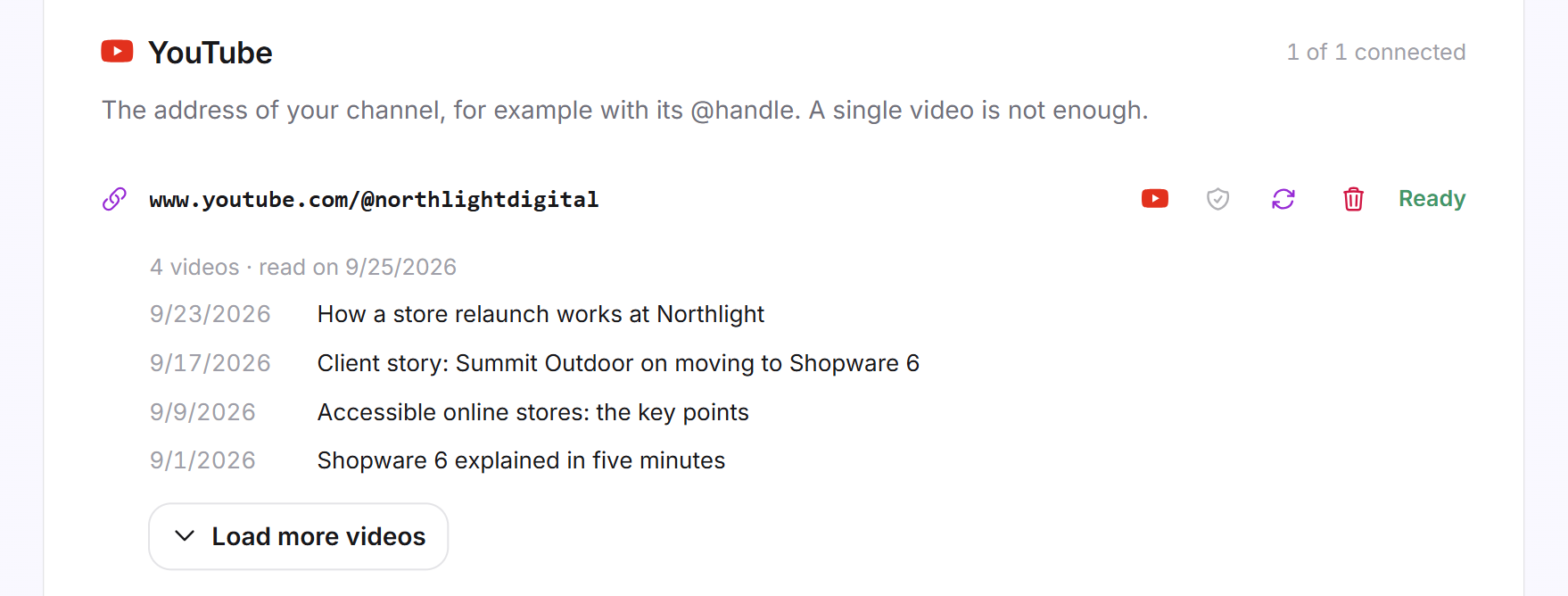
Next to each connected source are four icons:
- Show this icon in the message field: The network's icon appears in the chat next to the message field. Clicking it shows the visitor this channel's posts. From two icons on, the chat combines them into a menu. If you switch it off, the channel stays reachable through the menu at the top right of the chat. It is on by default.
- Show new posts on the launcher: New posts appear as a card next to the launcher on your website. The setting applies to all sources together. It only works if your trust signals at the launcher are switched on. If they are on when you connect a source, LeadWin switches the card on right away.
- Refresh: reads the source again right away, once a day.
- Disconnect: removes the source together with its posts. LeadWin asks first, for example Disconnect LinkedIn?, and warns: The posts read from it are deleted, and your LeadWin agent no longer knows them. You can reconnect the source at any time. Only Disconnect in the dialog removes the source; with Cancel, it stays connected.

View posts and videos
Below each source, up to 10 posts appear with their date and first line. With the link below them, you expand the rest. For YouTube and TikTok, the entries are called videos.
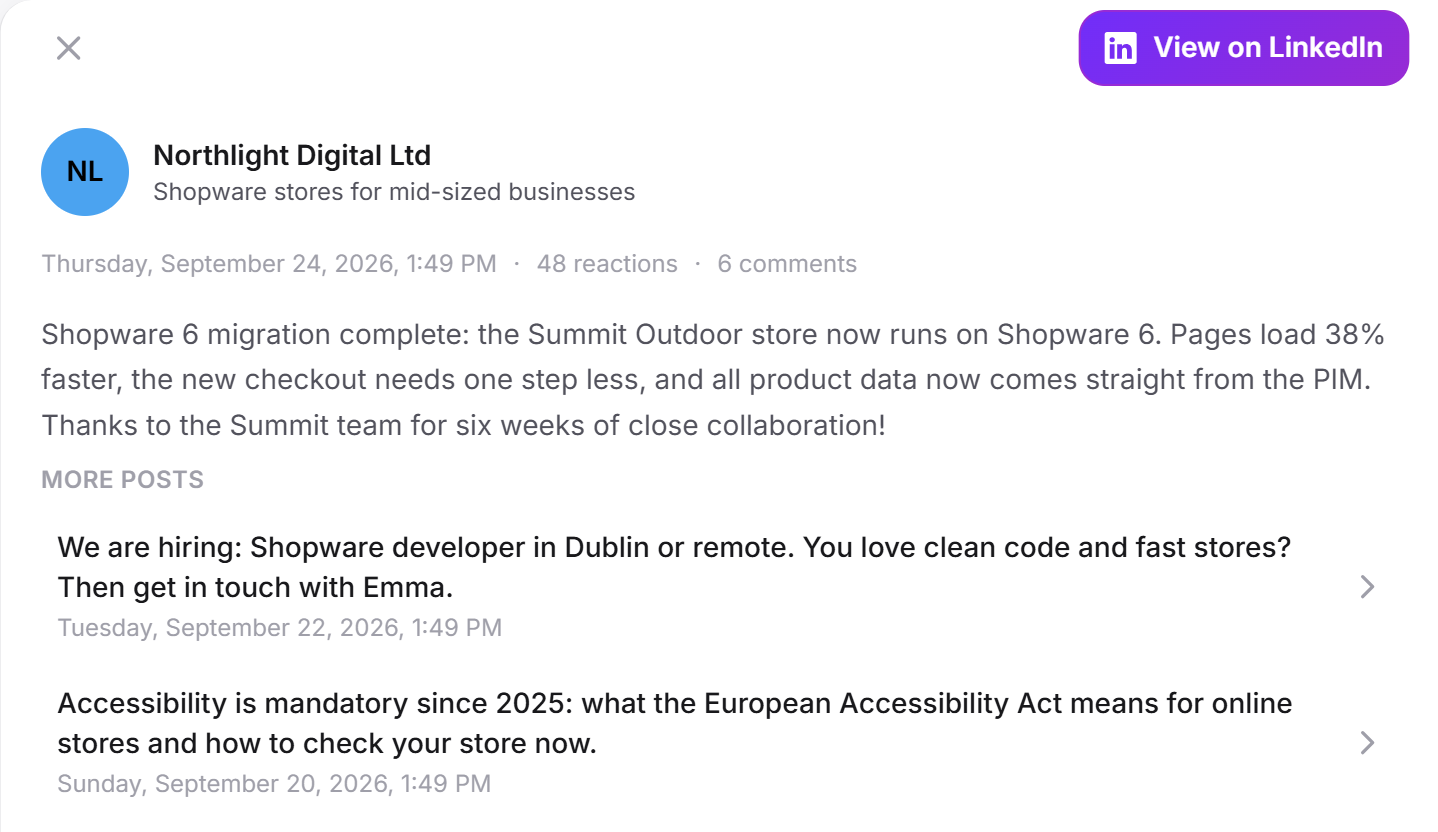
Clicking a post opens it in full: text or video, the number of reactions and comments, the link to the original on the network and the list of further posts.
When a source fails
If a source shows Failed, the row states the reason:
- The page could not be loaded: Check the address and try again later.
- The network has already been read today: The source will be updated on the next automatic run.
- The source is not set up: Contact support.
What it looks like in the chat
A visitor asks what is new. Your LeadWin agent sums up recent posts and shows them as cards with a link to LinkedIn.
What your plan includes
| Plan | Sources per network | Read automatically | By hand per source |
|---|---|---|---|
| Free | 0 | never | never |
| Basic | 1 | once a week | once a day |
| Pro and trial | 1 | once a day | once a day |
| Scale | 1 | once a day | once a day |
Feedbax Business comes with the limits of Basic, Premium with those of Pro and Enterprise with those of Scale. With Feedbax Business, LeadWin therefore reads your sources once a week, and daily only from Feedbax Premium upwards. You find more on this in LeadWin in your Feedbax plan. In Free, you see the blocks with the label Upgrade, but without input fields. Pro pays off if you publish often: your LeadWin agent then knows new posts within a day at most instead of a week. How to switch is explained in Manage, change and cancel your plan, and all limits in Plans compared.
If you switch to a plan without social media, your sources and posts stay stored. However, LeadWin no longer reads them automatically. If you have several LeadWin agents, you connect separate sources for each one. With Share knowledge on the Agent page, a second agent can also read the social posts of the first one.
Frequently asked questions
Which networks can I connect?
LinkedIn (profile or company page), YouTube, Instagram, TikTok and X.
Why does my channel show 0 posts?
LeadWin only reads the last 30 days. If you have not published anything for longer, the channel is empty. The connection is fine and fills up with the next post.
How often are my posts read?
Once a day with Pro, Scale and in the trial, once a week with Basic. In addition, you can refresh each source yourself once a day.
Can I connect several LinkedIn pages?
No. Every plan allows 1 source per network.
Can I show older posts?
Yes. Load more posts fetches 10 older posts, up to 50 per source. This uses the day's refresh.
What does the shield icon do?
It shows new posts as a card next to the launcher on your website. For this, your trust signals at the launcher must be switched on.
What does the network icon do?
It shows the channel's icon in the chat next to the message field. Visitors open your posts through it.
Is social media available in Free?
No. Social media is available from Basic on and in the trial.